Mineuniverse
Resource Packs
Default Grayscale Pack

Default Grayscale Pack

RESOURCE PACK
Default Grayscale Pack
by Vl4dimyr
Download Claim this project
1,532 downloads
0 likes
0 followers
Updated Oct 14, 2026
0 hypes
Follow0
Miscellaneous
Advertisement Remove ads with Premium →

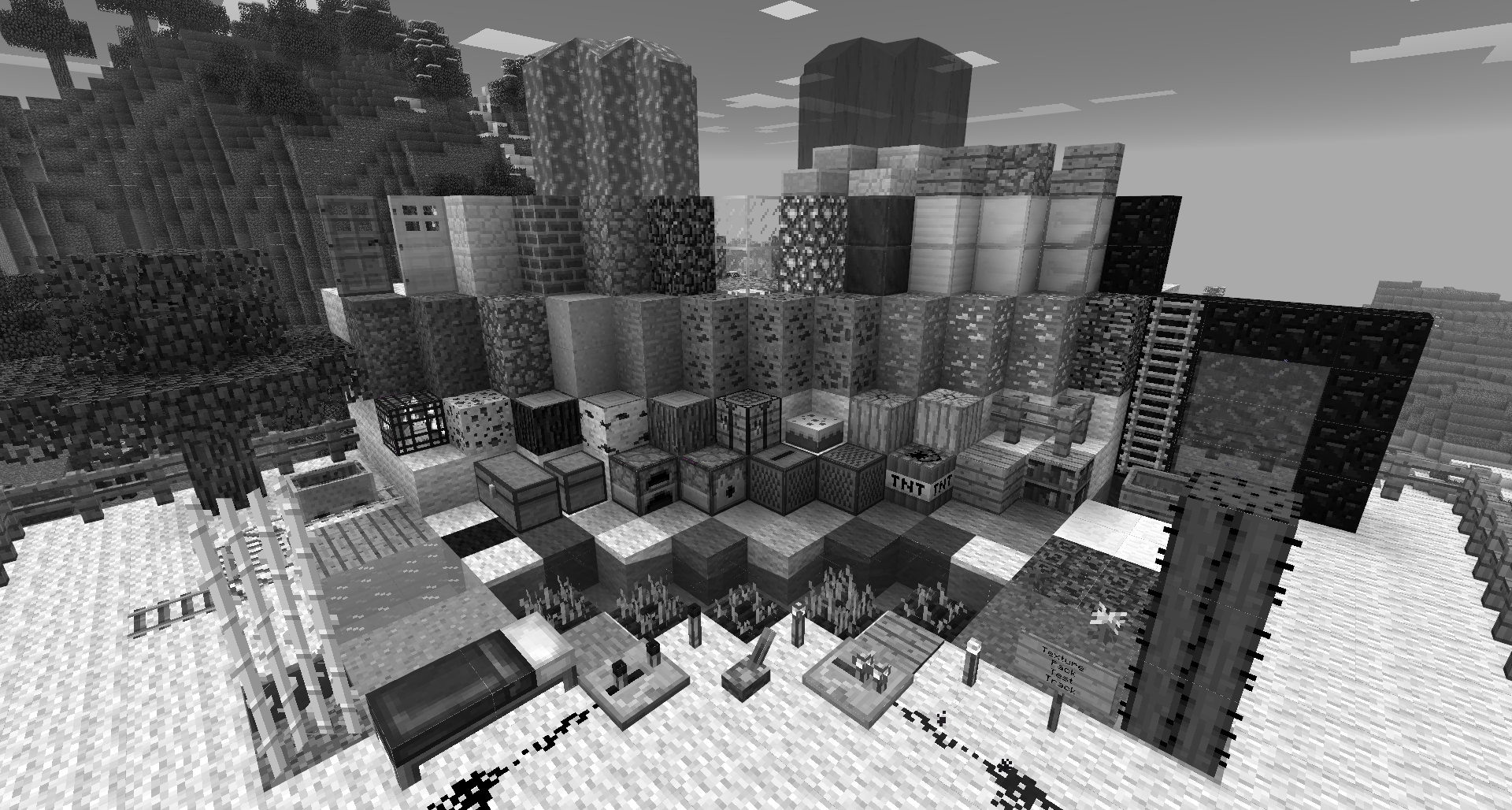
Did you ever think about how Minecraft would look if there would be no colors? I did! So I just took the default texture pack and gray-scaled it. It's a bit weird to look at and you can't distinguish between different colors (e.g. wool colors) but check it out yourself!

In order to use this texture pack you have to use the latest version of MCPatcher.
Make sure you have checked all MCPatcher-Mods and patched them before you use this texture pack.
Don't forget to choose the patched version in the Minecraft launcher!

And most important, have fun =)

_1.6.2__Default_Grayscale_Pack_v1.0_by_Vl4dimyr.zip
MC 1.6.2
Release 2013-08-28 Get

Requirements & install

How to use this resource pack in Minecraft
Resolution
Not specified
Minecraft
1.6.2
Install folder
.minecraft/resourcepacks

How to install resource packs

  1. Download the resource pack .zip file (do not extract it).
  2. In Minecraft open Options → Resource Packs → Open Pack Folder.
  3. Drop the .zip into the resourcepacks folder (.minecraft/resourcepacks).
  4. Move the pack to the Selected column and click Done.
Browse more: 16x resource packs 32x resource packs 64x resource packs 128x resource packs 256x resource packs 512x+ resource packs Resource Packs for 1.6.2 All resource packs
Advertisement Remove ads with Premium →

You Might Also Like