Mineuniverse
Resource Packs
Deez FPS [Black GUI]

Deez FPS [Black GUI]

RESOURCE PACK
Black GUI
by FieroLam
Download Claim this project
30,859 downloads
0 likes
Updated Oct 14, 2026
0 hypes
16x Miscellaneous
Advertisement Remove ads with Premium →


Texture Pack Features:

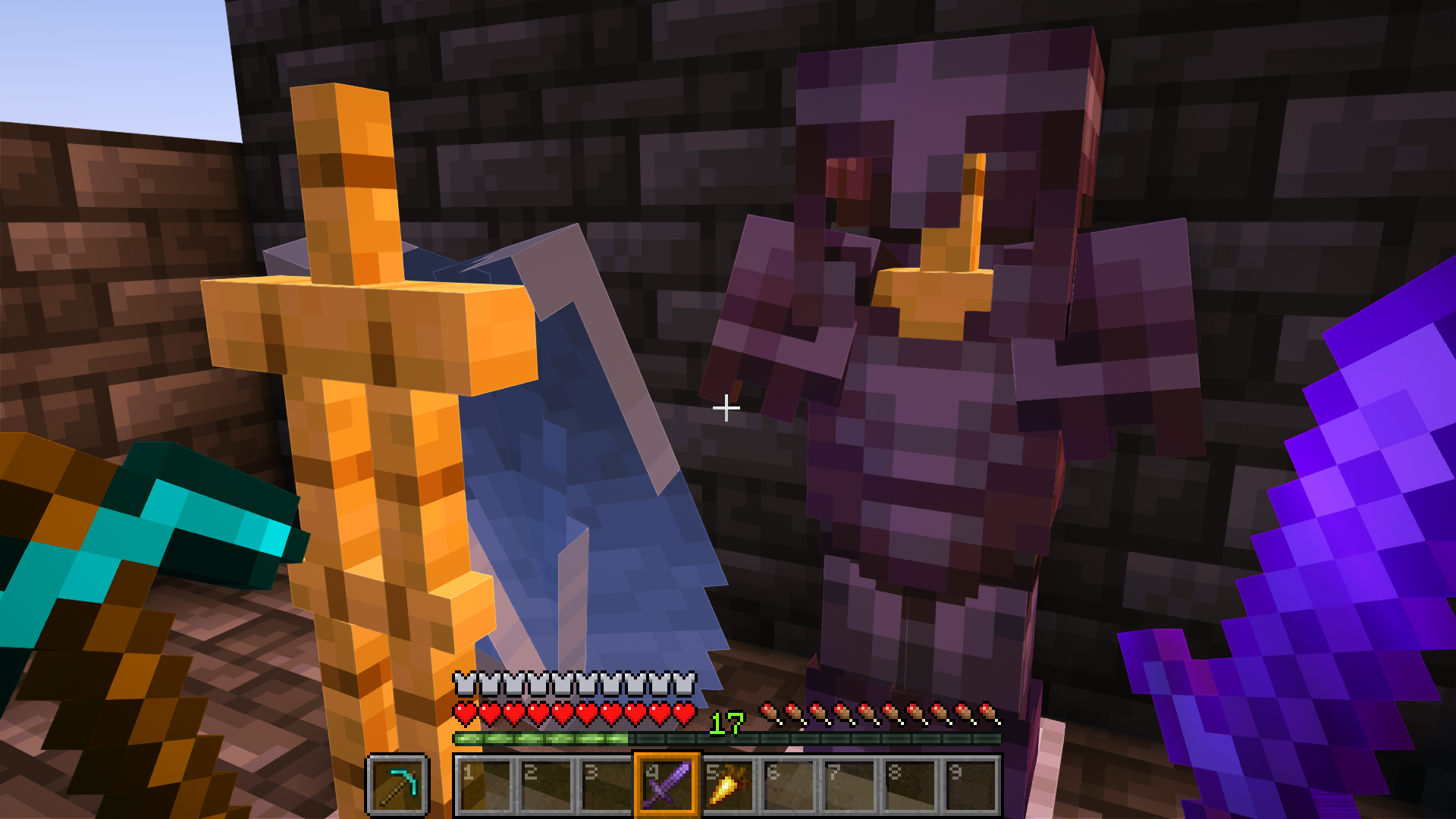
This clean and refined texture pack enhances the Minecraft interface with subtle fixes and improvements, providing a more polished experience without affecting gameplay.

Fixes and Consistency:

  • Item Stitching Fix: Corrects any inconsistencies in item textures, ensuring smooth visuals.


GUI Enhancements:

  • Numbered Hotbar: Stay organized with numbered hotbar slots, making inventory management more intuitive.
  • Orange Hotbar Selector: Visually highlight your selected item with a bold orange indicator.
  • Dark UI: Enjoy a more modern and immersive feel with a dark-themed user interface.


Deez Fps black gui 

CurseForge Deez FPS

CurseFroge Deez FPs [VULKAN EDITION]

Modrinth Deez fps

Modrinth Deez FPS [VULKAN EDITION]

 

black gui

Deez FPS [Black GUI] 26.2
MC 1.21.11, 26.1, 26.1.1, 26.1.2, 26.2
Release 2026-09-04 Get
Deez FPS [Black Ui]
MC 1.21.11
Release 2026-01-05 Get
Deez FPS [Black Ui].zip
MC 1.20.2, 1.21, 1.20.5, 1.21.5, 1.21.8, 1.21.4, 1.20.3, 1.20.1, 1.20, 1.20.6, 1.20.4, 1.21.3, 1.21.7, 1.21.1, 1.21.6, 1.21.2
Release 2025-07-23 Get
Deez FPS [Black Ui] v2
MC 1.20.2, 1.21, 1.20.5, 1.21.5, 1.21.4, 1.20.3, 1.20.1, 1.20, 1.20.6, 1.20.4, 1.21.3, 1.21.1, 1.21.6, 1.21.2
Release 2025-06-30 Get
Deez FPS [Black Ui]
MC 1.21, 1.21.5, 1.21.4, 1.21.3, 1.21.1, 1.21.2
Release 2025-04-23 Get
Deez FPS [Black Ui] v1
MC 1.21, 1.21.1
Release 2024-09-06 Get

Requirements & install

How to use this resource pack in Minecraft
Resolution
16x
Minecraft
1.21.6 – 26.2
Install folder
.minecraft/resourcepacks

How to install resource packs

  1. Download the resource pack .zip file (do not extract it).
  2. In Minecraft open Options → Resource Packs → Open Pack Folder.
  3. Drop the .zip into the resourcepacks folder (.minecraft/resourcepacks).
  4. Move the pack to the Selected column and click Done.
Browse more: 16x resource packs 32x resource packs 64x resource packs 128x resource packs 256x resource packs 512x+ resource packs Resource Packs for 26.2 All resource packs

More from FieroLam

Advertisement Remove ads with Premium →

You Might Also Like