Mineuniverse
Resource Packs
DeCubes MoMons

DeCubes MoMons

RESOURCE PACK
This pack adds custom models, textures, and animations for Pokémon currently not in Cobblemon. Also adds custom spawns if installed as a datapack for your world.
by DefaultCube
Download Claim this project
6,447 downloads
0 likes
Updated Oct 14, 2026
0 hypes
Animated Data Packs Miscellaneous
Advertisement Remove ads with Premium →

DeCubes MoMons is an unofficial resource pack for the Cobblemon mod.

(Extract the zip file and place it in both your resourcepack and datapack folders for it to work properly)

This pack adds custom models, textures, and animations for Pokémon currently not in Cobblemon. Also adds custom spawns if installed as a datapack for your world.

All textures, models, and animations in this pack are made by me, DefaultCube (DeCube). Join the official Cobblemon Discord server to contribute!

DeCubes MoMons pack:

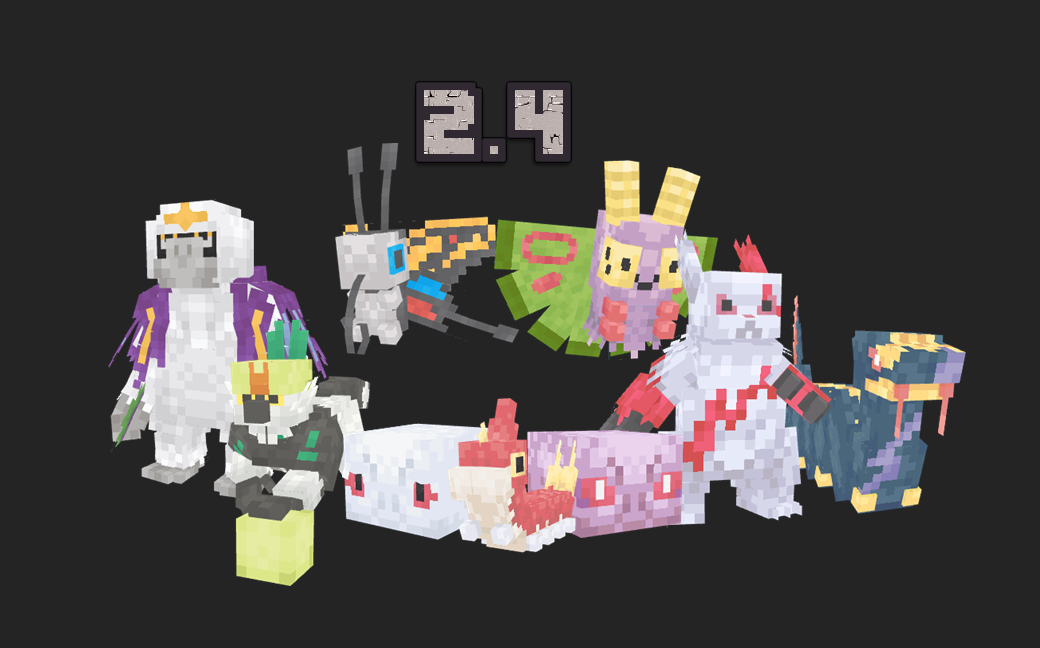
  • Azurill, Marill, and Azumarill
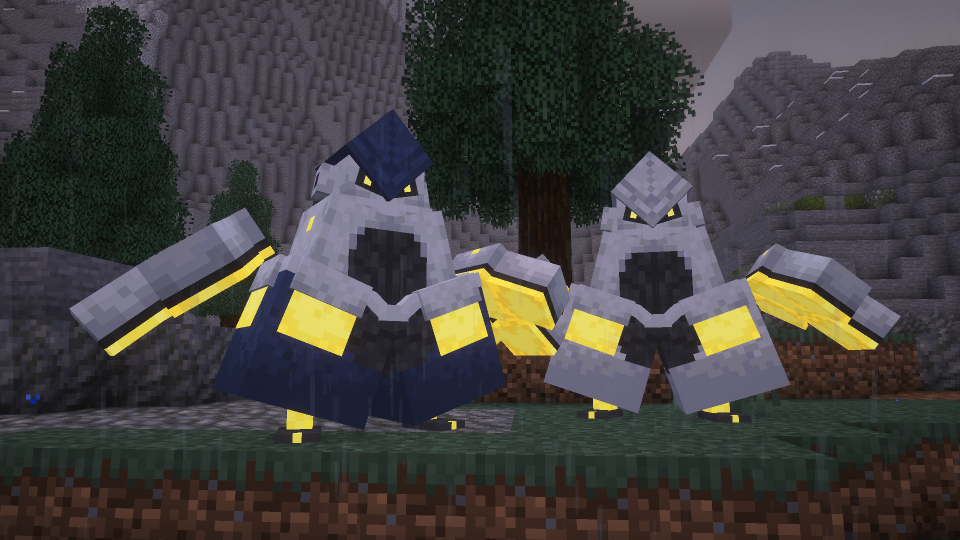
  • Iron Hands
  • Hisuian Growlithe and Arcanine
  • Wurmple, Silcoon, Cascoon, Beautifly & Dustox
  • Seviper & Zangoose
  • Oranguru & Passimian

Spawns

Azurill, Marill, & Azumarill: All three spawn in the swamp and plains biomes.

Iron Hands: Spawn rarely in mountain biomes.

Hisuian Growlithe & Arcanine: Both spawn in mountain biomes and the Nether.

Wurmple, Silcoon, Cascoon, Beautifly & Dustox: All can be found spawning in jungles and forests.

Seviper & Zangoose: Both can be found in plains biomes.

Oranguru & Passimian: Both can be found in jungle biomes. If you're lucky, you'll find a red-leaf Passimian based on the anime.

DeCubes_MoMonsPackv2.5.zip
MC 1.21.1
Release 2025-09-02 Get

Requirements & install

How to use this resource pack in Minecraft
Resolution
Not specified
Minecraft
1.21.1
Install folder
.minecraft/resourcepacks

How to install resource packs

  1. Download the resource pack .zip file (do not extract it).
  2. In Minecraft open Options → Resource Packs → Open Pack Folder.
  3. Drop the .zip into the resourcepacks folder (.minecraft/resourcepacks).
  4. Move the pack to the Selected column and click Done.
Browse more: 16x resource packs 32x resource packs 64x resource packs 128x resource packs 256x resource packs 512x+ resource packs Resource Packs for 1.21.1 All resource packs

More from DefaultCube

Advertisement Remove ads with Premium →

You Might Also Like