Mineuniverse
Resource Packs
DarkUI Extended

DarkUI Extended

RESOURCE PACK
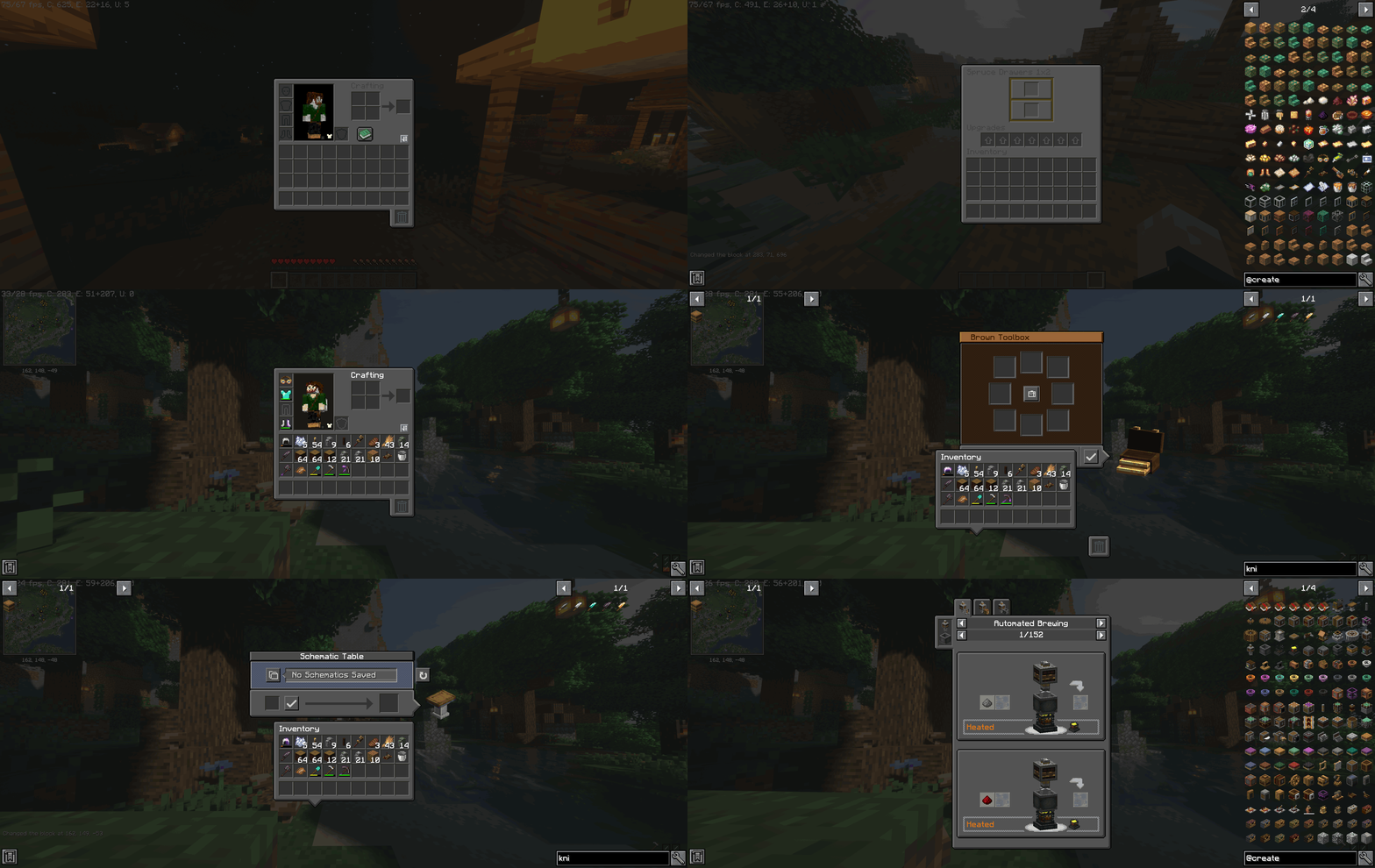
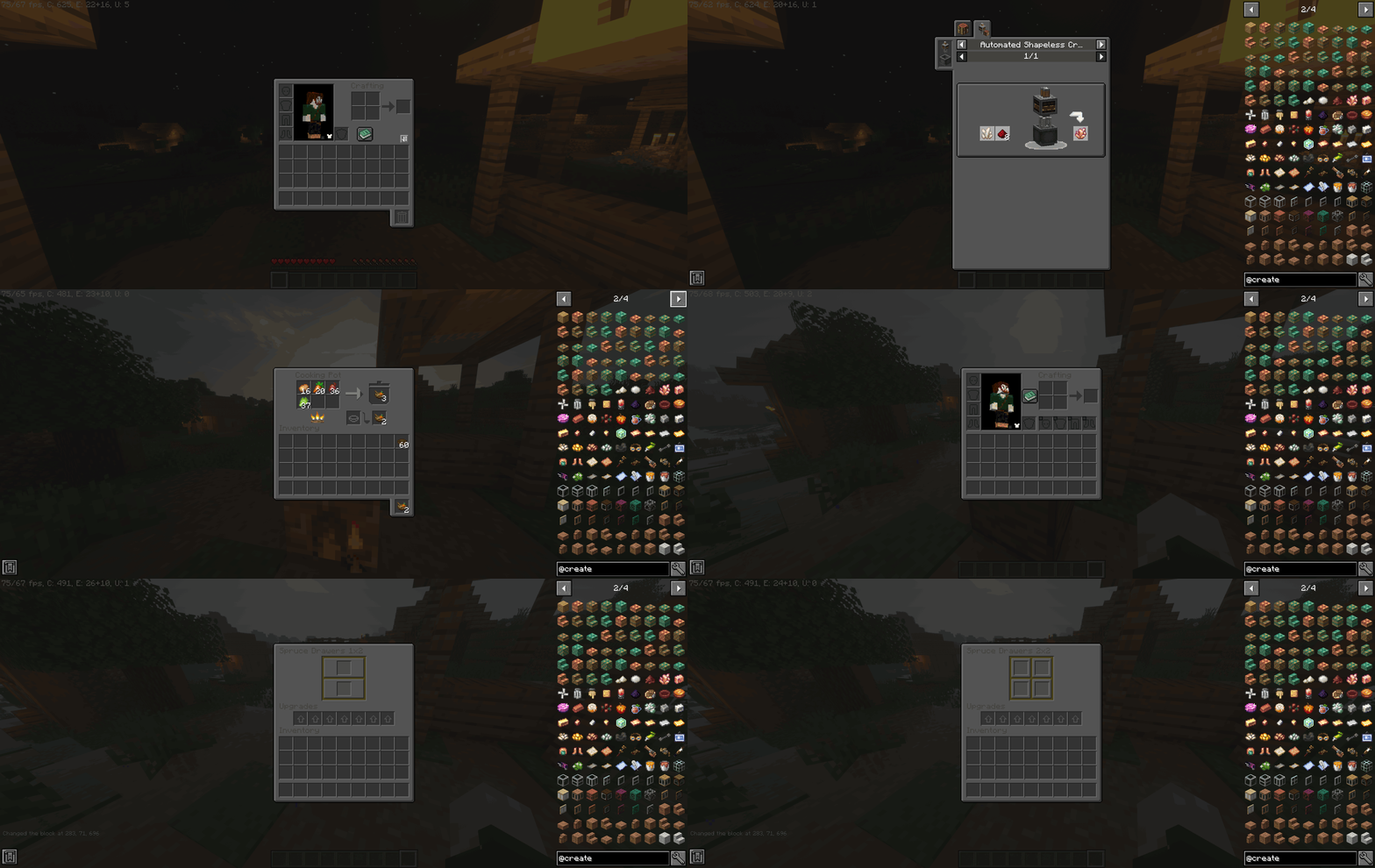
A pack based on the VanillaTweaks DarkUI resource that adds functionality for various mods
by nachoholtz
Download Claim this project
7,681 downloads
0 likes
Updated Oct 14, 2026
0 hypes
16x Mod Support
Advertisement Remove ads with Premium →

*(2025) This project no longer explicitly supports multiple versions, only 1.20.1. I chose to update it as I'm getting back into the game again, and I won't be taking requests for mod support.  The file holds plenty of resources for adding your own mod support using any basic photo editor*

This project is an extension of the DarkUI resource pack from vanillatweaks.net

The darker user interface is much easier on the eyes and appears far smoother and calmer than the vanilla GUI textures


This resource pack is meant to extend the VanillaTweaks pack to support a wide range of mods so that users are able to get a more uniform experience with DarkUI


- Vanilla Minecraft

- JEI

- Trashslot

- Traveller's Backpack

- Cosmetic Armor Reworked

- Create 0.5.1

- Quark

- Storage Drawers

- Farmer's Delight

- Supplementaries

- Tinkers Construct

- Enchanting Overhauled

- Iron Chests

- Cooking for Blockheads

- Locksmith

- Just Enough Resources (JER)

- Fantasy's Furniture

- The Aether

- Alex's Mobs

- Let's Do API 

- Let's Do Bakery

- Let's Do Brewery

- Cloth Config API

- Cozy Home

- Create: Stuff & Additions

- Iris

- SecurityCraft

- Spelunker's Charm II

- Tough As Nails

- The Twilight Forest

- Simple Voice Chat

- Curios API


DarkGUIExtended1.20.zip
MC 1.20.2, 1.20.5, 1.20.3, 1.20.1, 1.20.6, 1.20.4
Release 2025-02-24 Get

Requirements & install

How to use this resource pack in Minecraft
Resolution
16x
Minecraft
1.20.1 – 1.20.6
Install folder
.minecraft/resourcepacks

How to install resource packs

  1. Download the resource pack .zip file (do not extract it).
  2. In Minecraft open Options → Resource Packs → Open Pack Folder.
  3. Drop the .zip into the resourcepacks folder (.minecraft/resourcepacks).
  4. Move the pack to the Selected column and click Done.
Browse more: 16x resource packs 32x resource packs 64x resource packs 128x resource packs 256x resource packs 512x+ resource packs Resource Packs for 1.20.6 All resource packs

More from nachoholtz

Advertisement Remove ads with Premium →

You Might Also Like