Mineuniverse
Resource Packs
CWSM: Formidi Bomb Overhaul

CWSM: Formidi Bomb Overhaul

RESOURCE PACK
Formidi Bomb-themed overhaul for CWSM with new textures and custom recipes.
by The_wither_storm_fan
Download Claim this project
Add a badge to your pageLink to CWSM: Formidi Bomb Overhaul from a README, website or forum post.
Preview: Badge

Badges update automatically and link to the resource pack page on MineUniverse.
42 downloads
0 likes
0 followers
Updated Oct 14, 2026
0 hypes
Follow0
16x Data Packs Mod Support Modern
Advertisement Remove ads with Premium →

CWSM: Formidi Bomb Overhaul

What if the Formidi Bomb took over Cracker’s Wither Storm Mod?

I made this project because the scene in Minecraft: Story Mode where Jesse nearly gets killed by the Formidi Bomb always made me mad. Instead of going to a rage room and imagining myself beating Soren up for it, I decided to turn that frustration into a Minecraft project.

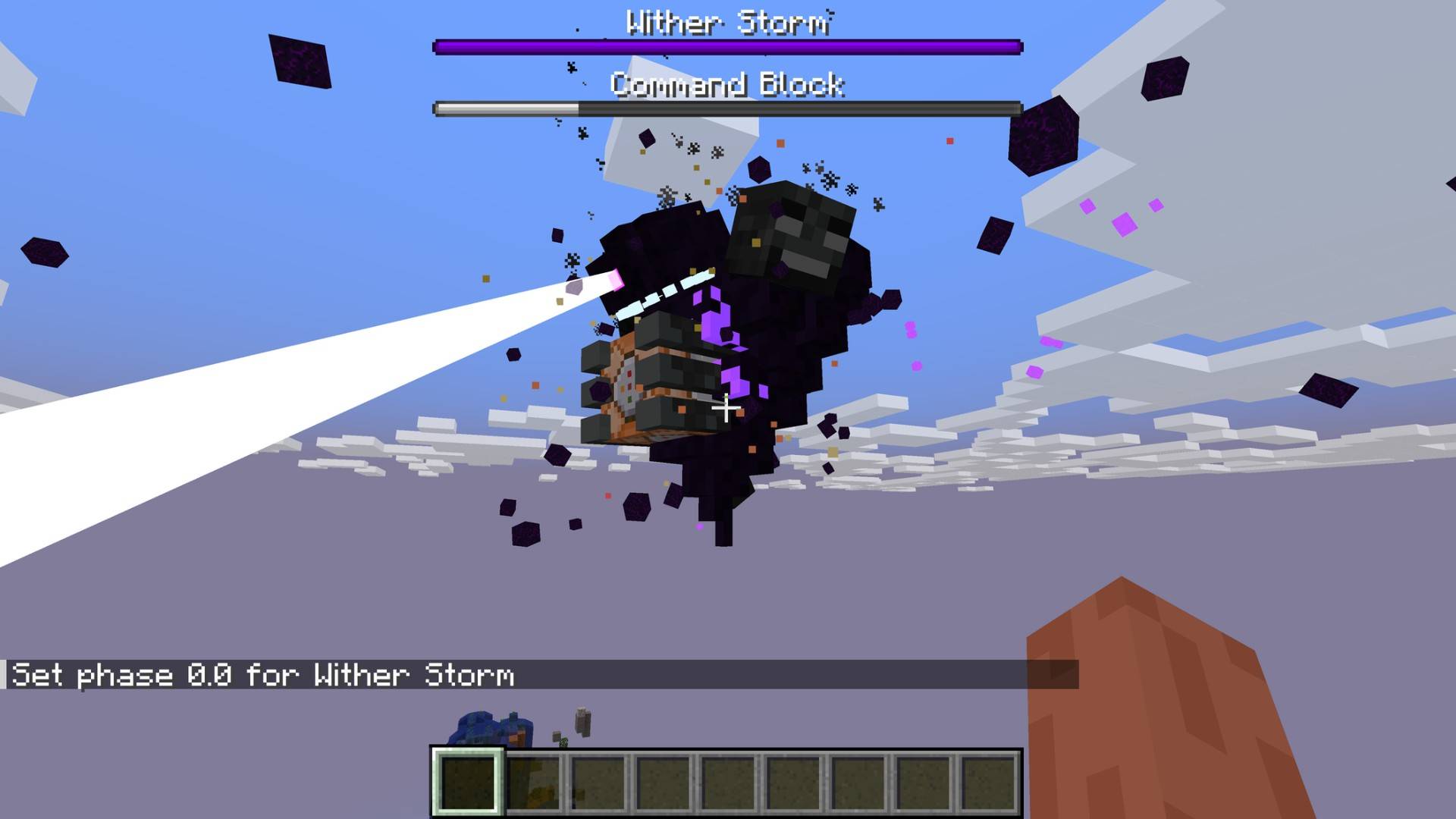
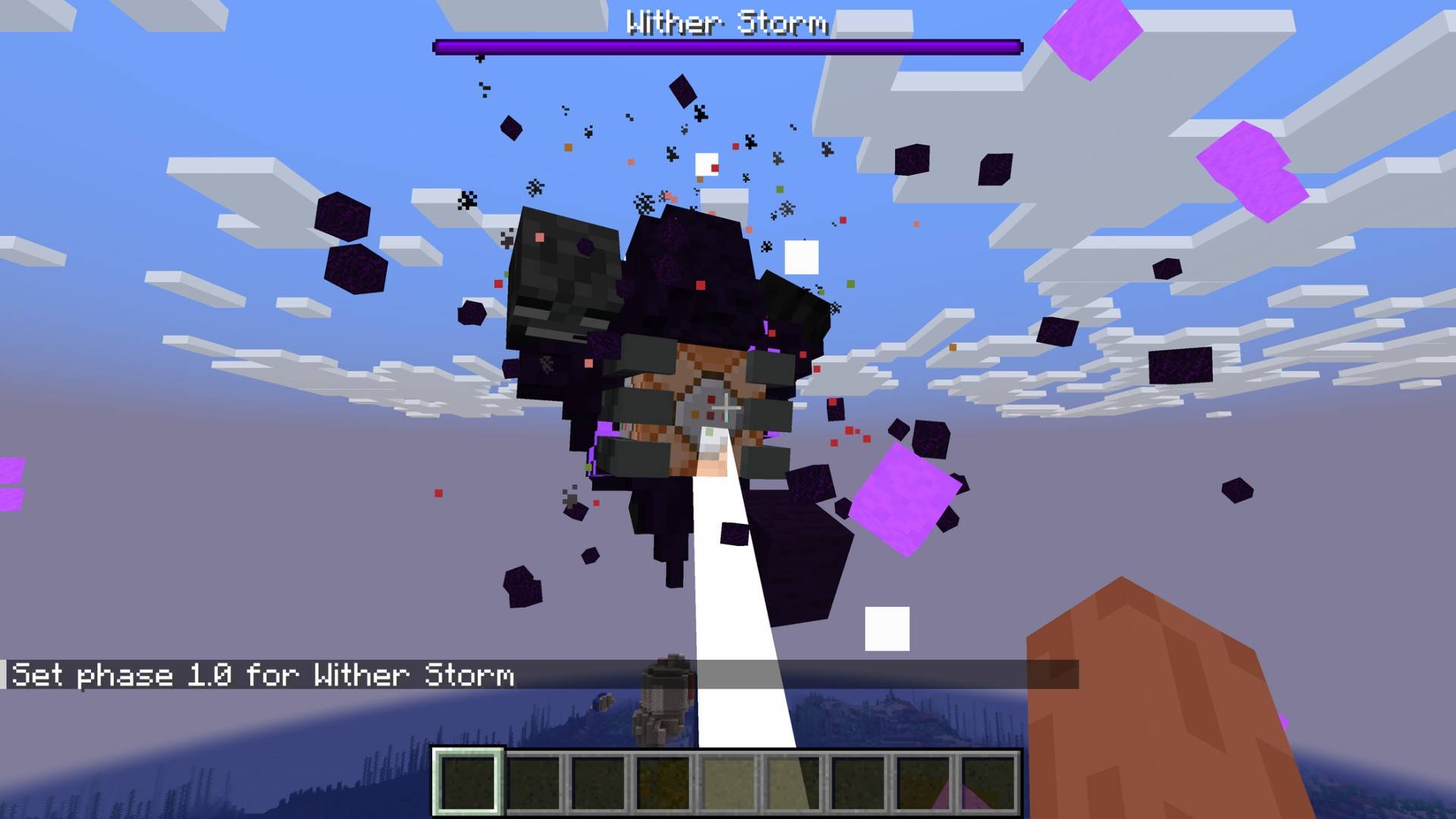
The result is CWSM: Formidi Bomb Overhaul — a resource pack and datapack that transforms a large part of Cracker’s Wither Storm Mod into a purple, Formidi-Bomb-themed experience.

I also got inspiration for the idea from Witherzilla Storm.

💜 FEATURES

Wither Storm

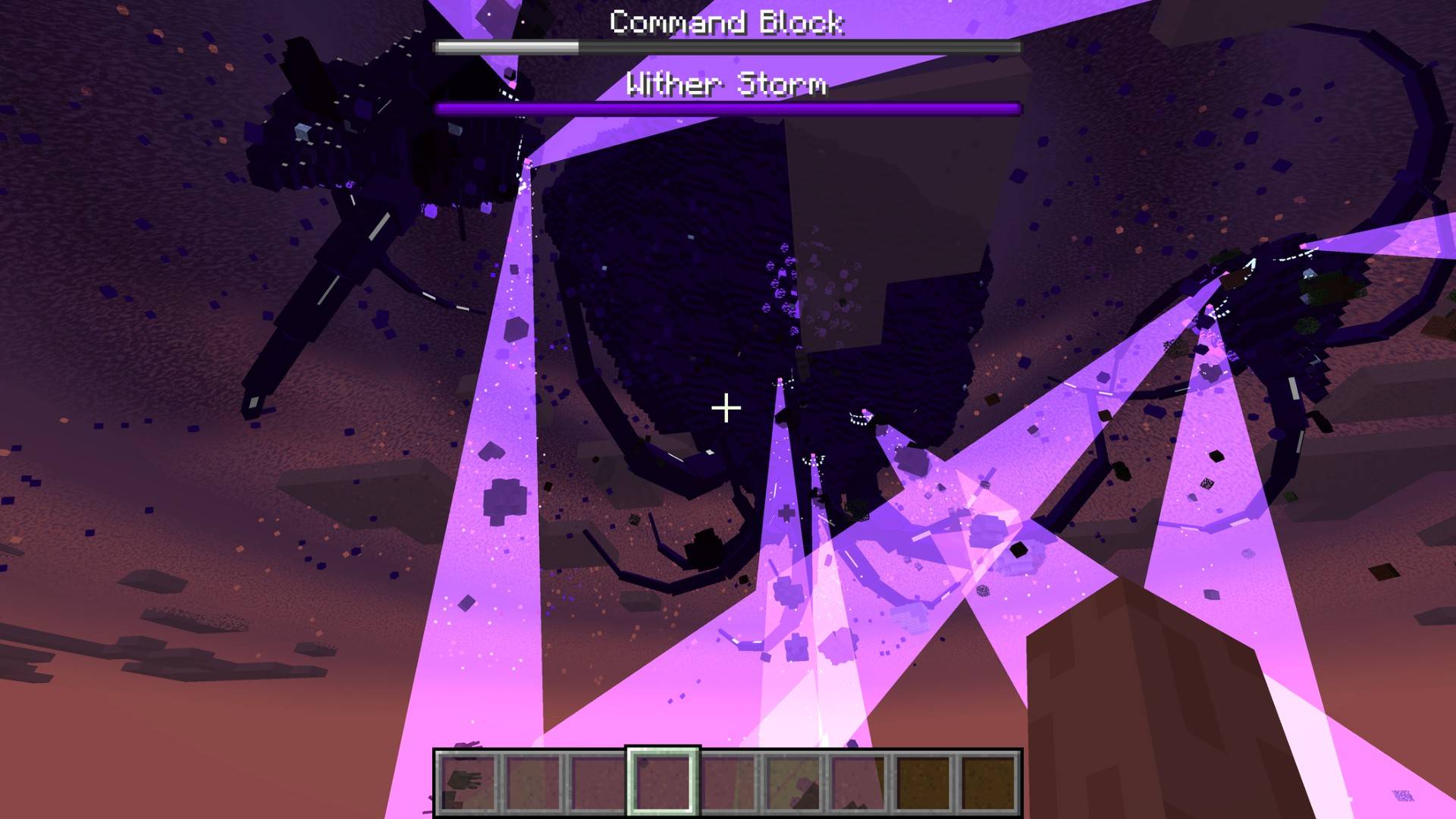
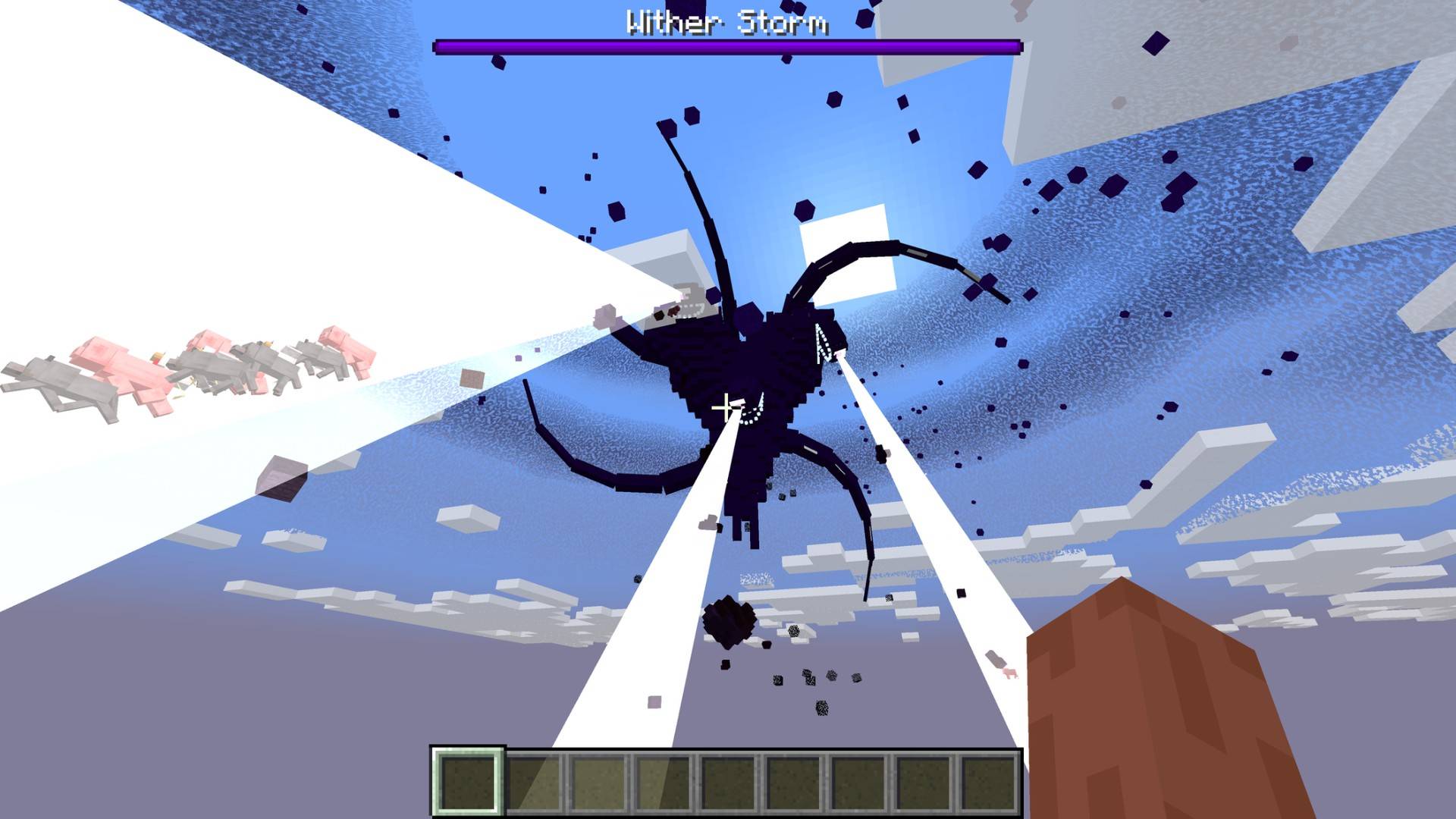
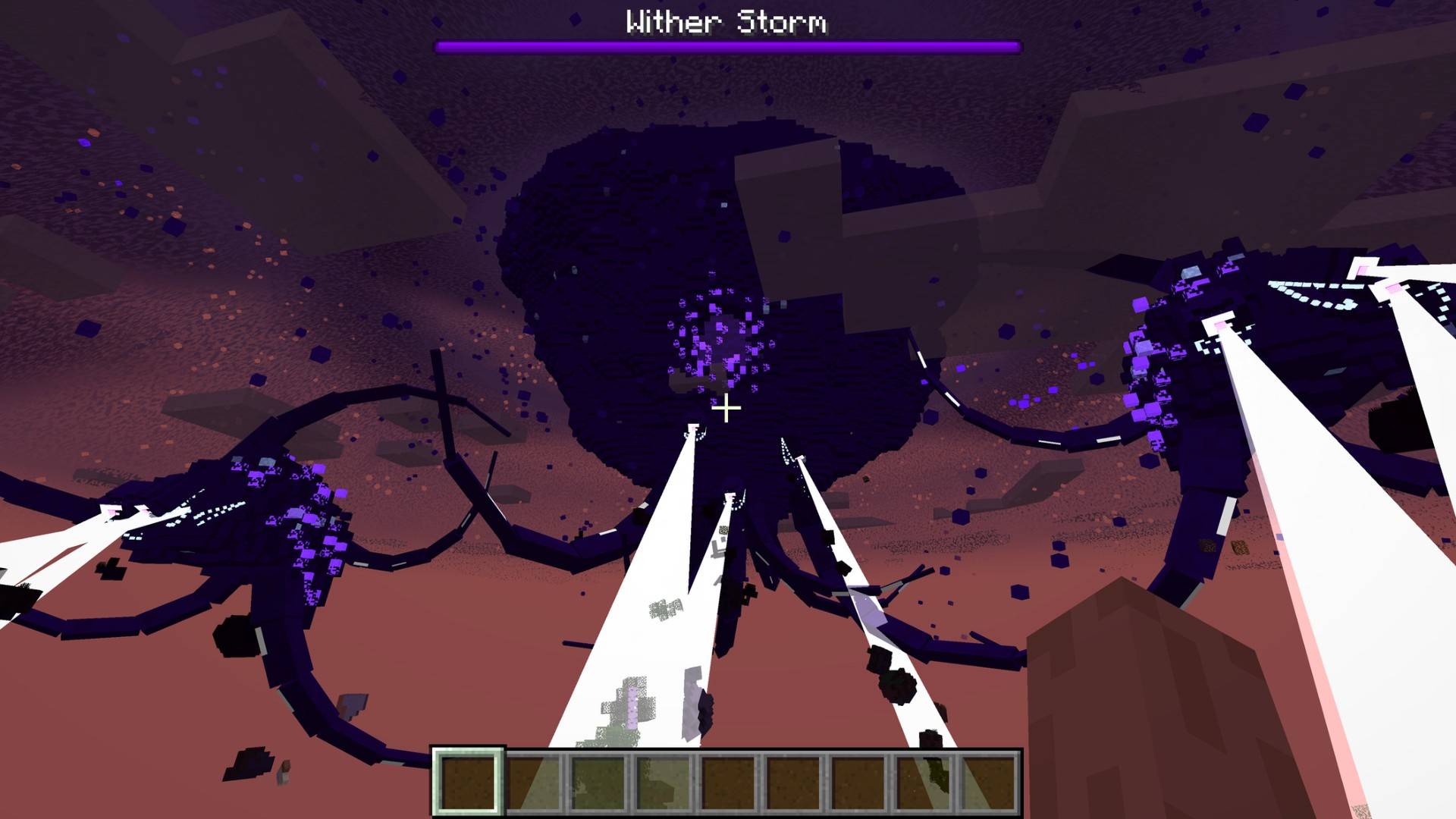
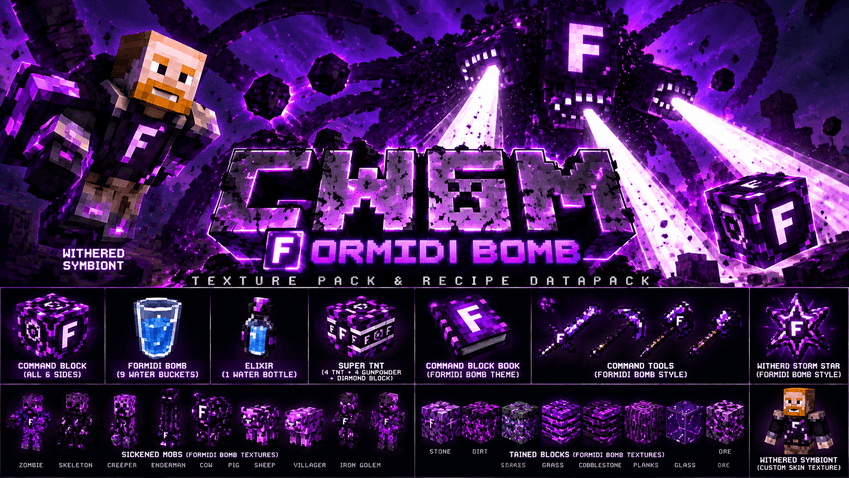
  • Phases 4–7.5 have a new purple Formidi-Bomb-inspired appearance.
  • Large white F incorporated into the Wither Storm design.
  • White tractor beams instead of the normal purple beams.
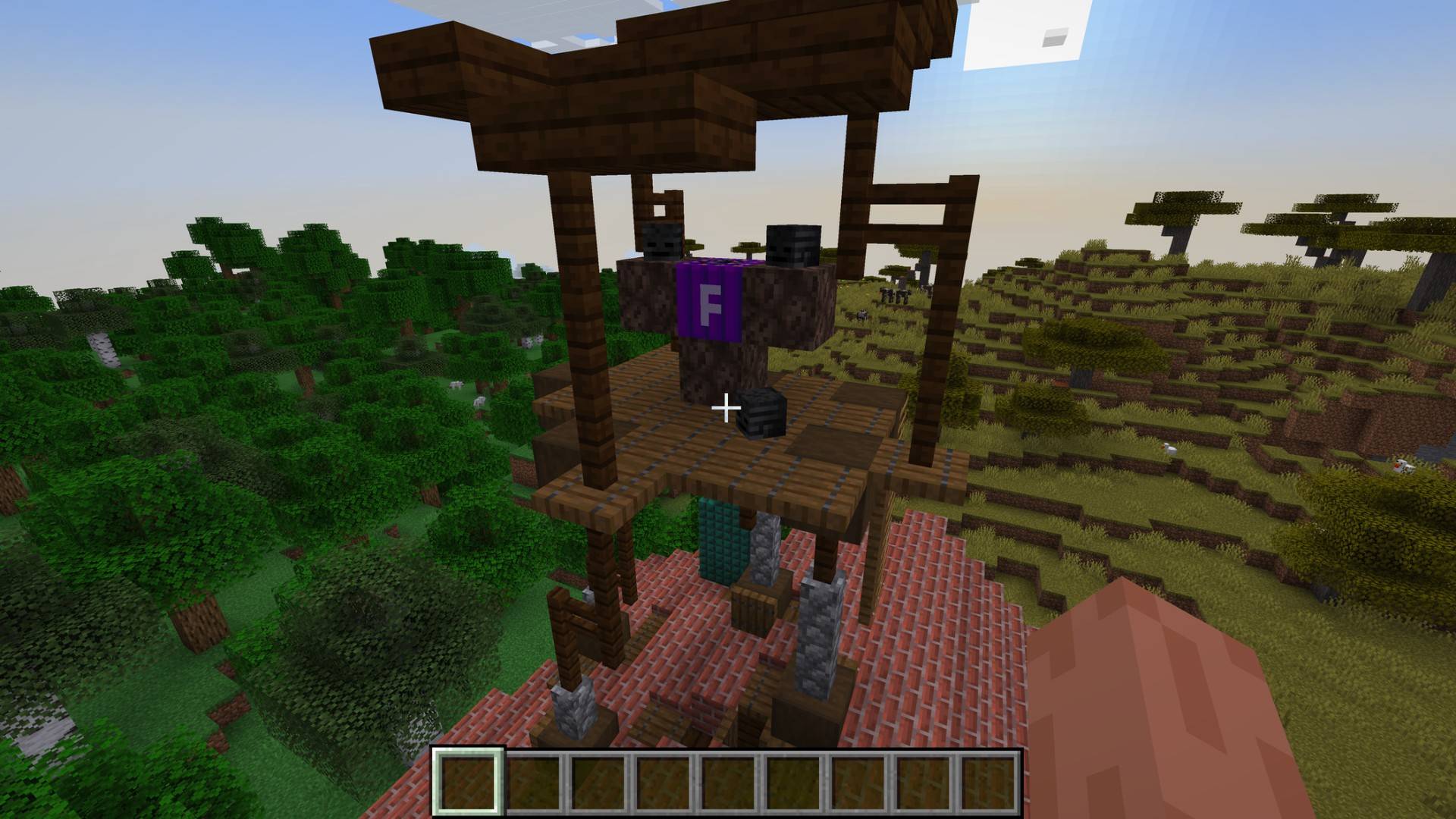
  • Earlier Wither Storm phases receive Formidi-Bomb-themed changes.

Command Block / Formidi Bomb

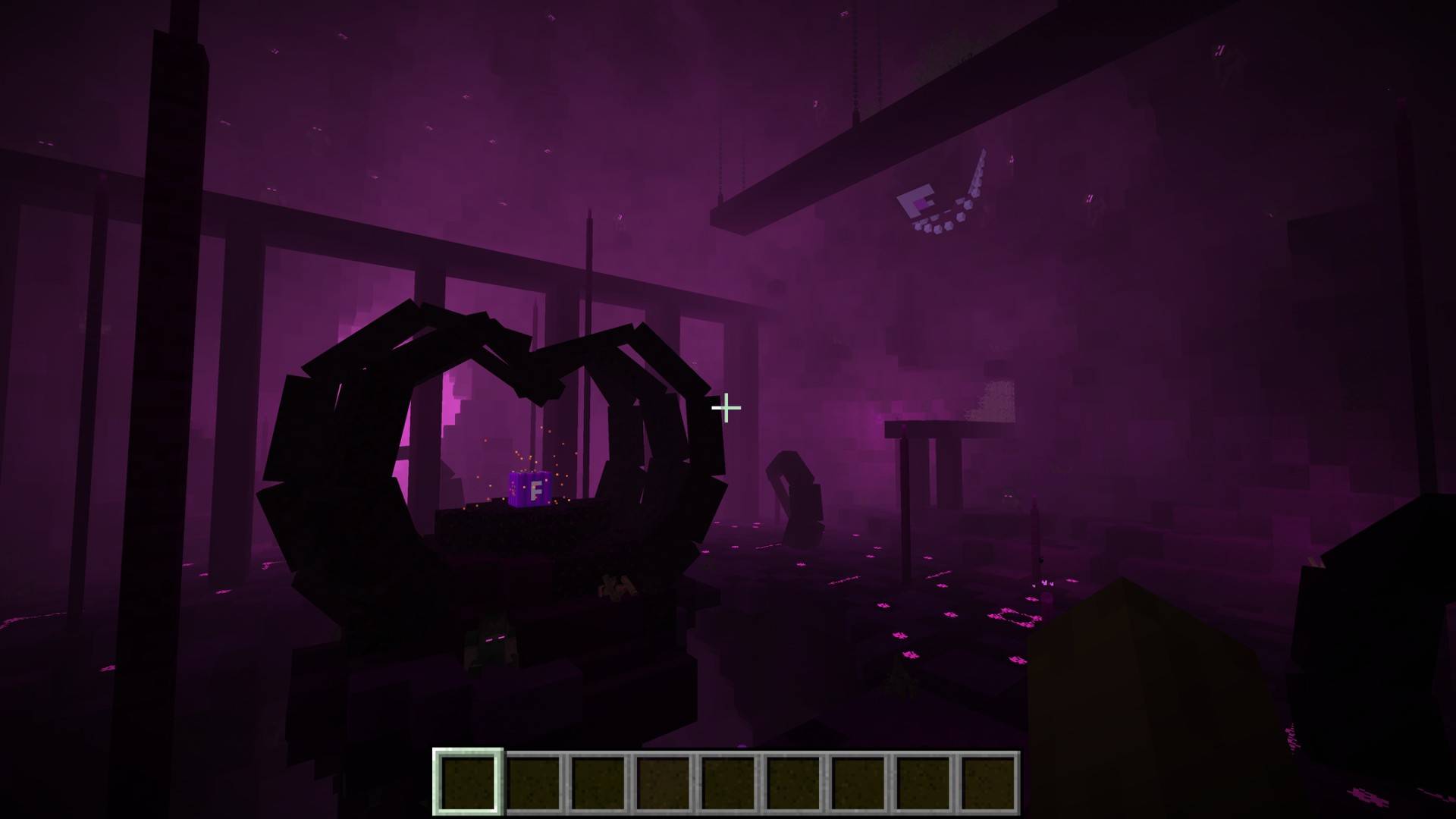
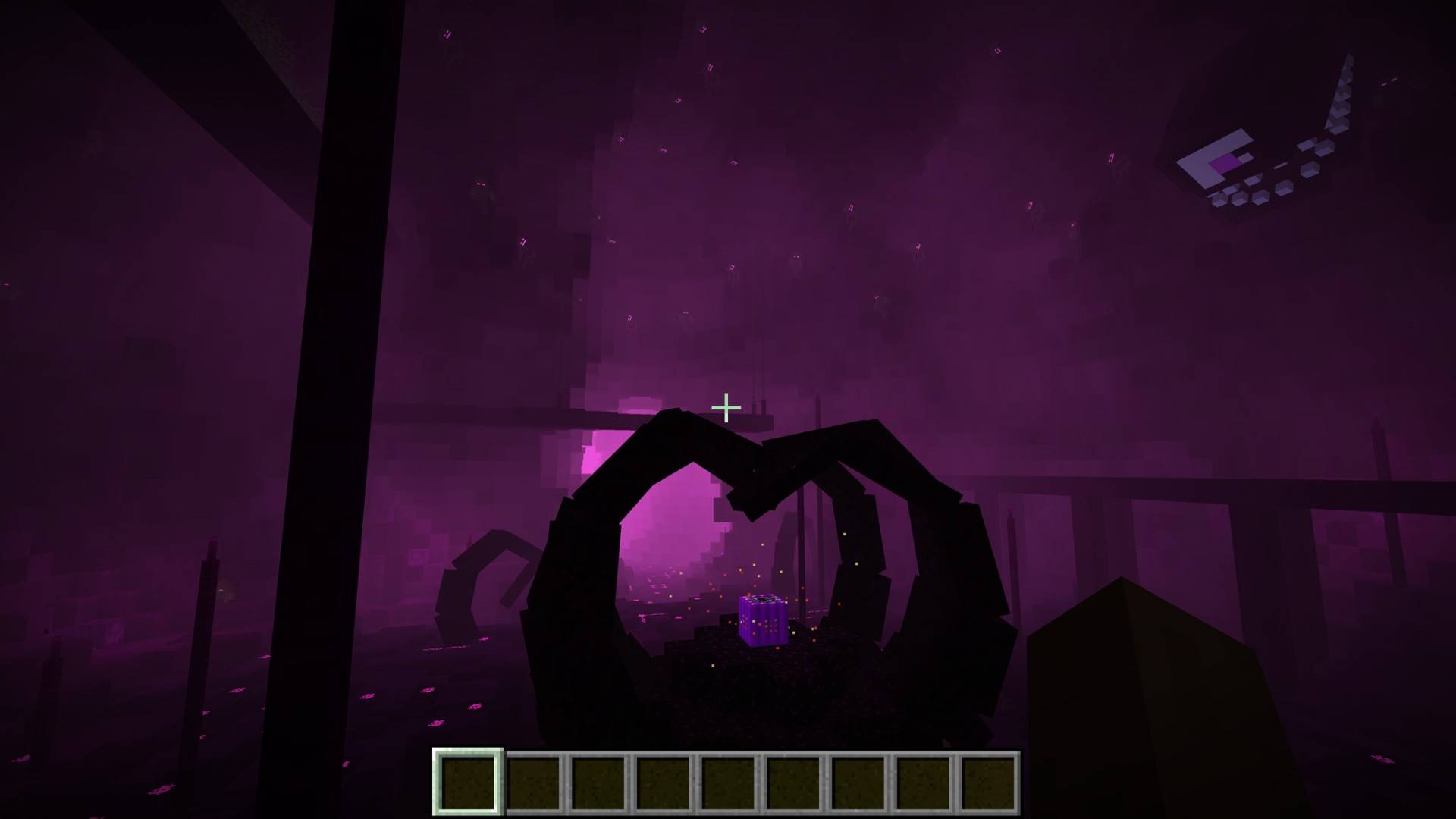
  • Command Block redesigned around the Formidi Bomb.
  • Custom Formidi-Bomb-inspired sides and details.
  • Command Block Book is purple with a white F.
  • Command Block tools receive matching purple/black Formidi Bomb designs.

Mobs & World

  • Formidi-Bomb-inspired Sickened Mob textures.
  • Formidi-Bomb-inspired Tainted Block textures.
  • Custom Withered Symbiont appearance.
  • Withered Nether Star / Wither Storm Star redesigned with a purple Formidi Bomb theme and white F.

Other Texture Changes

  • Elixir redesigned to resemble a water bottle.
  • CWSM Formidi Bomb receives the project's custom water-themed appearance.
  • Numerous purple, black and white details tie the entire pack together.

🧪 CUSTOM RECIPES

Command Block

  • 8 Gunpowder
  • 1 Super TNT

Formidi Bomb

  • 9 Water Buckets

Elixir

  • 1 Water Bottle

Super TNT

  • 4 Gunpowder
  • 4 TNT
  • 1 Diamond Block

⚠️ INSTALL BOTH FILES

This project contains TWO parts:

1. RESOURCE/TEXTURE PACK — provides the custom Formidi Bomb-themed visuals.

2. DATAPACK — provides the custom crafting recipes.

YOU MUST INSTALL BOTH to get the complete experience.

Put the resource pack ZIP in your Minecraft resourcepacks folder and enable it.

Put the datapack ZIP inside the datapacks folder of the world you want to use.

📦 REQUIRED MOD

Cracker’s Wither Storm Mod (CWSM) is required.

This project is an add-on/resource overhaul for CWSM and does not include or replace the original mod.

Supported versions:

  • Minecraft Forge 1.18.2
  • Minecraft Forge 1.19.4
  • Minecraft Forge 1.20.1

Make sure you install the appropriate CWSM version for your Minecraft version.

💥 WHY DOES THIS EXIST?

Jesse almost getting blown up by the Formidi Bomb annoyed me enough that I wanted to do something with that frustration.

So rather than a rage room, I made this.

Now the Formidi Bomb gets to take over CWSM instead.

Consider it my Minecraft way of getting revenge on Soren. 😂

💜 INSPIRATION

The original idea was inspired in part by Witherzilla Storm, which showed me how much fun it can be to dramatically change the look and feel of the Wither Storm experience.

CWSM: Formidi Bomb Overhaul is my own Formidi Bomb-themed take on that idea.

CWSM_Formidi_Recipes_1.18.2.zip
MC 1.18.2
Release 2026-09-28 Get
CWSM_Formidi_Overhaul_1.18.2.zip
MC 1.18.2
Release 2026-09-28 Get
CWSM_Formidi_Overhaul_1.20.1.zip
MC 1.20.1
Release 2026-09-28 Get
CWSM_Formidi_Recipes_1.20.1.zip
MC 1.20.1
Release 2026-09-28 Get
CWSM_Formidi_Recipes_TEST1_1.19.4.zip
MC 1.19.4
Release 2026-09-28 Get
CWSM_Formidi_Overhaul_TEST5_FIXED_1.19.4.zip
MC 1.19.4
Release 2026-09-28 Get

Requirements & install

How to use this resource pack in Minecraft
Resolution
16x
Minecraft
1.18.2 – 1.20.1
Install folder
.minecraft/resourcepacks

How to install resource packs

  1. Download the resource pack .zip file (do not extract it).
  2. In Minecraft open Options → Resource Packs → Open Pack Folder.
  3. Drop the .zip into the resourcepacks folder (.minecraft/resourcepacks).
  4. Move the pack to the Selected column and click Done.
Browse more: 16x resource packs 32x resource packs 64x resource packs 128x resource packs 256x resource packs 512x+ resource packs Resource Packs for 1.20.1 All resource packs

More from The_wither_storm_fan

Advertisement Remove ads with Premium →

You Might Also Like