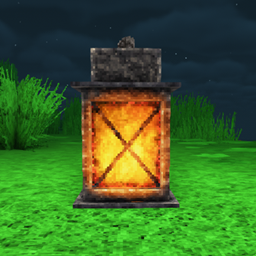
This is a simple datapack that adds a belt slot and adds lanterns to that slot. Requires Curios API and Radiant Gear. If you want Torches to also be usable, install v1.1 and use v1.0 if you want just lanterns. Links to required mods here:
Curios API: https://www.curseforge.com/minecraft/mc-mods/curios
Radiant Gear: https://www.curseforge.com/minecraft/mc-mods/radiant-gear
To put this datapack into your game, do one of two things, depending on how you want it applied:
First, for folks who only want it in a specific server/world:
Download file
Navigate to (your minecraft file path)/saves/datapacks and drop the zip file in there (don't unzip it).
Second, for those who want it applied to all their worlds in that instance:
install Open Loader: install this datapack (don't unzip it)
load any world
close out of the game
navigate to (minecraft file path)/config/openloader/data and drop the file in there (again, don't unzip it!)
If you wish to change the slot, refer to Curios API's guide for adding slots using datapacks: https://docs.illusivesoulworks.com/category/curios
Thanks to TheIllusiveC4 for help with making this. It was a nightmare, since I'm mostly new to this kind of thing.
Permission is granted for any use, editing, and distribution of edited properties based on this (it's a datapack, so whatever). Claim it as your own if you want, I don't care; just know people generally frown upon that.