✝️ 3D Cross Totem of Undying
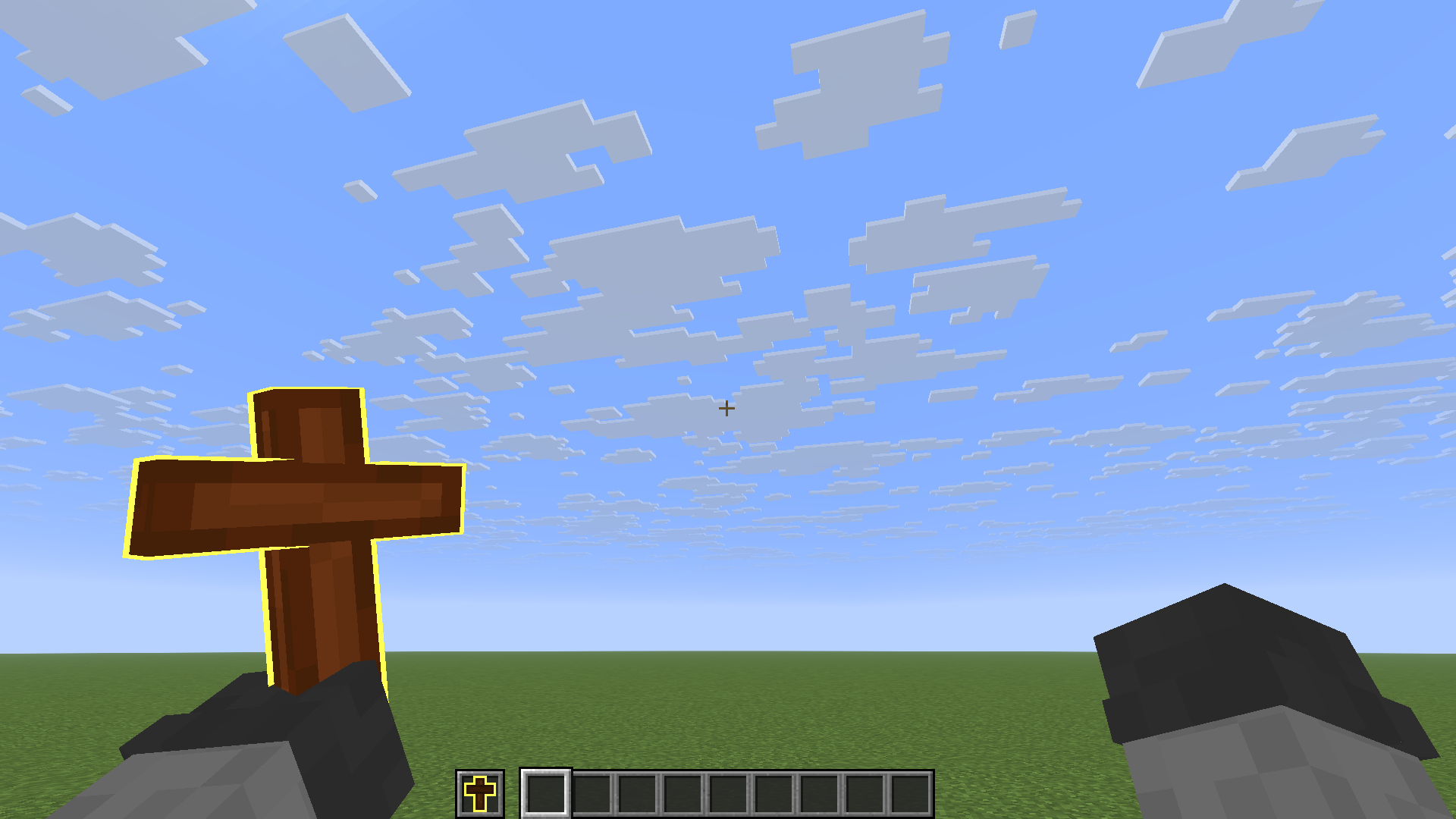
A clean and elegant resource pack that replaces the vanilla Totem of Undying with a beautifully detailed 3D Cross. Perfect for clean setups, PvP packs, or medieval/cozy fantasy aesthetics. Also if you are a proud crhistian :P
✨ Features
- 3D Hand & Ground Model: Hold a fully detailed 3D Cross in either hand.
- 2D Clean Inventory Icon: Keeps your hotbar and inventory clean with a custom 2D sprite so it doesn't clutter your UI.
- 📦 Punchy Mod Compatibility: The Model will display in your punchy hands.
- Optimized & Lightweight: Zero lag, designed following the modern Minecraft item formats.
🔧 Installation & Requirements
- Download the
.zip file.
- Drop it into your
.minecraft/resourcepacks/ folder.
- Activate it in-game (Make sure to put it at the very top of your Resource Packs list so it overrides any other totem models!).
- (Optional) Use the Punchy Mod if you want a better game feel for the cross item.
🛠️ Technical Details
- Format: Modern Modern Item Components (
items/ folder config).
- Compatibility: Minecraft 26.2 (Tested and fully functional on latest versions).
- Credit: Model created using Blockbench.
Feel free to report any visual bugs or suggest position tweaks in the comments!
Textures and Model By Juanjomacartur







