Mineuniverse
Resource Packs
Crops 3D Reploughed

Crops 3D Reploughed

RESOURCE PACK
NinthWorld's Assets-Crops 3D - packs separated into Crops, Flowers & Saplings - For 1.19/1.20/1.21
by Fr_z_n
Download Claim this project
15,734 downloads
0 likes
Updated Oct 14, 2026
0 hypes
16x
Advertisement Remove ads with Premium →

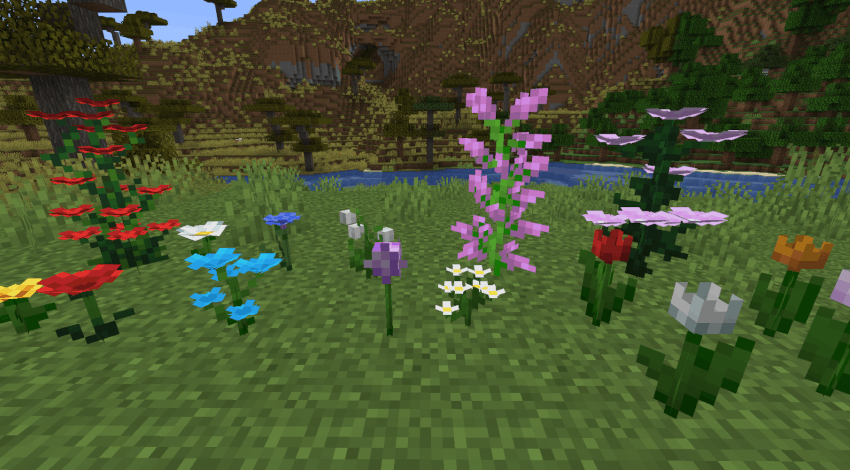
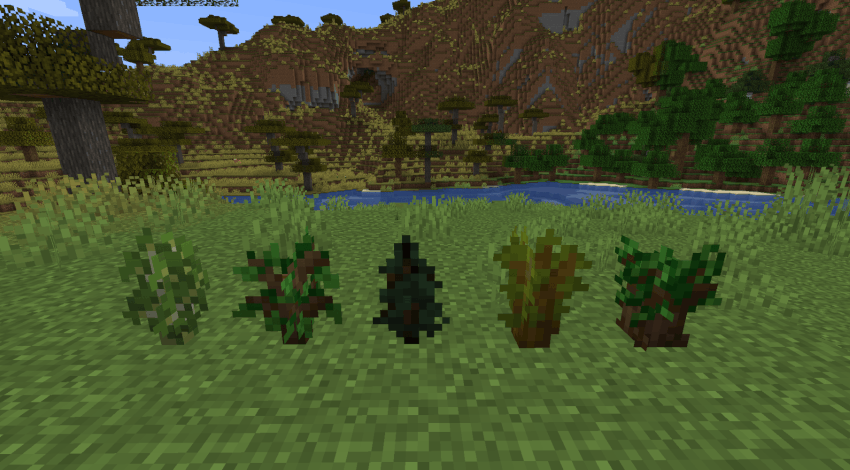
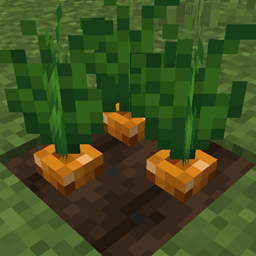
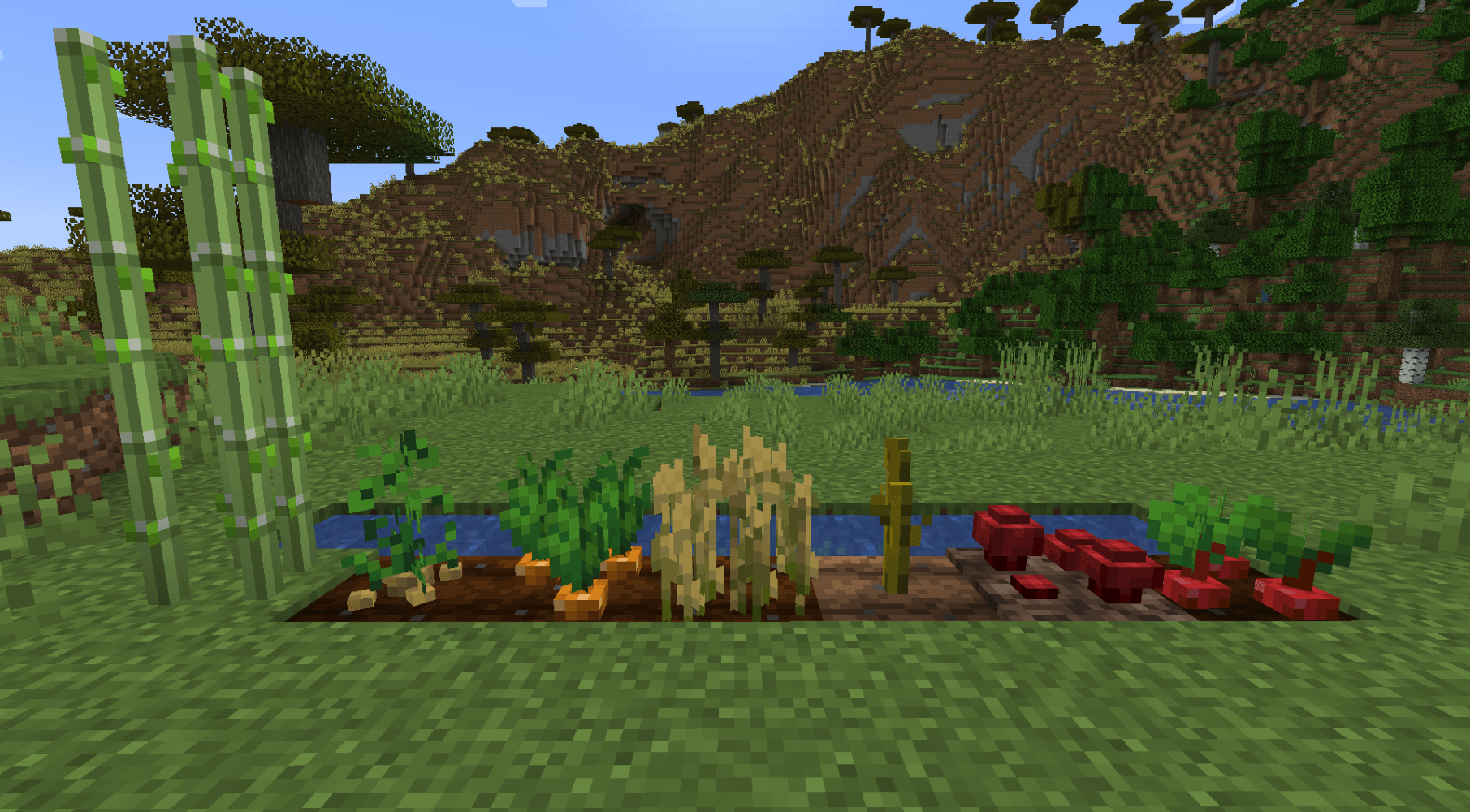
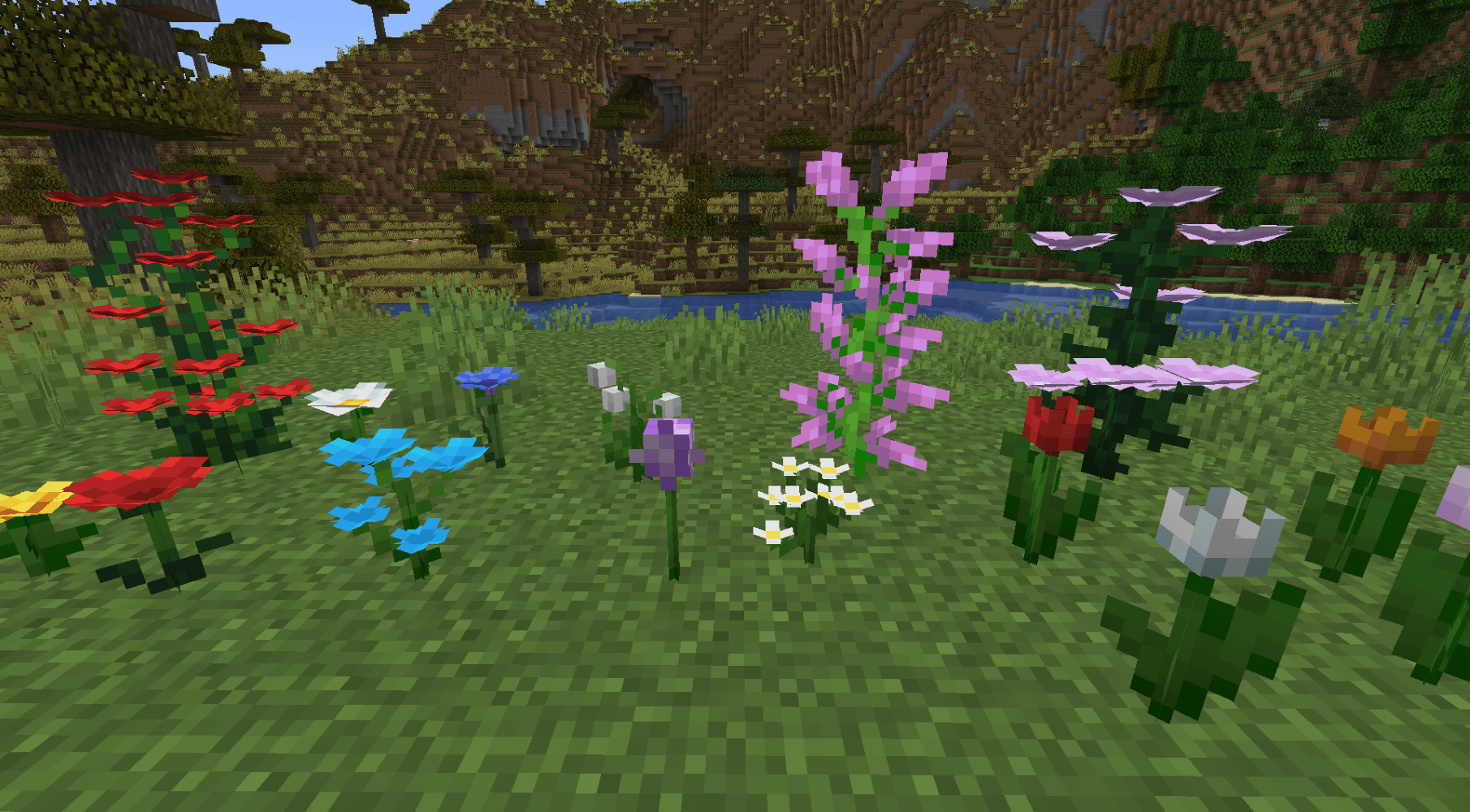
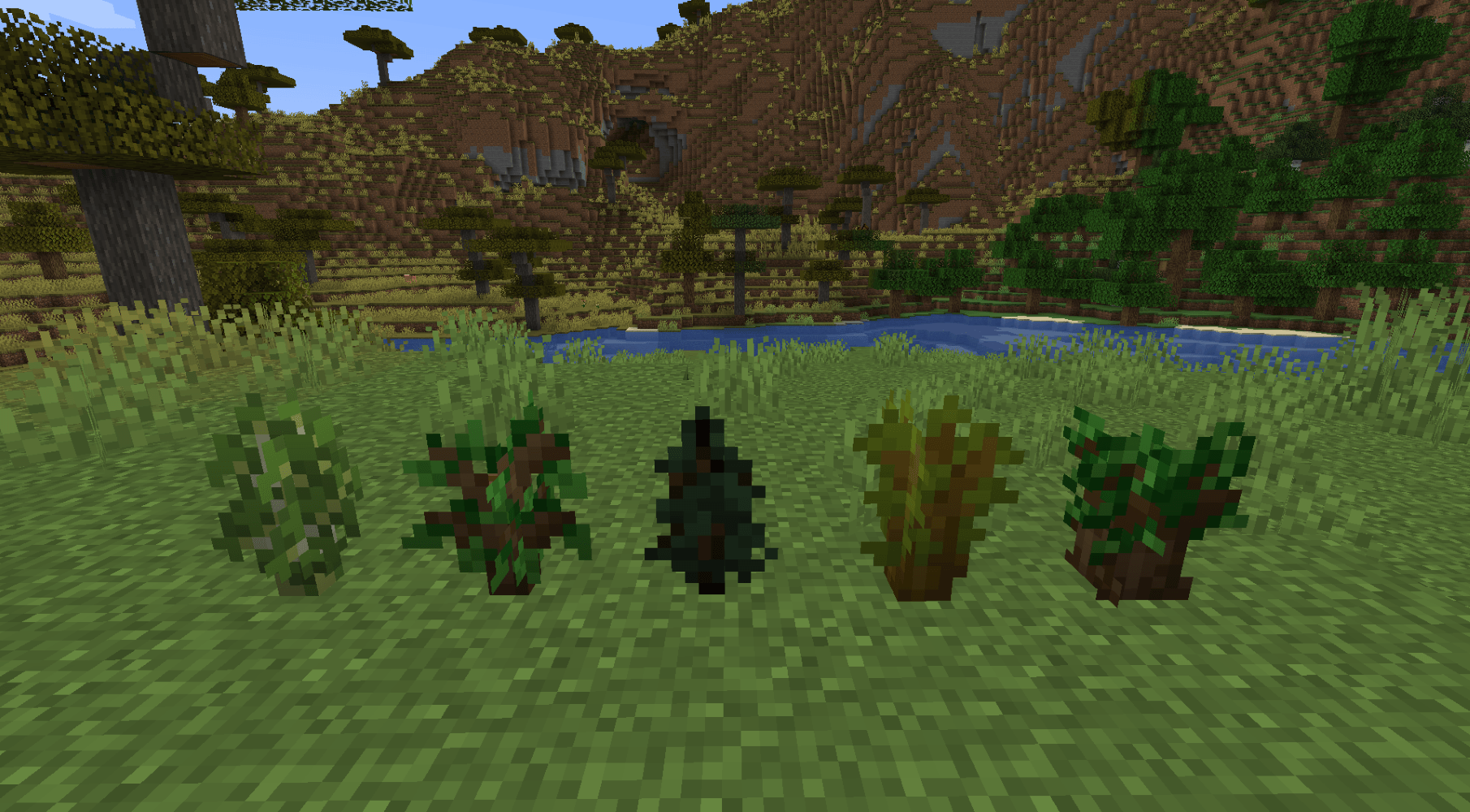
A separation of NinthWorld's 3D Crops pack into Crops, Flowers and Saplings for easier compatibility between resource packs and use within modpacks.

Marked for modpacks with MCMeta pack formats for 1.19/1.20/1.21 versions.

IF YOU ARE LOOKING FOR 1.20.1/1.21.x versions with ALL 3 parts then use >>> Crops 3D Reforged <<<

Select your version number and preferred resource packs from the files section.

Crops pack also has a small fix to nether wart filename:

nether\_wart\_mediu0.png

nether\_wart\_medium0.png
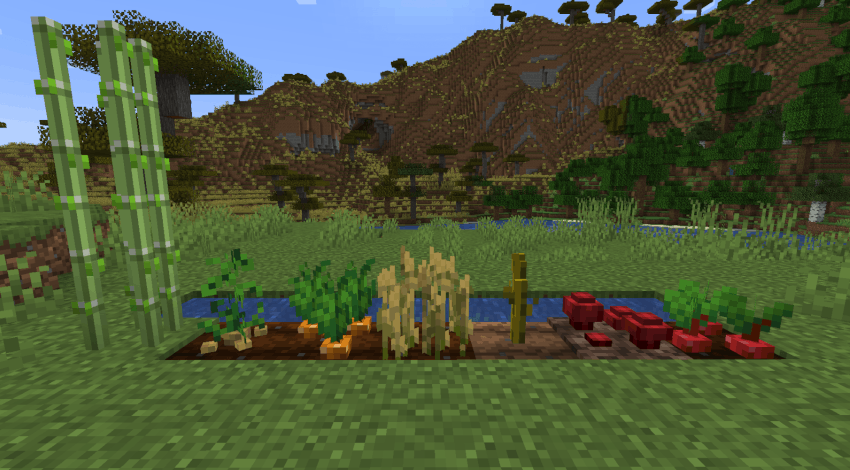
image

image

image

Original pack: Crops 3D

Crops-3D-Reploughed.zip
MC 1.19.3, 1.19.4, 1.19.2, 1.19.1, 1.19
Release 2025-03-24 Get
Crops-3D-Reploughed.zip
MC 1.20.2, 1.20.5, 1.20.3, 1.20.1, 1.20, 1.20.6, 1.20.4
Release 2025-03-24 Get
Crops-3D-Reploughed.zip
MC 1.21, 1.21.4, 1.21.3, 1.21.1, 1.21.2
Release 2025-03-24 Get
Flowers-3D-Regrown.zip
MC 1.19.3, 1.19.4, 1.19.2, 1.19.1, 1.19
Release 2025-03-24 Get
Flowers-3D-Regrown.zip
MC 1.20.2, 1.20.5, 1.20.3, 1.20.1, 1.20, 1.20.6, 1.20.4
Release 2025-03-24 Get
Flowers-3D-Regrown.zip
MC 1.21, 1.21.4, 1.21.3, 1.21.1, 1.21.2
Release 2025-03-24 Get
Saplings-3D-Replanted.zip
MC 1.19.3, 1.19.4, 1.19.2, 1.19.1, 1.19
Release 2025-03-24 Get
Saplings-3D-Replanted.zip
MC 1.20.2, 1.20.5, 1.20.3, 1.20.1, 1.20, 1.20.6, 1.20.4
Release 2025-03-24 Get
Saplings-3D-Replanted.zip
MC 1.21, 1.21.4, 1.21.3, 1.21.1, 1.21.2
Release 2025-03-24 Get

Requirements & install

How to use this resource pack in Minecraft
Resolution
16x
Minecraft
1.20.4 – 1.21.4
Install folder
.minecraft/resourcepacks

How to install resource packs

  1. Download the resource pack .zip file (do not extract it).
  2. In Minecraft open Options → Resource Packs → Open Pack Folder.
  3. Drop the .zip into the resourcepacks folder (.minecraft/resourcepacks).
  4. Move the pack to the Selected column and click Done.
Browse more: 16x resource packs 32x resource packs 64x resource packs 128x resource packs 256x resource packs 512x+ resource packs Resource Packs for 1.21.4 All resource packs

More from Fr_z_n

Advertisement Remove ads with Premium →

You Might Also Like