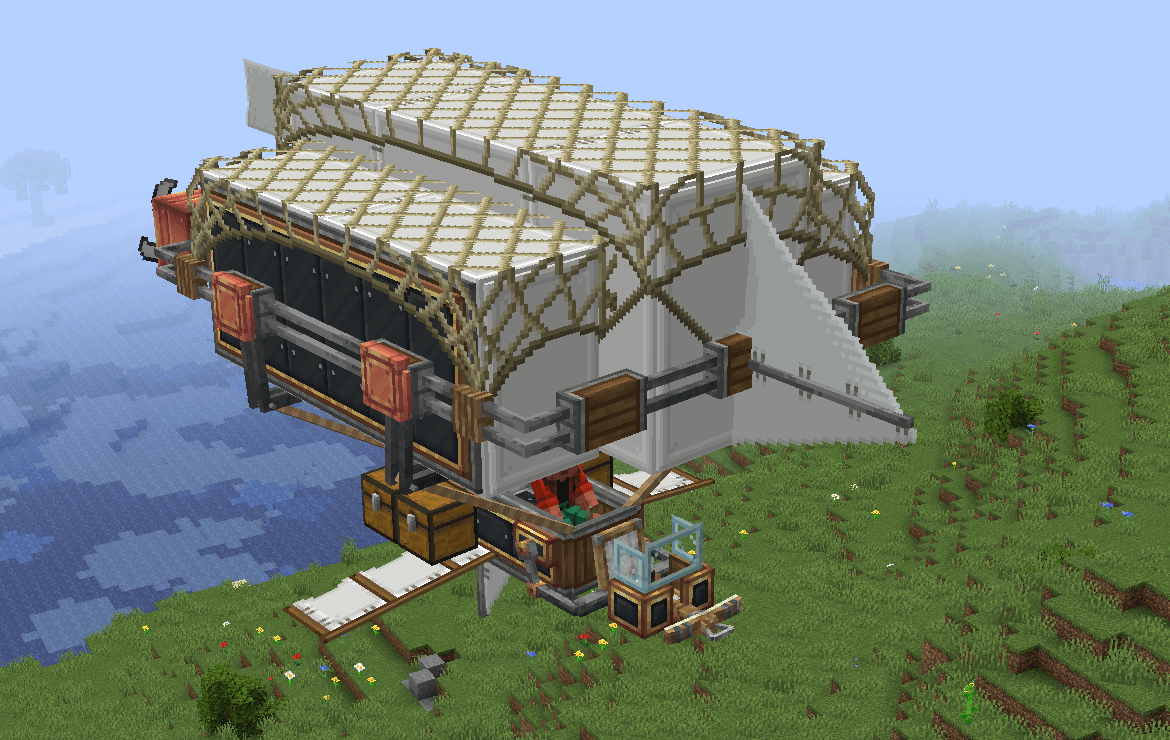
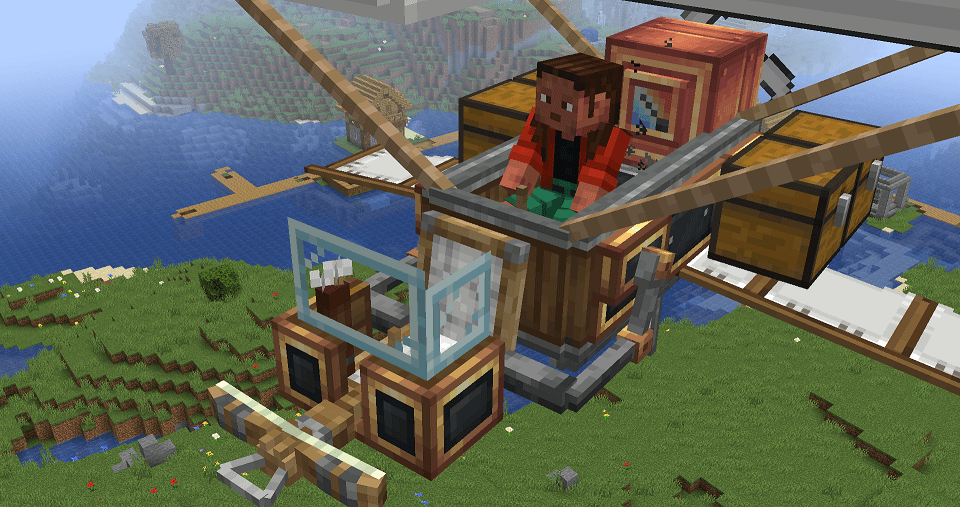
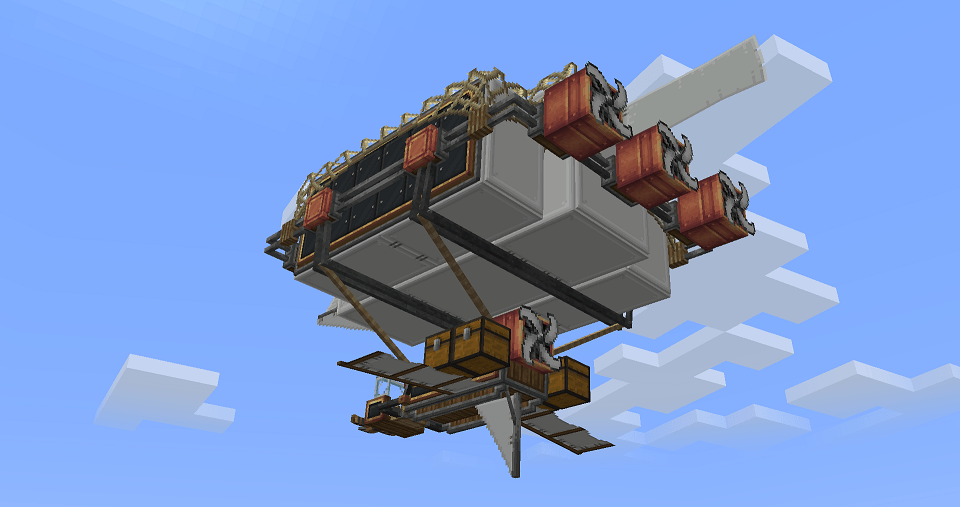
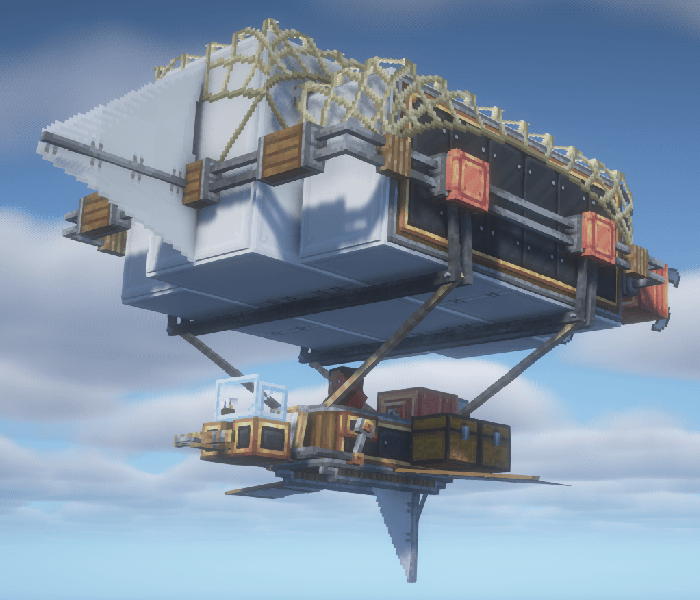
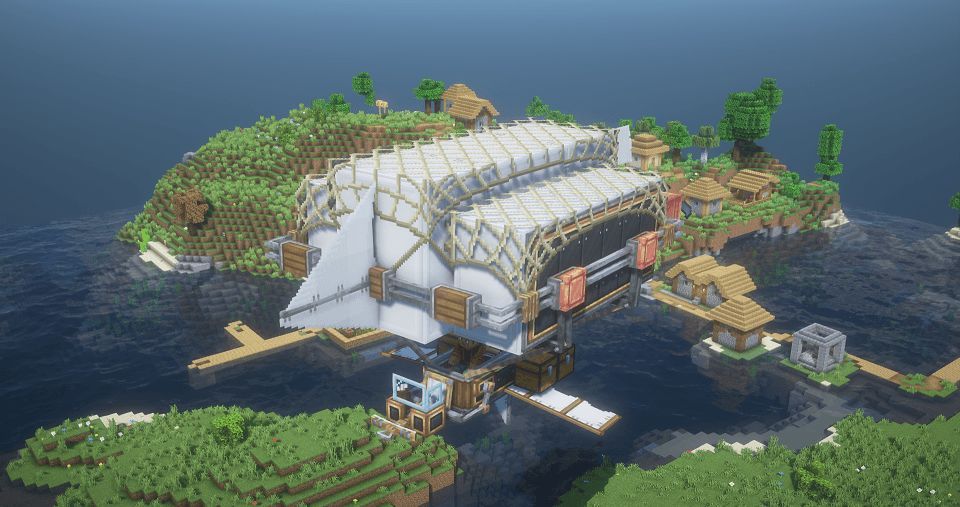
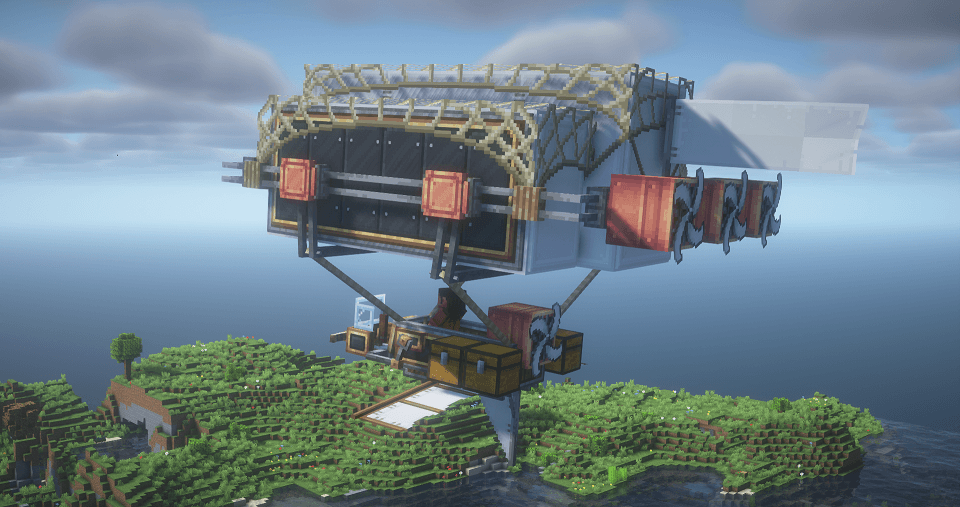
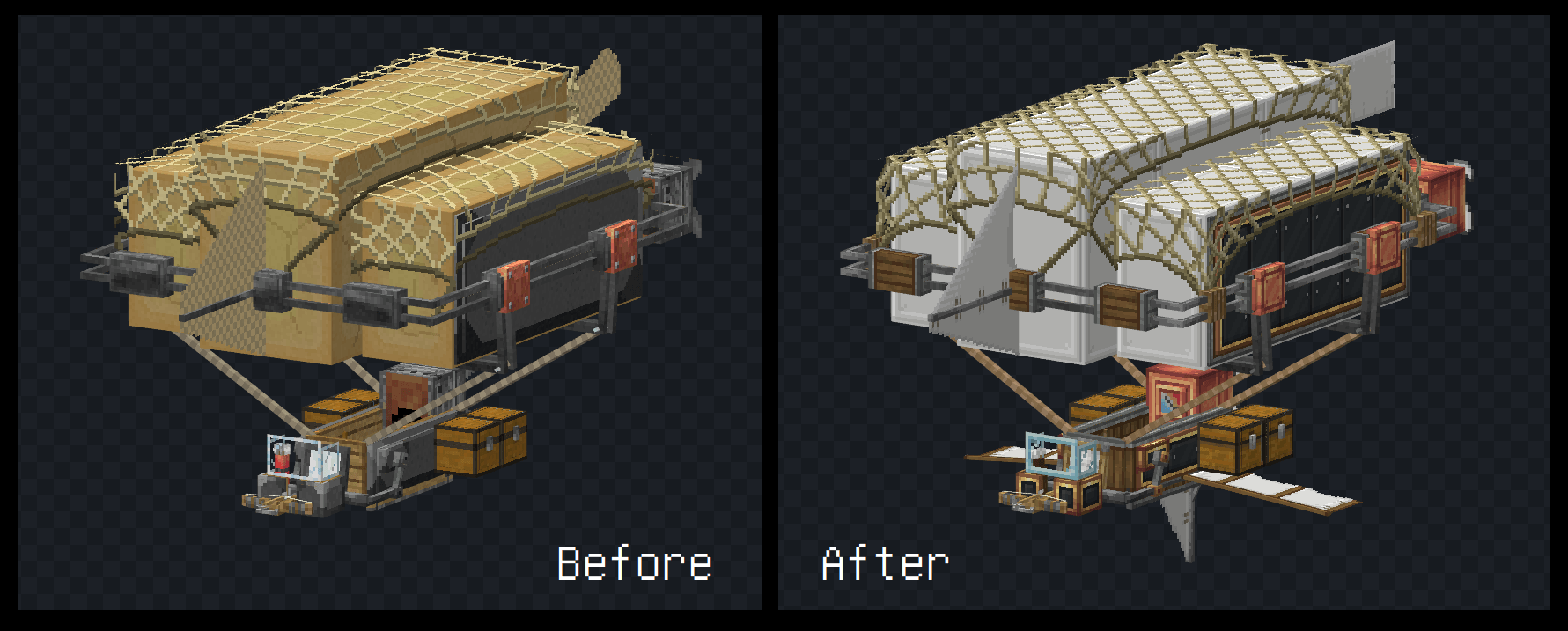
🎨This resource pack changes the texture (and even model) of the Warship to look more like it belongs in the Create Mod, working for Immersive Aircraft 1.0.0+!
Inspired by nicky__21's resource pack Create Immersive Aircrafts, and recommended to be used together with it. But this pack is NOT affiliated with Create Immersive Aircrafts.
📁I also made a data pack Create Immersive Aircraft : Warship Recipe, which changes the recipe to adapt this.
Immersive Aircraft updated recently and added a new aircraft: the Warship. but nicky__21 hasn't update his resource pack yet. i notice some people in comments cannot wait any more (so am I). so i made this pack. :P
Features:
Warship Retexturing:
● Hull : Andesite Casing & Railway Casing (Sturdy Sheet)
● Engine : Create Engine Style (Copper)
● Propellers : Create Propeller Style
● Seat : Create Seat Texture
● Windscreen : Framed Glass Pane
Warship Remodeling:
● Added Flank Wings & Tail Wing
● Fixed Ropes Connection
● Fixed Some Original Model Bugs (now it looks better!)
Others:
● Centered Propeller Models (for all kinds of Aircrafts)
● Retextured Bomb Bay (Industrial Iron Style)
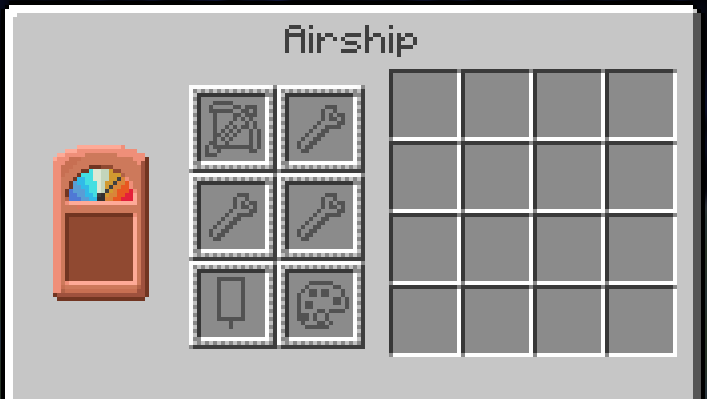
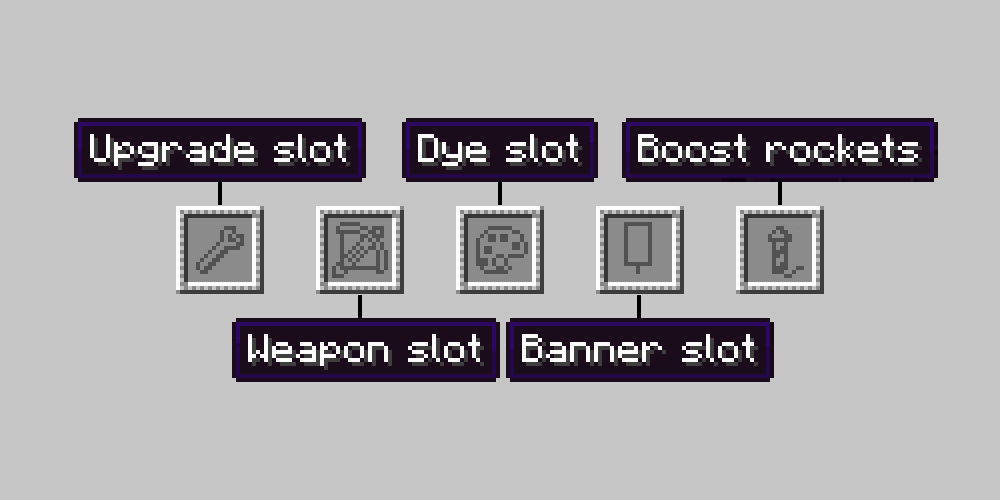
● Redesigned GUI Slot Icons
● [v1.2 only] Airship, Cargo Airship, and Warship Dyeing Support! (they are dyeable since Immersive Aircraft 1.1.0)
>>> for preview, please check Images.
If you are looking for the Create-styled Bamboo Hopper, check Create Immersive Aircraft : Bamboo Hopper by NewWorld. they did really nice work!
FAQ:
How to install?
- Place the resource pack into your resourcepacks folder (or drag it directly into the resource pack list in-game) and MAKE SURE it is placed above the mod resources and nicky__21's Create Immersive Aircrafts (if you have it installed).
Does it work on xxx version?
- Yes, the resource pack can generally work on any minecraft version. However, MAKE SURE the version of the Immersive Aircraft Mod required by the resource pack matches the version of the Immersive Aircraft Mod you have installed.
(for example, since version 1.1.0, some airships' item textures are devided into tintable parts and untintable parts. So if you install the wrong resource pack, the item textures could be wrong)
Why are the other aircraft unchanged except for the Warship?
- This pack is like a supplement to the areas not covered by nicky_21's Create Immersive Aircrafts, mainly focusing on modifying the Warship. For a complete Create style experience, please installed nicky__21's Create Immersive Aircrafts as well.
This is an independent resource pack and itself does not contain any files in nicky_21's resource pack. But I'll be glad if nicky__21 is willing to merge this.
it is my first time to upload resourse pack onto curseforge. if there's something wrong just let me know. please report any bugs you've found.
===
This project is licensed under the MIT License.
You are free to use, copy, and include this mod in Modpacks, provided that proper credit is given to the original author. However, redistribution of modified versions of this mod is not permitted without explicit permission from the original author.
Do not reupload edited versions under a different name or author.

![[1.1.0+] Dyeing Support!](https://media.forgecdn.net/attachments/1042/71/colorful.png)