Mineuniverse
Resource Packs
Create: Better Ages

Create: Better Ages

RESOURCE PACK
A revamp of Create: New Age's textures
by brickyboy
Download Claim this project
610 downloads
0 likes
Updated Oct 14, 2026
0 hypes
32x Miscellaneous Mod Support
Advertisement Remove ads with Premium →

Disclaimer: I am not associated with the makers of Create: New Age at all, and just saw that people had complained about the textures and thought it would be fun to make a texture pack. I would also like to mention that the textures (and models) of the mod have been redone in the 1.1 update, this pack is for earlier versions I guess? I dont really know why you would need this pack, but if you want the older mod, with newer (ish) textures, this pack is for you!


Also, I am not much of an artist, I mostly tried to imitate Create's textures and parts from new age, so there are some weird textures. But hey, if you don't like, don't use the pack!


ALSO, the pack version is 1.12.2, because for some reason when I set it to 1.19.2, CTM just refused to work so, yeah. It will work on newer versions, it will just give you a warning (that you can ignore).


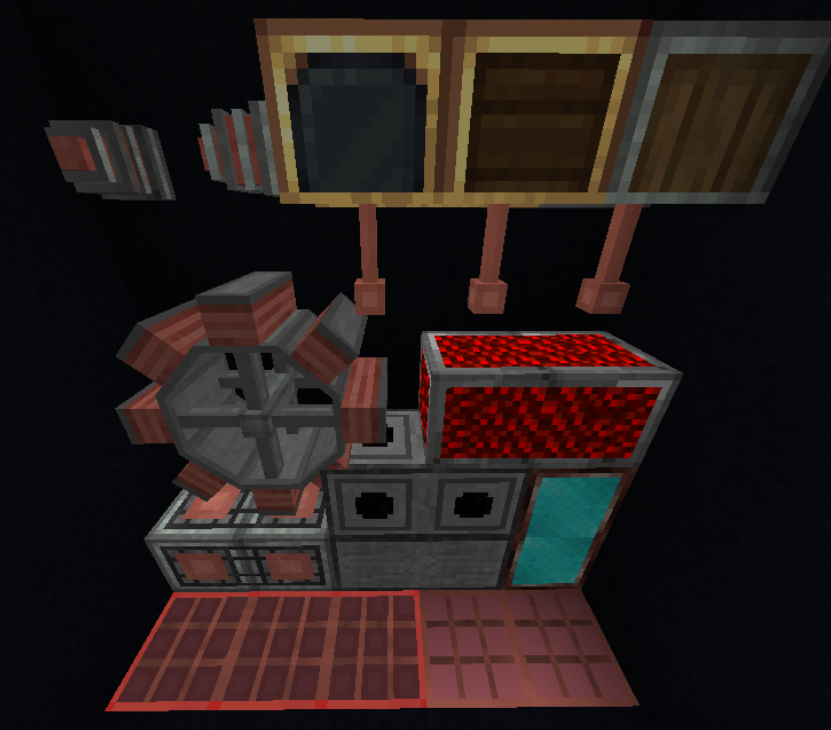
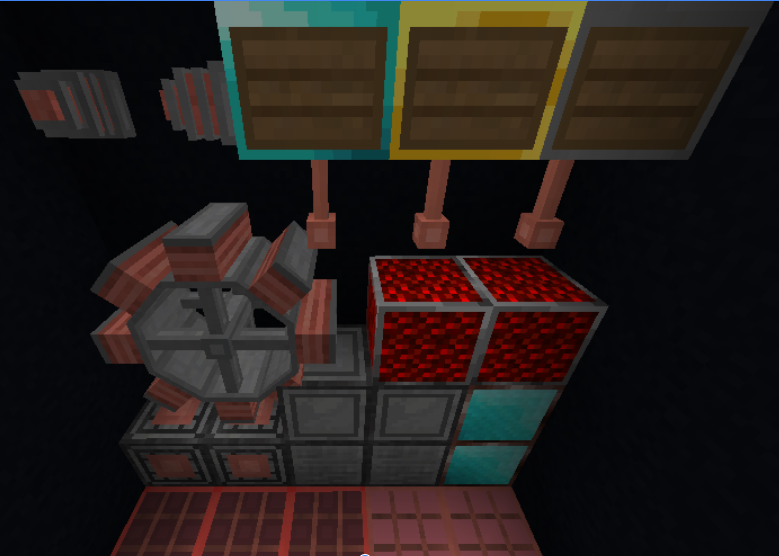
This texture pack tries to re-do some of the textures from Create: New Age. It adds some more create fitting textures, as well as some connected textures on blocks like the netherite magnet.

THIS TEXTURE PACK REQUIRES CTM TO WORK


Textures without:

[see images tab]

Textures with:

[see images tab]


The creators of Create: New Age have allowed me to re-use any of their textures from before the 1.1 update (which has revamped the textures anyway).
[see images tab]

Create Better Ages 1.5
MC 1.19.2, 1.20.1
Release 2023-12-11 Get
Create_Better_Ages.zip
MC 1.19.2, 1.20.1
Release 2023-12-04 Get

Requirements & install

How to use this resource pack in Minecraft
Resolution
32x
Minecraft
1.19.2 – 1.20.1
Install folder
.minecraft/resourcepacks

How to install resource packs

  1. Download the resource pack .zip file (do not extract it).
  2. In Minecraft open Options → Resource Packs → Open Pack Folder.
  3. Drop the .zip into the resourcepacks folder (.minecraft/resourcepacks).
  4. Move the pack to the Selected column and click Done.
Browse more: 16x resource packs 32x resource packs 64x resource packs 128x resource packs 256x resource packs 512x+ resource packs Resource Packs for 1.20.1 All resource packs

More from brickyboy

Advertisement Remove ads with Premium →

You Might Also Like