# Create Addons Traditional Chinese Translation Resource Pack
### 機械動力延伸模組繁體中文在地化資源包 (zh_tw)
---
## 📄 English Description
This is a clean, hand-crafted Traditional Chinese (zh_tw) localization resource pack designed for popular Create mod addons in Minecraft 1.21.1. It includes precise, community-aligned terminology translations and preserves all original Ponder (pondering) text highlighting colors without any software translation clutter.
### 📦 Supported Mods Covered:
* **Create Aeronautics** (Full integration, custom music disc translations, and corrected advancements)
* **Offroad** (Complete translation for borehead bearings, wheels, and multi-line ponder guides)
* **Simulated** (Underlying physics library localization support)
---
## 🇹🇼 繁體中文說明
這是一個專為 Minecraft 1.21.1 《機械動力》延伸模組開發的**純淨繁體中文在地化語言資源包(zh_tw)**。
所有的專有名詞皆經過台灣玩家遊玩習慣的在地化校對(非粗暴機翻),且**100% 完整保留了機械動力特有的「思索 (Ponder)」系統文字高亮變色代碼**,讓您在看動畫教學時關鍵字依舊能正常顯示顏色!
### 🛠️ 目前完整收錄翻譯的模組:
1. **Create Aeronautics (航空學)**:包含所有飛行器具、浮空水晶、進度表(包含隱藏進度)以及客製化音樂唱片的繁化。
2. **Offroad (越野車輪)**:包含鑽頭軸承、鑿石輪、車輪懸架避震以及極其詳細的車輛挖掘 Ponder 說明。
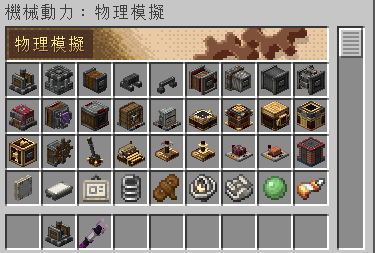
3. **Simulated (底層物理)**:對應航空學與越野底層的物理環境核心翻譯。
### 📥 安裝與使用方式:
1. 下載本專案的 `.zip` 檔案。
2. 將其丟進您的 `.minecraft/resourcepacks/`(資源包資料夾)中。
3. 進入遊戲 ➔ 選項 ➔ 資源包,將本包移至右側已啟用欄位,並確保其優先級置於最上方。