Mineuniverse
Resource Packs
Create:About the 'Package Frogport' Resource Pack

Create:About the 'Package Frogport' Resource Pack

RESOURCE PACK
Rework the Frogport from Create to look more frog-like. 把create的蛙港的外观变得更像青蛙。
by BuDongTNTcat
Download Claim this project
11 downloads
0 likes
0 followers
Updated Oct 14, 2026
0 hypes
Follow0
16x Miscellaneous
Advertisement Remove ads with Premium →

This resource pack changes the appearance of Create's Frogport to look more like a frog. Made with Blockbench. Overhauls the texture of the Frogport's tongue and the Frogport GUI.
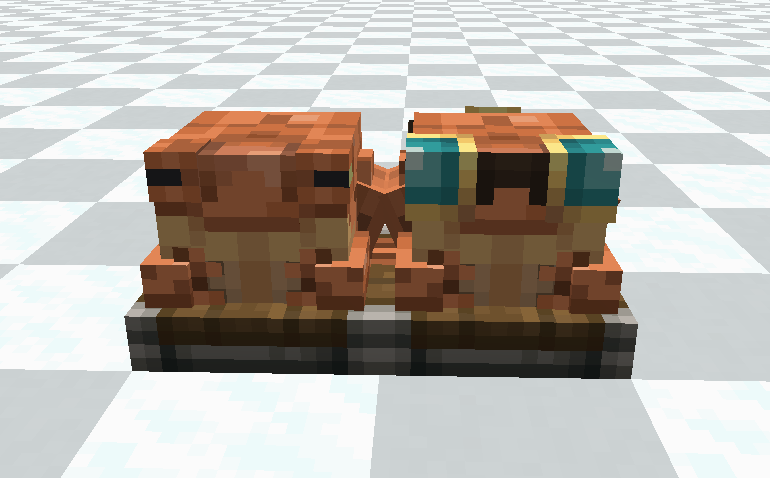
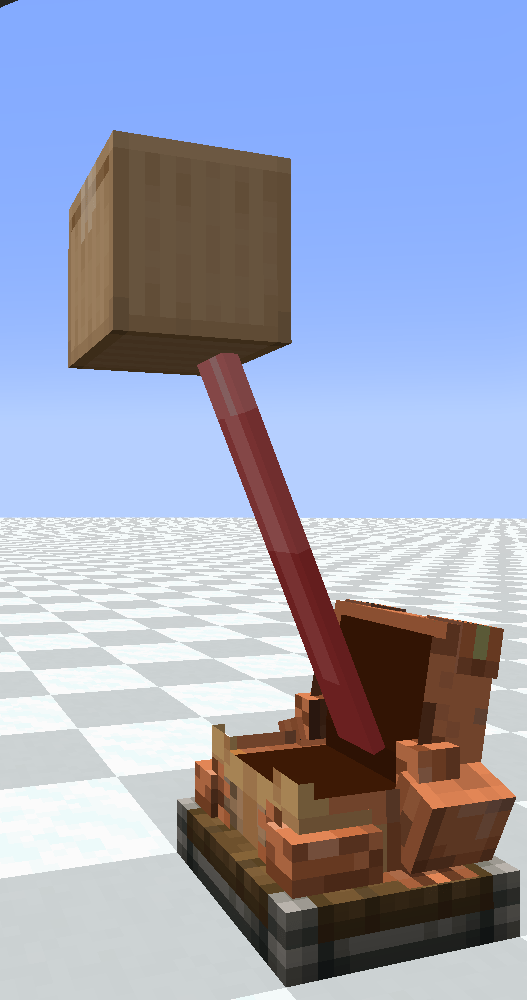
<form id="myform" action="getTranslate.php" method="post" name="myform">
这个资源包改变了机械动力的蛙港的外观,使其更像一只青蛙。使用Blockbench制作而成。重新设计了Frogport舌头的纹理以及蛙港的UI界面。
</form>


create frogport.zip
MC 1.21.1
Release 2026-09-05 Get

Requirements & install

How to use this resource pack in Minecraft
Resolution
16x
Minecraft
1.21.1
Install folder
.minecraft/resourcepacks

How to install resource packs

  1. Download the resource pack .zip file (do not extract it).
  2. In Minecraft open Options → Resource Packs → Open Pack Folder.
  3. Drop the .zip into the resourcepacks folder (.minecraft/resourcepacks).
  4. Move the pack to the Selected column and click Done.
Browse more: 16x resource packs 32x resource packs 64x resource packs 128x resource packs 256x resource packs 512x+ resource packs Resource Packs for 1.21.1 All resource packs
Advertisement Remove ads with Premium →

You Might Also Like





