Mineuniverse
Resource Packs
Cpvp Essential

Cpvp Essential

RESOURCE PACK
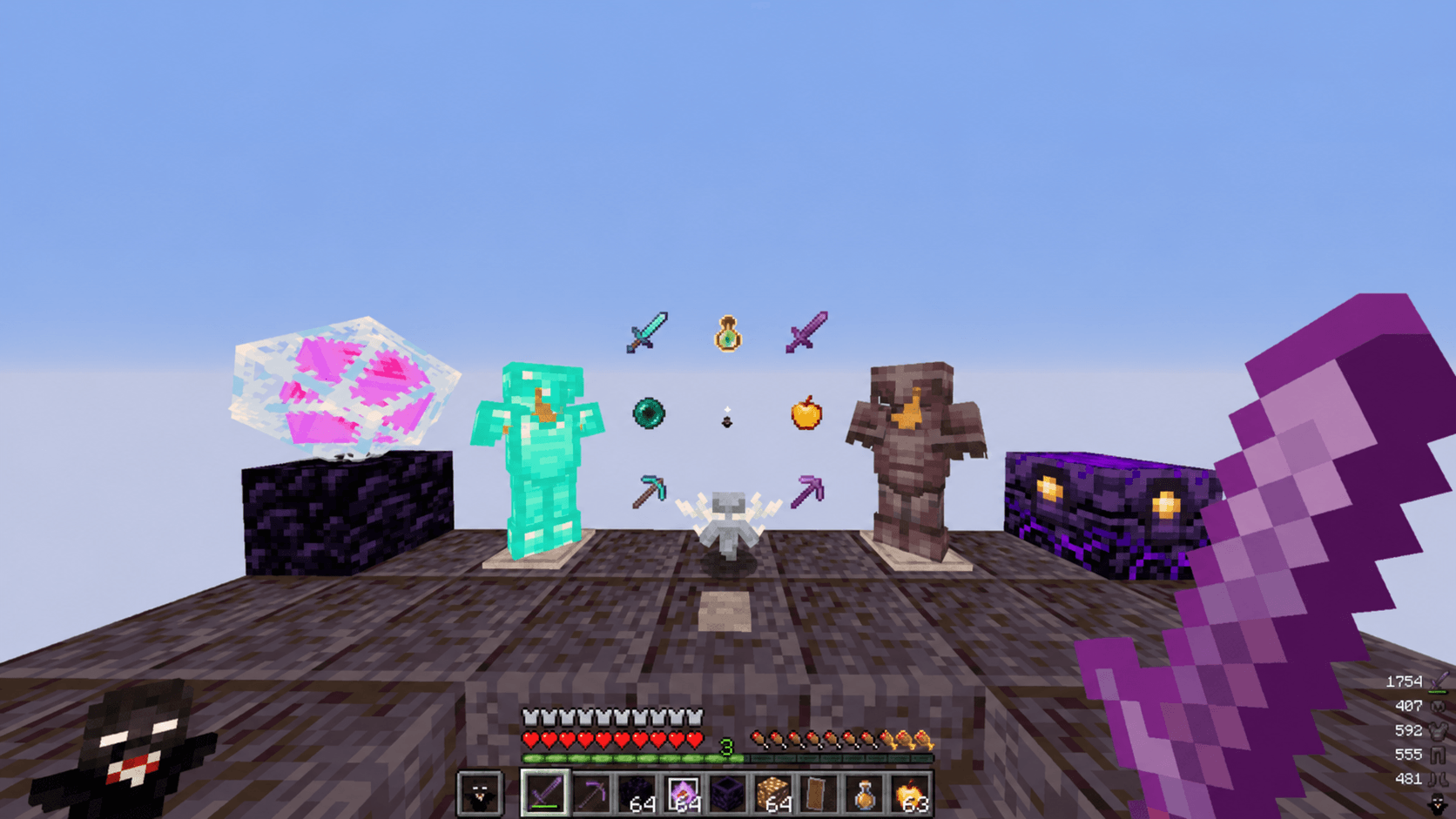
A simple modern minecraft vannila texture pack for pvp
by SmartyPlayzZ
Download Claim this project
Add a badge to your pageLink to Cpvp Essential from a README, website or forum post.
Preview: Badge

Badges update automatically and link to the resource pack page on MineUniverse.

741 downloads
0 likes
0 followers
Updated Oct 14, 2026
0 hypes
Follow0
32x Font Packs Miscellaneous Mod Support Modern
Advertisement Remove ads with Premium →

PvP Essentials

PvP Essentials is a clean, lightweight vanilla-style texture pack created for modern Minecraft PvP. Instead of completely changing Minecraft's appearance, it focuses on essential visual improvements that help you perform better in combat while keeping the classic vanilla feel you already know and love.

Features

  • Small Shield for improved visibility during fights
  • Low Fire to reduce screen obstruction
  • No Fire Particles for a cleaner combat experience
  • Vanilla-friendly textures and appearance
  • Lightweight and performance-friendly
  • Designed for modern Minecraft PvP

Why Use PvP Essentials?

In fast-paced PvP situations, every bit of visibility matters. PvP Essentials removes unnecessary visual distractions and makes combat feel smoother without sacrificing the original Minecraft aesthetic. Whether you're playing BedWars, SkyWars, Duels, Crystal PvP, Lifesteal, or Survival PvP, this pack helps you stay focused on the fight.

Keep the vanilla look. Remove the distractions. Win more fights with PvP Essentials.

§eCpvp Essentials.zip
MC 1.21.2-Snapshot, 1.21, 1.21.6-snapshot, 1.21.1-Snapshot, 1.21.8, 1.21.5, 1.21.4, 1.21.5-Snapshot, 1.21.1, 1.21.6, 1.21.3, 1.21.7, 1.21-Snapshot, 1.21.4-Snapshot, 1.21.2
Release 2026-07-05 Get

Requirements & install

How to use this resource pack in Minecraft
Resolution
32x
Minecraft
1.21.4-Snapshot – 1.21.8
Install folder
.minecraft/resourcepacks

How to install resource packs

  1. Download the resource pack .zip file (do not extract it).
  2. In Minecraft open Options → Resource Packs → Open Pack Folder.
  3. Drop the .zip into the resourcepacks folder (.minecraft/resourcepacks).
  4. Move the pack to the Selected column and click Done.
Browse more: 16x resource packs 32x resource packs 64x resource packs 128x resource packs 256x resource packs 512x+ resource packs Resource Packs for 1.21.8 All resource packs

More from SmartyPlayzZ

Advertisement Remove ads with Premium →

You Might Also Like