Mineuniverse
Resource Packs
Coterie Craft Lushbloom Classic

Coterie Craft Lushbloom Classic

RESOURCE PACK
Classic Version of Coterie Craft Built Off of Dev Art
by MrCptCorn
Download Claim this project
Add a badge to your pageLink to Coterie Craft Lushbloom Classic from a README, website or forum post.
Preview: Badge

Badges update automatically and link to the resource pack page on MineUniverse.

8,910 downloads
0 likes
0 followers
Updated Oct 14, 2026
0 hypes
Follow0
16x Medieval Miscellaneous
Advertisement Remove ads with Premium →

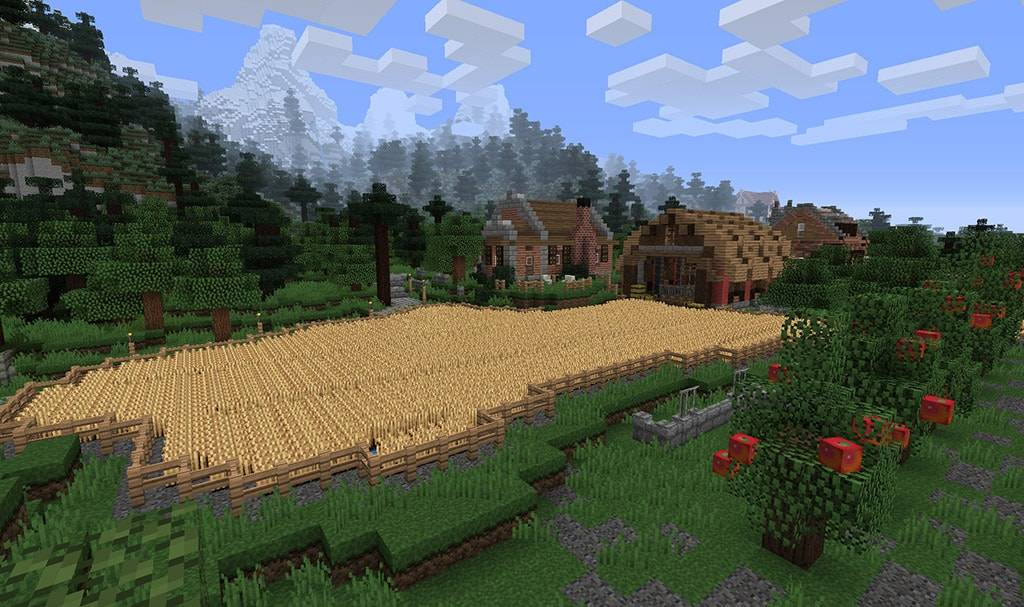
Due to the sigificant changes made to the main Coterie Craft Lushbloom texture pack, I have decided to reupload a seperate version of Coterie Craft with a different goal in mind. While Lushbloom's is about keeping up with the changes in the current version of the game, Lushbloom Classic aims to revive the classic version of Coterie Craft seen in 1.7.10 and 1.12 before the Minecraft Texture Update by Jappa. On the surface the two texture packs are not much different, but when viewed a lot deeper there are 100s of differences and these differences are growing.

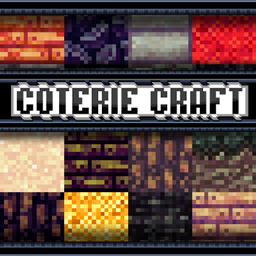
This pack is built with the Broville Map in mind so if anyone wants Cobblestone to not be stone bricks here, it will not be done due to Broville being made a certain way. Andesite was reworked into cobble to make up for OG Coterie's lack of cobblestone which was made before Stone Bricks were added to the game which at the time was one of the most requested block textures.

In order to avoid the original version of Coterie Craft used by Broville and Kuledud3 being lost in the current game, a spearate release was necessary because the modern release aims to overhaul large portions of the pack.

CoterieCraftLBClassic16xMC1.20.1rev1_preview1.5.zip
MC 1.20.2, 1.21, 1.20.5, 1.20.3, 1.20.1, 1.20.6, 1.20.4
Release 2024-09-13 Get

Requirements & install

How to use this resource pack in Minecraft
Resolution
16x
Minecraft
1.20.1 – 1.21
Install folder
.minecraft/resourcepacks

How to install resource packs

  1. Download the resource pack .zip file (do not extract it).
  2. In Minecraft open Options → Resource Packs → Open Pack Folder.
  3. Drop the .zip into the resourcepacks folder (.minecraft/resourcepacks).
  4. Move the pack to the Selected column and click Done.
Browse more: 16x resource packs 32x resource packs 64x resource packs 128x resource packs 256x resource packs 512x+ resource packs Resource Packs for 1.21 All resource packs

More from MrCptCorn

Advertisement Remove ads with Premium →

You Might Also Like