Mineuniverse
Resource Packs
Corrected Mob Heads

Corrected Mob Heads

RESOURCE PACK


Tweaks how mob heads appear in first-person and third-person perspectives.
by EpicOOF
Download Claim this project
98,511 downloads
0 likes
Updated Oct 14, 2026
0 hypes
16x Miscellaneous Traditional
Advertisement Remove ads with Premium →

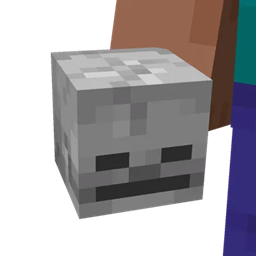
This small project was inspired by [MC-91869] on the bug tracker and wanted to make this based on the screenshots on there. The files of the fixes that are currently on there do not work on the latest versions, and I wanted to share a working version of that. This pack makes mob heads look more distinguishable and recognizable in first person and third person view.


Also, I will not be making a version for 1.8 since models work differently in that version of the game.

Corrected Mob Heads (1.20+)
MC 1.21, 1.20.2, 1.21.8, 1.20.5, 1.21.5, 1.21.4, 1.20.1, 1.20, 1.20.6, 1.21.1, 1.21.6, 1.21.3, 1.21.7, 1.20.4, 1.20.3, 1.21.2, 1.21.9, 1.21.10, 1.21.11, 26.1, 26.1.1, 26.1.2
Release 2025-11-01 Get
Corrected Mob Heads (1.19.4)
MC 1.19.4
Release 2023-03-14 Get
Corrected Mob Heads (1.19.3)
MC 1.19.3
Release 2022-12-08 Get
Corrected Mob Heads (1.17 - 1.17.1)
MC 1.17.1, 1.17
Release 2022-06-12 Get
Corrected Mob Heads (1.18 - 1.18.2)
MC 1.18.1, 1.18.2, 1.18
Release 2022-06-12 Get
Corrected Mob Heads (1.19 - 1.19.2)
MC 1.19.2, 1.19.1, 1.19
Release 2022-06-12 Get
Corrected Mob Heads (1.11 - 1.12.2)
MC 1.12.1, 1.12, 1.11, 1.11.1, 1.11.2, 1.12.2
Release 2020-12-14 Get
Corrected Mob Heads (1.13 - 1.14.4)
MC 1.13.1, 1.14.4, 1.14.1, 1.14.3, 1.13, 1.14, 1.14.2, 1.13.2
Release 2020-12-14 Get
Corrected Mob Heads (1.15 - 1.16.1)
MC 1.16.1, 1.15, 1.16, 1.15.2, 1.15.1
Release 2020-12-14 Get
Corrected Mob Heads (1.16.2 - 1.16.4)
MC 1.16.3, 1.16.5, 1.16.4, 1.16.2
Release 2020-12-14 Get

Requirements & install

How to use this resource pack in Minecraft
Resolution
16x
Minecraft
1.21.7 – 26.1.2
Install folder
.minecraft/resourcepacks

How to install resource packs

  1. Download the resource pack .zip file (do not extract it).
  2. In Minecraft open Options → Resource Packs → Open Pack Folder.
  3. Drop the .zip into the resourcepacks folder (.minecraft/resourcepacks).
  4. Move the pack to the Selected column and click Done.
Browse more: 16x resource packs 32x resource packs 64x resource packs 128x resource packs 256x resource packs 512x+ resource packs Resource Packs for 26.1.2 All resource packs
Advertisement Remove ads with Premium →

You Might Also Like