Mineuniverse
Resource Packs
cooked chicken name

cooked chicken name

RESOURCE PACK
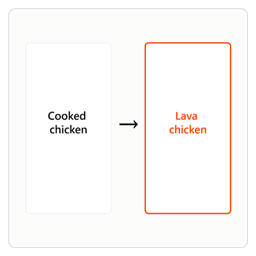
"Cooked chicken" → "Lava chicken"
by giamat13
Download Claim this project
50 downloads
0 likes
Updated Oct 14, 2026
0 hypes
Font Packs
Advertisement Remove ads with Premium →

Lava Chicken Resource Pack

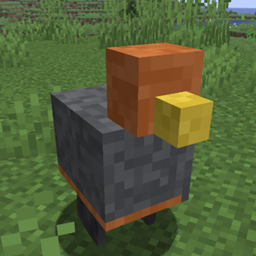
A Minecraft resource pack that renames chicken items to "lava chicken" themed names.

Features

  • Renames raw chicken to "lava chicken soon"
  • Renames cooked chicken to "lava chicken"
  • Multi-language support:
    • English (en_us)
    • Hebrew (he_il)

Installation

  1. Download the LavaChicken.zip file
  2. Open Minecraft and go to Options → Resource Packs
  3. Click Open Pack Folder
  4. Paste the resource pack folder or zip file into the directory
  5. Select the pack and click Done
  6. Restart Minecraft to apply the changes

Compatibility

  • Pack Format: 34
  • Minecraft Versions: 1.20.5 and later (supports up to format version 100)

Files Structure

LavaChicken/
├── pack.mcmeta           # Resource pack metadata
└── assets/
    └── minecraft/
        └── lang/
            ├── en_us.json   # English translations
            └── he_il.json   # Hebrew translations

About

This resource pack provides a playful renaming system for chicken-related items in Minecraft, with support for both English and Hebrew locales.

LavaChicken.zip
MC 1.16.3, 1.13.1, 1.17.1, 1.21, 1.16.1, 1.18.1, 1.14.3, 1.15, 1.16, 1.13, 1.16.5, 1.19.3, 1.20.2, 1.19.4, 1.21.8, 1.14.4, 1.14.1, 1.17, 1.20.5, 1.21.5, 1.18, 1.21.4, 1.20.1
Release 2026-07-13 Get
LavaChicken.zip
MC 1.16.3, 1.13.1, 1.17.1, 1.21, 1.16.1, 1.18.1, 1.14.3, 1.15, 1.16, 1.13, 1.16.5, 1.19.3, 1.20.2, 1.19.4, 1.21.8, 1.14.4, 1.14.1, 1.17, 1.20.5, 1.21.5, 1.18, 1.21.4, 1.20.1
Release 2026-07-13 Get

Requirements & install

How to use this resource pack in Minecraft
Resolution
Not specified
Minecraft
1.19.4 – 1.21.8
Install folder
.minecraft/resourcepacks

How to install resource packs

  1. Download the resource pack .zip file (do not extract it).
  2. In Minecraft open Options → Resource Packs → Open Pack Folder.
  3. Drop the .zip into the resourcepacks folder (.minecraft/resourcepacks).
  4. Move the pack to the Selected column and click Done.
Browse more: 16x resource packs 32x resource packs 64x resource packs 128x resource packs 256x resource packs 512x+ resource packs Resource Packs for 1.21.8 All resource packs

More from giamat13

Advertisement Remove ads with Premium →

You Might Also Like