Mineuniverse
Resource Packs
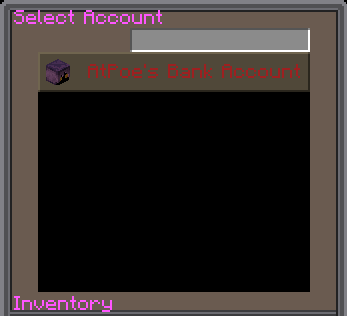
Container Text *Fixes hard to read Containers*

Container Text *Fixes hard to read Containers*

RESOURCE PACK
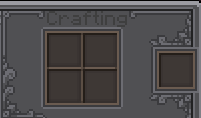
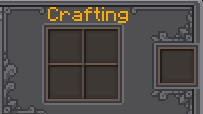
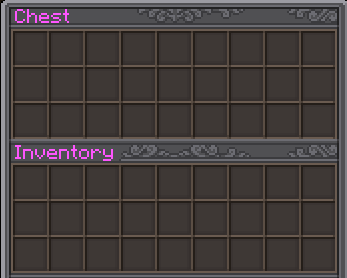
Fixes the text color inside vanilla and modded containers for better readability and visual consistency.
by AtPoe
Download Claim this project
222 downloads
0 likes
0 followers
Updated Oct 14, 2026
0 hypes
Follow0
Font Packs Miscellaneous Mod Support
Advertisement Remove ads with Premium →

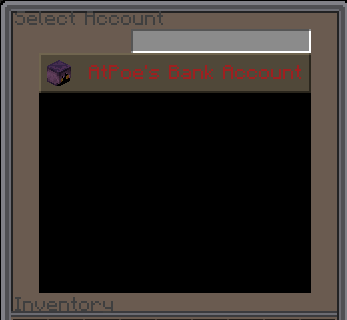
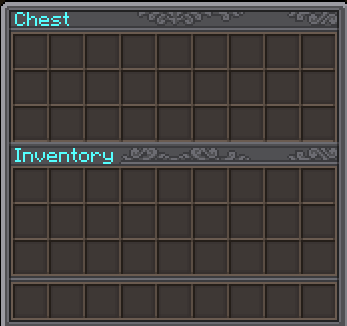
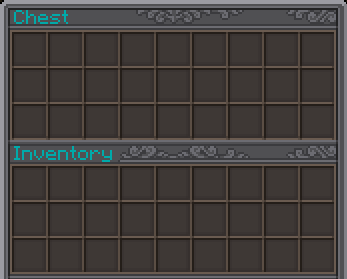
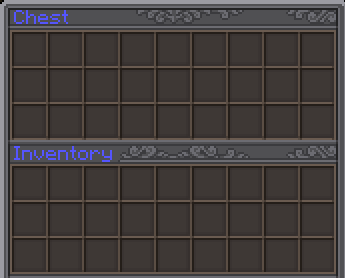
This resource pack enhances the readability of text inside Minecraft interfaces by correcting and improving text colors. It applies not only to vanilla containers (like chests, furnaces, and crafting tables) but also to modded GUIs that use the same text rendering system.

No more dark or hard-to-read Container Names / Tabs — everything now stands out clearly, whether you're using a default UI or a heavily customized modpack.

✅ Fixes dull or invisible text in containers
✅ Supports modded GUIs and containers
✅ Works with any resource pack and shader setup
✅ Lightweight & compatible with all Minecraft versions that support resource packs

Purely visual — no mods required. Just drop it in your resourcepacks folder and enjoy clean, readable text everywhere.


Terms of use:

You are welcome to include this resourcepack in any modpack


You may not re-release this resourcepack as your own

Container Text - Gold
MC 1.20.1
Release 2025-11-09 Get
Container Text - Aqua
MC 1.20.1
Release 2025-11-09 Get
Container Text - Blue
MC 1.20.1
Release 2025-11-09 Get
Container Text - Dark Aqua
MC 1.20.1
Release 2025-11-09 Get
Container Text - Dark Blue
MC 1.20.1
Release 2025-11-09 Get
Container Text - Dark Green
MC 1.20.1
Release 2025-11-09 Get
Container Text - Dark Purple
MC 1.20.1
Release 2025-11-09 Get
Container Text - Dark Red
MC 1.20.1
Release 2025-11-09 Get
Container Text - Green
MC 1.20.1
Release 2025-11-09 Get
Container Text - Purple
MC 1.20.1
Release 2025-11-09 Get
Container Text - Red
MC 1.20.1
Release 2025-11-09 Get
Container Text - White
MC 1.20.1
Release 2025-11-09 Get
Container Text - Yellow
MC 1.20.1
Release 2025-11-09 Get

Requirements & install

How to use this resource pack in Minecraft
Resolution
Not specified
Minecraft
1.20.1
Install folder
.minecraft/resourcepacks

How to install resource packs

  1. Download the resource pack .zip file (do not extract it).
  2. In Minecraft open Options → Resource Packs → Open Pack Folder.
  3. Drop the .zip into the resourcepacks folder (.minecraft/resourcepacks).
  4. Move the pack to the Selected column and click Done.
Browse more: 16x resource packs 32x resource packs 64x resource packs 128x resource packs 256x resource packs 512x+ resource packs Resource Packs for 1.20.1 All resource packs

More from AtPoe

Advertisement Remove ads with Premium →

You Might Also Like