Mineuniverse
Resource Packs
Compliance 32x Visible Light Grey Glass Pane Items

Compliance 32x Visible Light Grey Glass Pane Items

RESOURCE PACK
Makes Light Grey Glass Panes Visible in your inventory.
by BleakEntity_29A
Download Claim this project
Add a badge to your pageLink to Compliance 32x Visible Light Grey Glass Pane Items from a README, website or forum post.
Preview: Badge

Badges update automatically and link to the resource pack page on MineUniverse.

382 downloads
0 likes
0 followers
Updated Oct 14, 2026
0 hypes
Follow0
32x Miscellaneous
Advertisement Remove ads with Premium →

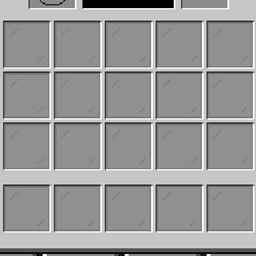
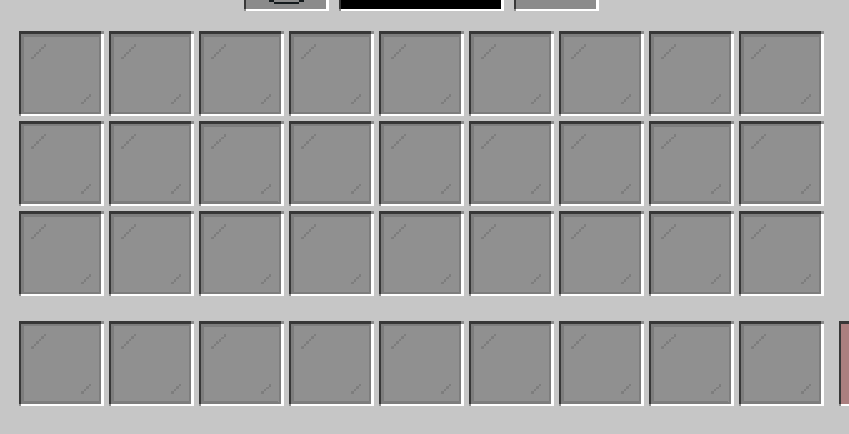
Slightly decreases the transparency of the border and diagonal lines of the 'light gray stained glass' item texture as to make it be visible in the inventory. Has no effect on the placed glass texture.

The screenshots uploaded show the diagional pixel lines as alternating rectangles for some reason, they're perfect squares in-game.

Based on the Compliance 32x texture: https://compliancepack.net

Compliance 32x - Visible Light Grey Glass Pane Items - V1.1
MC 1.18.1, 1.18.2, 1.18
Release 2022-04-24 Get
Compliance 32x Visible Light Grey Glass Pane Items V1.0
MC 1.18.1, 1.18.2, 1.18
Release 2022-04-20 Get
Compliance 32x Visible Light Grey Glass Pane Items V0.1
MC 1.18.1, 1.18.2, 1.18
Alpha 2022-04-20 Get

Requirements & install

How to use this resource pack in Minecraft
Resolution
32x
Minecraft
1.18 – 1.18.2
Install folder
.minecraft/resourcepacks

How to install resource packs

  1. Download the resource pack .zip file (do not extract it).
  2. In Minecraft open Options → Resource Packs → Open Pack Folder.
  3. Drop the .zip into the resourcepacks folder (.minecraft/resourcepacks).
  4. Move the pack to the Selected column and click Done.
Browse more: 16x resource packs 32x resource packs 64x resource packs 128x resource packs 256x resource packs 512x+ resource packs Resource Packs for 1.18.2 All resource packs
Advertisement Remove ads with Premium →

You Might Also Like