Colorspace Viewer

What is it?
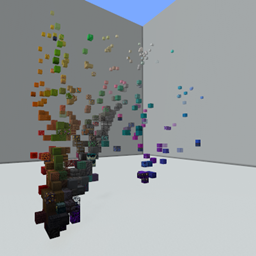
This is a data pack that displays blocks in a variety of different colorspaces. The position of each block is calculated as the average pixel color of all its faces.
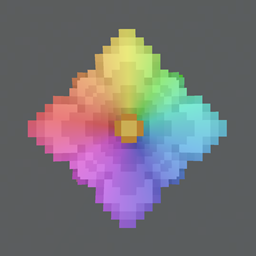
There are currently 5 supported colorspaces (HSV, LAB, LUV, RGB, XYZ). Each colorspace has its own strengths and weaknesses when it comes to building and picking out color palettes. Try out all the different options and find out the ones that work best for you.
How to Use
As with all data packs you will need to add this to your world's datapacks folder, either on world creation or by finding your world in the saves folder and adding it manually in the datapacks folder there.
Once you have installed the data pack you can open your world and select and area you would like to paste in the colorspace viewer. You will need to have 100 blocks to the East and 100 blocks to the South of the player, as well as 100 blocks above to form a large cubic area. You can find which direction you are faceing easily by using the F3 debug screen.

Next, you will need to have cheats enabled on your world. You will then execute the following command while standing at the North-West corner of the area you would like to paste to (the red wool in the screenshot indicates where you should be standing).
/function colorspace:setup
This will place in the world 6 note blocks to the south of your current location with observers and command blocks under each of them.

WARNING: You cannot undo the next step so make sure that your setup has placed the blocks in the correct location you want them to be as anything in the designated area will be replaced.
You can then right-click the Reset note block to clear the area and paste in the white concrete walls. Right-clicking any of the other note blocks will switch the block positions to the specified colorspace and remove any changes made within the area.

If you do not want to see the command block output in chat you can set the gamerule with the following command
/gamerule commandBlockOutput false
Feedback
Feel free to leave any comments or suggestions and I will try to incorporate that feedback into subsequent releases. If you find any bugs or issues let me know as well so I can fix them.
I hope you enjoy using this tool and thanks for trying it out.