Mineuniverse
Resource Packs
Colored Allays

Colored Allays

RESOURCE PACK
You can name Allays to change their color
by NinjaNightFuryYT
Download Claim this project
1,066 downloads
0 likes
0 followers
Updated Oct 14, 2026
0 hypes
Follow0
32x Animated Miscellaneous Traditional
Advertisement Remove ads with Premium →

Using a Name Tag, you can change an Allays color,


This Resource Pack REQUIRES OPTIFINE


Available Colors:

  • Red
  • Orange
  • Yellow
  • Lime
  • Green
  • Teal
  • Blue (Darker than normal Allay)
  • Indigo
  • Violet
  • Pink
  • Brown
  • White
  • Gray
  • Black


Special Changes:

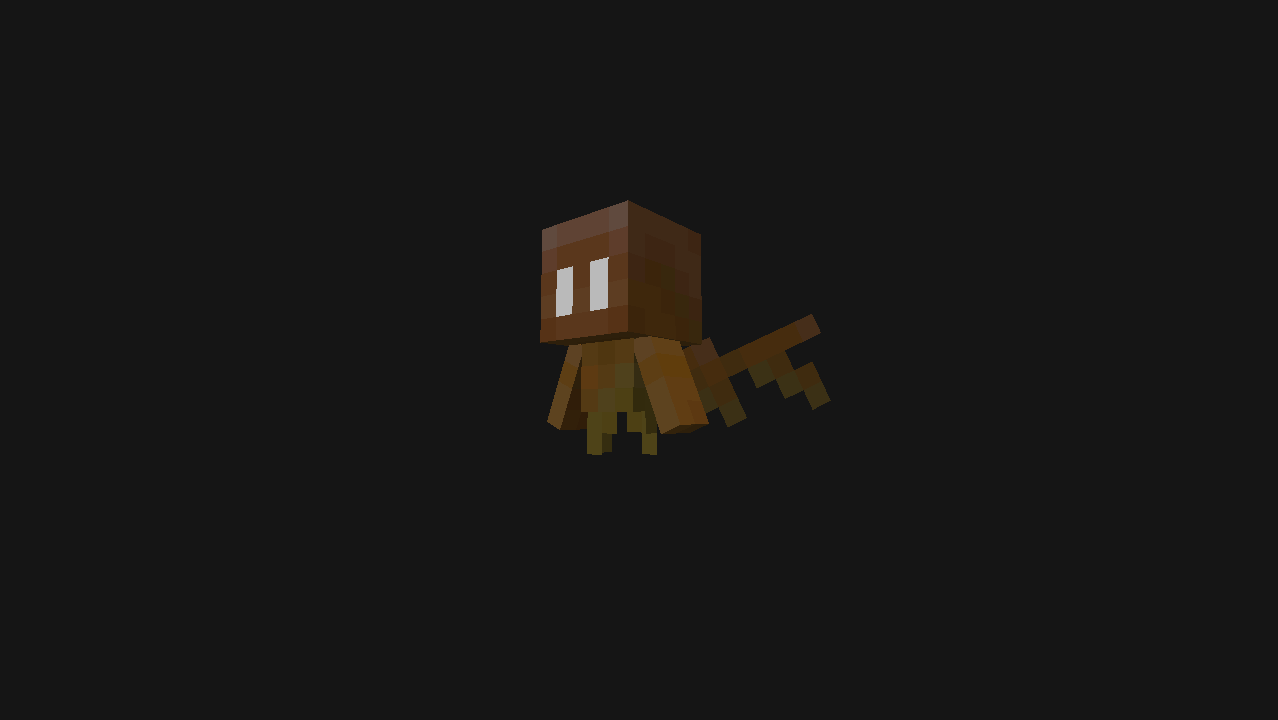
As well as colors, there are also a special texture change,


  • Mephit


Mephit makes the Allay look like it's from the nether.


If there are any bugs with the pack, please let me know by leaving a comment and I will fix it and get back to you about it, thanks!

As always if you like what I do to add to Minecraft, please consider leaving a donation, it is much appreciated! ^w^


Changes:

jeb_ name was removed due to it not working.

Colored Allays v2.zip
MC 1.19.1, 1.19
Release 2022-07-01 Get
Colored Allays.zip
MC 1.19
Release 2022-06-14 Get

Requirements & install

How to use this resource pack in Minecraft
Resolution
32x
Minecraft
1.19 – 1.19.1
Install folder
.minecraft/resourcepacks

How to install resource packs

  1. Download the resource pack .zip file (do not extract it).
  2. In Minecraft open Options → Resource Packs → Open Pack Folder.
  3. Drop the .zip into the resourcepacks folder (.minecraft/resourcepacks).
  4. Move the pack to the Selected column and click Done.
Browse more: 16x resource packs 32x resource packs 64x resource packs 128x resource packs 256x resource packs 512x+ resource packs Resource Packs for 1.19.1 All resource packs

More from NinjaNightFuryYT

Advertisement Remove ads with Premium →

You Might Also Like