Mineuniverse
Resource Packs
Cobblemon Icons [Vanilla]

Cobblemon Icons [Vanilla]

RESOURCE PACK
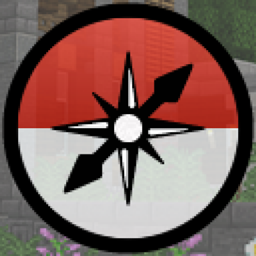
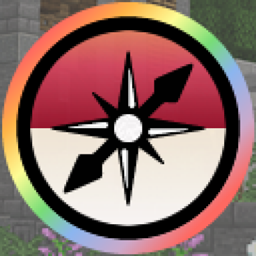
Adds Cobblemon Icons to Journeymap with special outlines.
by sinnamoth
Download Claim this project
42,978 downloads
0 likes
0 followers
Updated Oct 14, 2026
0 hypes
Follow0
16x Miscellaneous Mod Support
Advertisement Remove ads with Premium →

QOL resource pack that adds Cobblemon icons to Journeymap. See bottom for alt. versions/other addons.
For the base Cobblemon pack without addons included, icons will show for officially added cobblemon. 

Features Cobblemon map outlines for Shinies, Rare Forms and Rare Genders.  Pride Vivillon icons included.
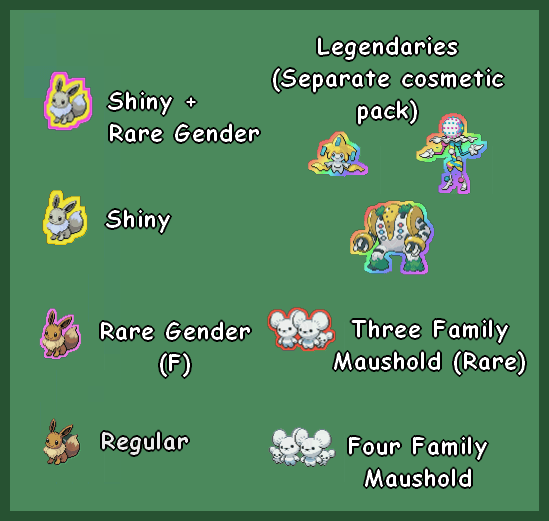
 

Be sure that your Fullscreen / Minimap settings have mob icons enabled in Journeymap.

 

Support+Suggestions via sinnamoth @ discord / comments / BigChadGuys Discord- Please contact/comment if any pokemon do not show up, or are not showing up as expected :) most likely to respond in discord DMs / public big chad guys discord. ty!

If it is failing to load, either there is an issue with the current version of the texturepack, or you are attempting to play with different addons than the version uses.

Other Versions/Addons:

CobblemonIconsVanilla v1.3.zip
MC 1.20.1
Release 2025-02-08 Get
CobblemonIconsVanilla WithMobs v1.3.zip
MC 1.20.1
Release 2025-02-08 Get
CobblemonIconsVanilla v1.2.zip
MC 1.20.1
Release 2025-02-03 Get
CobblemonIconsVanilla WithMobs v1.2.zip
MC 1.20.1
Release 2025-02-03 Get
Cobblemon Icons Pure v1.1.zip
MC 1.20.1
Release 2024-08-26 Get
CobblemonIconsPure WithMobs v1.1.1.zip
MC 1.20.1
Release 2024-08-26 Get
CobblemonIconsPure WithMobs v1.01.zip
MC 1.20.1
Release 2024-08-17 Get
Cobblemon Icons Pure v1.0.zip
MC 1.20.1, 1.21.1
Release 2024-08-12 Get

Requirements & install

How to use this resource pack in Minecraft
Resolution
16x
Minecraft
1.20.1 – 1.21.1
Install folder
.minecraft/resourcepacks

How to install resource packs

  1. Download the resource pack .zip file (do not extract it).
  2. In Minecraft open Options → Resource Packs → Open Pack Folder.
  3. Drop the .zip into the resourcepacks folder (.minecraft/resourcepacks).
  4. Move the pack to the Selected column and click Done.
Browse more: 16x resource packs 32x resource packs 64x resource packs 128x resource packs 256x resource packs 512x+ resource packs Resource Packs for 1.21.1 All resource packs

More from sinnamoth

Advertisement Remove ads with Premium →

You Might Also Like