Mineuniverse
Resource Packs
Clippy totem

Clippy totem

RESOURCE PACK
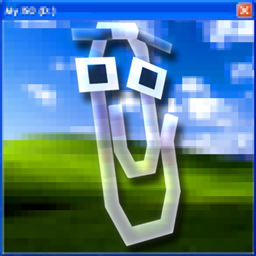
This texture pack changes totem's model to clippy assistant
by Selcom
Download Claim this project
116 downloads
0 likes
Updated Oct 14, 2026
0 hypes
16x Miscellaneous Mod Support Modern Traditional
Advertisement Remove ads with Premium →

alt text

Clippy Totem — 3D Model & 2D GUI Enhancement

Clippy Totem is a specialized resource pack for Minecraft that visually redesigns the Totem of Undying. The pack features adaptive contextual rendering: a detailed 3D model is displayed in the player's hands and in the game world, while a clean 2D sprite is preserved within inventory interfaces and containers.


Key Features

  • Dynamic Contextual Rendering:
    • Inventory / GUI: A flat 2D icon that keeps the interface readable and prevents clipping with adjacent slots.
    • First/Third-Person View & World Drop: A detailed 3D model when held in hand or dropped on the ground.
  • Broad Version Compatibility: Native support spanning from Minecraft 1.16.5 up to 1.21.x utilizing internal overlay architecture.
  • High Optimization: A fully vanilla implementation requiring no heavy scripts or modifications, ensuring zero performance impact.
  • Standalone Operation: Does not require any third-party mods or rendering tools (such as OptiFine or CIT Resewn).

Compatibility & Requirements

Component Supported Values
Game Versions Minecraft 1.16.5 — 1.21.4+
Mod Loaders Vanilla / Fabric / NeoForge / Forge / Quilt
Dependencies None

Installation

  1. Download the .zip archive of the resource pack.
  2. Place the file into the resourcepacks directory of your Minecraft game folder.

  3. Launch Minecraft and navigate to Options -> Resource Packs.
  4. Activate Clippy Totem by moving it to the active column and confirm the changes.

Credits & Terms of Use

  • Developer: selc0m
  • This resource pack is designed for use in singleplayer, multiplayer servers, and custom modpacks. Redistribution or re-uploading to unauthorized third-party platforms is strictly prohibited.
clippy totem.zip
MC 1.16.3, 1.16-Snapshot, 1.17.1, 1.21.2-Snapshot, 1.21, 1.21.6-snapshot, 1.15-Snapshot, 1.16.1, 1.18.1, 1.20.2-Snapshot, 1.20.5-Snapshot, 1.14.3, 1.15, 1.16, 1.19-Snapshot
Release 2026-08-26 Get

Requirements & install

How to use this resource pack in Minecraft
Resolution
16x
Minecraft
1.17.1 – 1.21.6-snapshot
Install folder
.minecraft/resourcepacks

How to install resource packs

  1. Download the resource pack .zip file (do not extract it).
  2. In Minecraft open Options → Resource Packs → Open Pack Folder.
  3. Drop the .zip into the resourcepacks folder (.minecraft/resourcepacks).
  4. Move the pack to the Selected column and click Done.
Browse more: 16x resource packs 32x resource packs 64x resource packs 128x resource packs 256x resource packs 512x+ resource packs Resource Packs for 1.21.6-snapshot All resource packs

More from Selcom

Advertisement Remove ads with Premium →

You Might Also Like