Mineuniverse
Resource Packs
Clear Water

Clear Water

RESOURCE PACK
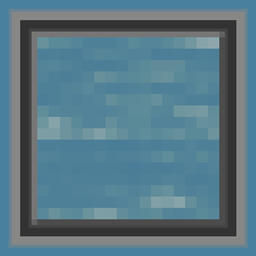
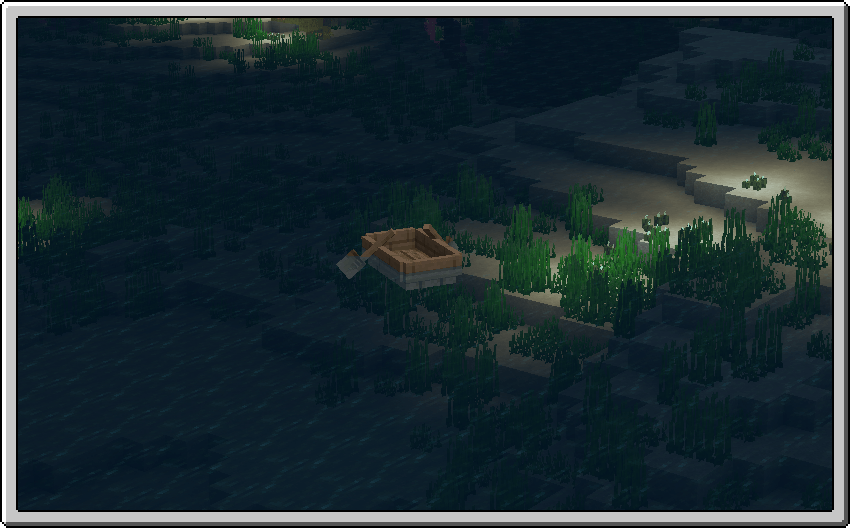
A less obtrusive and more clearer water texture to be used when looking for ocean monuments, ship wrecks, treasures or really anything that someone that can find in Minecraft's oceans!
by Iceologer
Download Claim this project
97,838 downloads
0 likes
0 followers
Updated Oct 14, 2026
0 hypes
Follow0
16x Animated Miscellaneous Modern Traditional
Advertisement Remove ads with Premium →

🌊 This pack brings you

A less obtrusive and more clearer water texture to be used when looking for ocean monuments, ship wrecks, treasures or really anything that someone that can find in Minecraft's oceans! 

How to install this pack:

  • Download the latest updated version of the pack
  • Do NOT unzip the folder and place it in your resource packs folder
  • To locate your resource packs folder simply press [Win] + [R]
  • Now type "%appdata%/.minecraft" in the window that opened and press the button that says "Ok"
  • Locate the folder that says "resourcepacks" and place the pack inside there
  • Open Minecraft and make sure the pack appears your Options/Resource Packs
Original upload on PlanetMinecraft Published Sep 15th, 2018
[1.21.10] Clear Water
MC 1.17.1, 1.16.3, 1.13.1, 1.19.3, 1.20.2, 1.21, 1.16.1, 1.18.1, 1.20.5, 1.21.5, 1.14.4, 1.14.1, 1.17, 1.14.3, 1.15, 1.16, 1.13, 1.19.4, 1.21.8, 1.21.9, 1.21.10, 1.16.5, 1.21.4
Release 2025-10-30 Get
[1.21] Clear Water
MC 1.17.1, 1.16.3, 1.13.1, 1.19.3, 1.20.2, 1.21, 1.16.1, 1.18.1, 1.20.5, 1.14.1, 1.17, 1.15, 1.16, 1.13, 1.19.4, 1.16.5, 1.18.2, 1.19.2, 1.20.3, 1.15.2, 1.14, 1.20.1, 1.20
Release 2025-02-20 Get
[1.19] Clear Water
MC 1.17.1, 1.16.3, 1.13.1, 1.16.1, 1.18.1, 1.14.4, 1.14.1, 1.17, 1.14.3, 1.15, 1.16, 1.13, 1.16.5, 1.18.2, 1.19.2, 1.15.2, 1.14, 1.19.1, 1.18, 1.16.4, 1.14.2, 1.16.2, 1.19
Release 2022-08-14 Get
[1.16.5] Clear Water
MC 1.16.3, 1.16.5, 1.16.4, 1.16.2
Release 2021-06-07 Get

Requirements & install

How to use this resource pack in Minecraft
Resolution
16x
Minecraft
1.20.3 – 1.21.10
Install folder
.minecraft/resourcepacks

How to install resource packs

  1. Download the resource pack .zip file (do not extract it).
  2. In Minecraft open Options → Resource Packs → Open Pack Folder.
  3. Drop the .zip into the resourcepacks folder (.minecraft/resourcepacks).
  4. Move the pack to the Selected column and click Done.
Browse more: 16x resource packs 32x resource packs 64x resource packs 128x resource packs 256x resource packs 512x+ resource packs Resource Packs for 1.21.10 All resource packs

More from Iceologer

Advertisement Remove ads with Premium →

You Might Also Like