Mineuniverse
Resource Packs
Clear 32x

Clear 32x

RESOURCE PACK
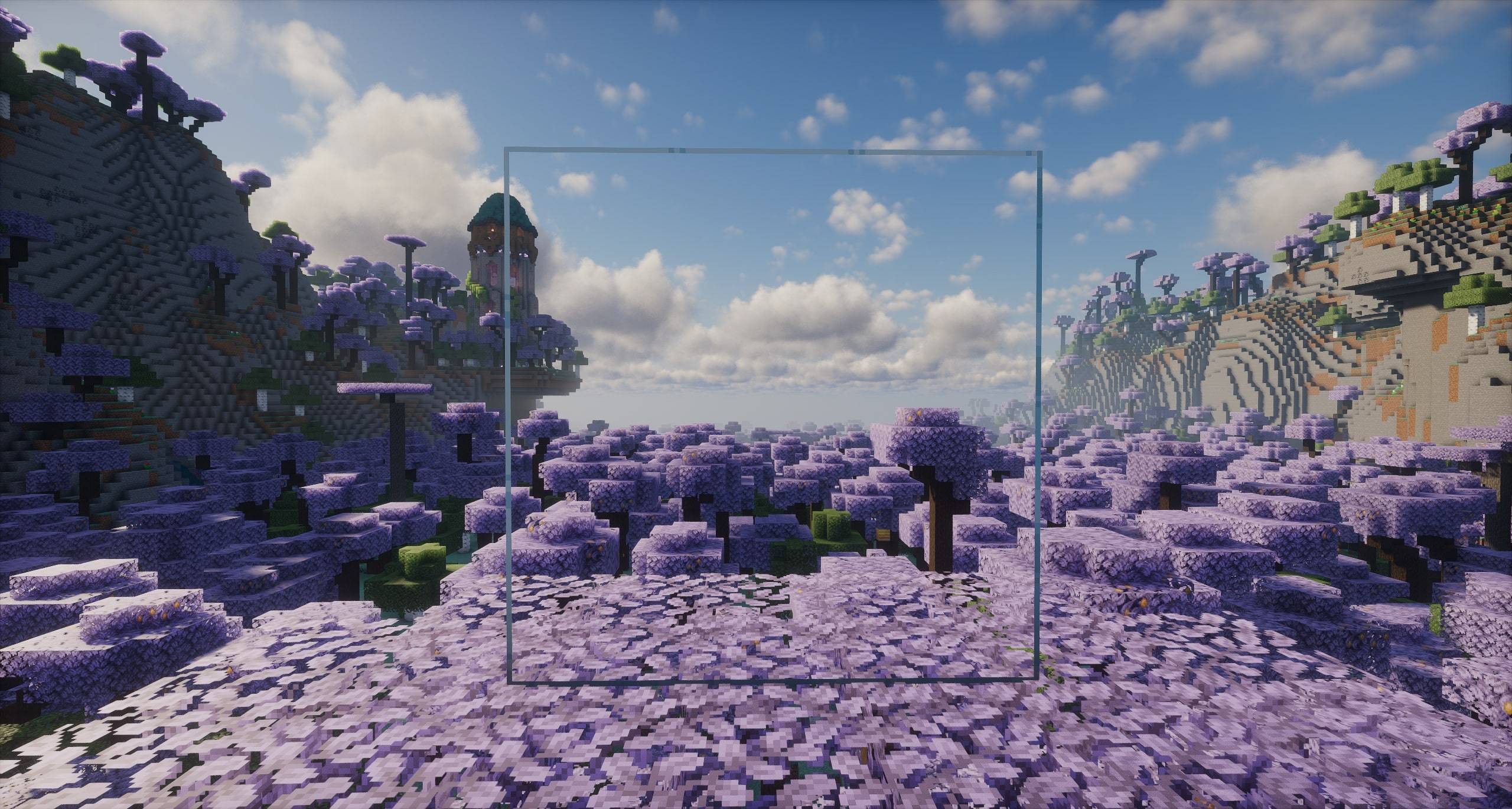
Perfect view, zero distractions. The ultimate 32x clear glass addon.
by PrimeDream
Download Claim this project
318 downloads
0 likes
Updated Oct 14, 2026
0 hypes
32x Miscellaneous Mod Support Modern
Advertisement Remove ads with Premium →

💎 About Clear 32x

Tired of pixelated borders blocking your scenic views? ClearVision 32x removes all the annoying glare pixels and lines from standard Minecraft glass, offering 100% crystal-clear transparency in crisp 32x HD resolution.

Whether you are building modern skyscrapers, underwater bases, or massive greenhouses, this addon gives your world a clean and seamless look!

✨ Key Features

  • Seamless Glass: Completely transparent glass blocks, stained glass, and glass panes.
  • Shader Compatible: Optimized to look stunning with popular shader packs.
  • 32x HD Quality: Matches perfectly with Faithful and other 32x resource packs.
  • Lightweight & Lag-Free: Zero impact on FPS!

📌 Requirements & Recommendations

For connected textures to work seamlessly, make sure you use one of the following:

  • Continuity (Fabric / Quilt - Recommended)
  • Fusion (Forge / NeoForge)
  • OptiFine

📜 Credits & Licensing

This resource pack includes assets from ClearVisionGlass 32x - Faithful Addon by MintyFenix, redistributed and modified under the MIT License.


Clear 32x 1.21.11
MC 1.16.3, 1.13.1, 1.16-Snapshot, 1.17.1, 1.21.2-Snapshot, 1.21, 1.21.6-snapshot, 1.15-Snapshot, 1.16.1, 1.18.1, 1.20.2-Snapshot, 1.20.5-Snapshot, 1.14.3, 1.15, 1.16, 1.13
Release 2026-10-13 Get
Clear 32x 26.2
MC 26.1, 26.1.1, 26.1.2, 26.2, 26.3
Release 2026-09-24 Get

Requirements & install

How to use this resource pack in Minecraft
Resolution
32x
Minecraft
1.21 – 26.3
Install folder
.minecraft/resourcepacks

How to install resource packs

  1. Download the resource pack .zip file (do not extract it).
  2. In Minecraft open Options → Resource Packs → Open Pack Folder.
  3. Drop the .zip into the resourcepacks folder (.minecraft/resourcepacks).
  4. Move the pack to the Selected column and click Done.
Browse more: 16x resource packs 32x resource packs 64x resource packs 128x resource packs 256x resource packs 512x+ resource packs Resource Packs for 26.3 All resource packs

More from PrimeDream

Advertisement Remove ads with Premium →

You Might Also Like