Mineuniverse
Resource Packs
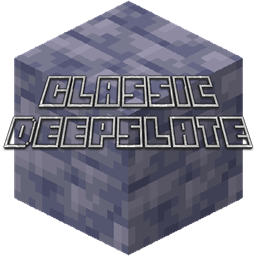
Classic Deepslate

Classic Deepslate

RESOURCE PACK
Bring back the 2020 Deep Dark look!
by 4194304
Download Claim this project
429 downloads
0 likes
Updated Oct 14, 2026
0 hypes
16x Miscellaneous
Advertisement Remove ads with Premium →

Remember the 2020 Deep Dark Trailer?

The new update was going to be long but exciting. There would be an extended height limit, new biomes, new WorldGen and so much more.


However, this didn't happen.

When Deepslate was added, it was called Grimstone which they thought gave a negative feeling for it's name, following the fact that it got renamed to "Deepslate."


The texture was ripped from a 3D render of Deepslate from the wiki. Mojang has the rights for that texture.

All of the other textures for Deepslate variants other than Deepslate are modified vanilla textures.


Some Screenshots are Here:

 A Dark Cave

 An Ancient City


 All of the new blocks

 

v1.01
MC 1.18.1, 1.19-Snapshot, 1.18.2, 1.18, 1.18-Snapshot
Release 2022-05-26 Get

Requirements & install

How to use this resource pack in Minecraft
Resolution
16x
Minecraft
1.18-Snapshot – 1.19-Snapshot
Install folder
.minecraft/resourcepacks

How to install resource packs

  1. Download the resource pack .zip file (do not extract it).
  2. In Minecraft open Options → Resource Packs → Open Pack Folder.
  3. Drop the .zip into the resourcepacks folder (.minecraft/resourcepacks).
  4. Move the pack to the Selected column and click Done.
Browse more: 16x resource packs 32x resource packs 64x resource packs 128x resource packs 256x resource packs 512x+ resource packs Resource Packs for 1.19-Snapshot All resource packs

More from 4194304

Advertisement Remove ads with Premium →

You Might Also Like