Mineuniverse
Resource Packs
clapbxt's pack

clapbxt's pack

RESOURCE PACK
A collection of resources I use day to day, not made by me, but compiled by me.
by clapbxt
Download Claim this project
572 downloads
0 likes
Updated Oct 14, 2026
0 hypes
32x Animated Miscellaneous Traditional
Advertisement Remove ads with Premium →

🔷 Clapbxt’s CPVP / Vanilla+ Pack

A clean, performance-focused PvP pack with polished Vanilla visuals.


✨ Features

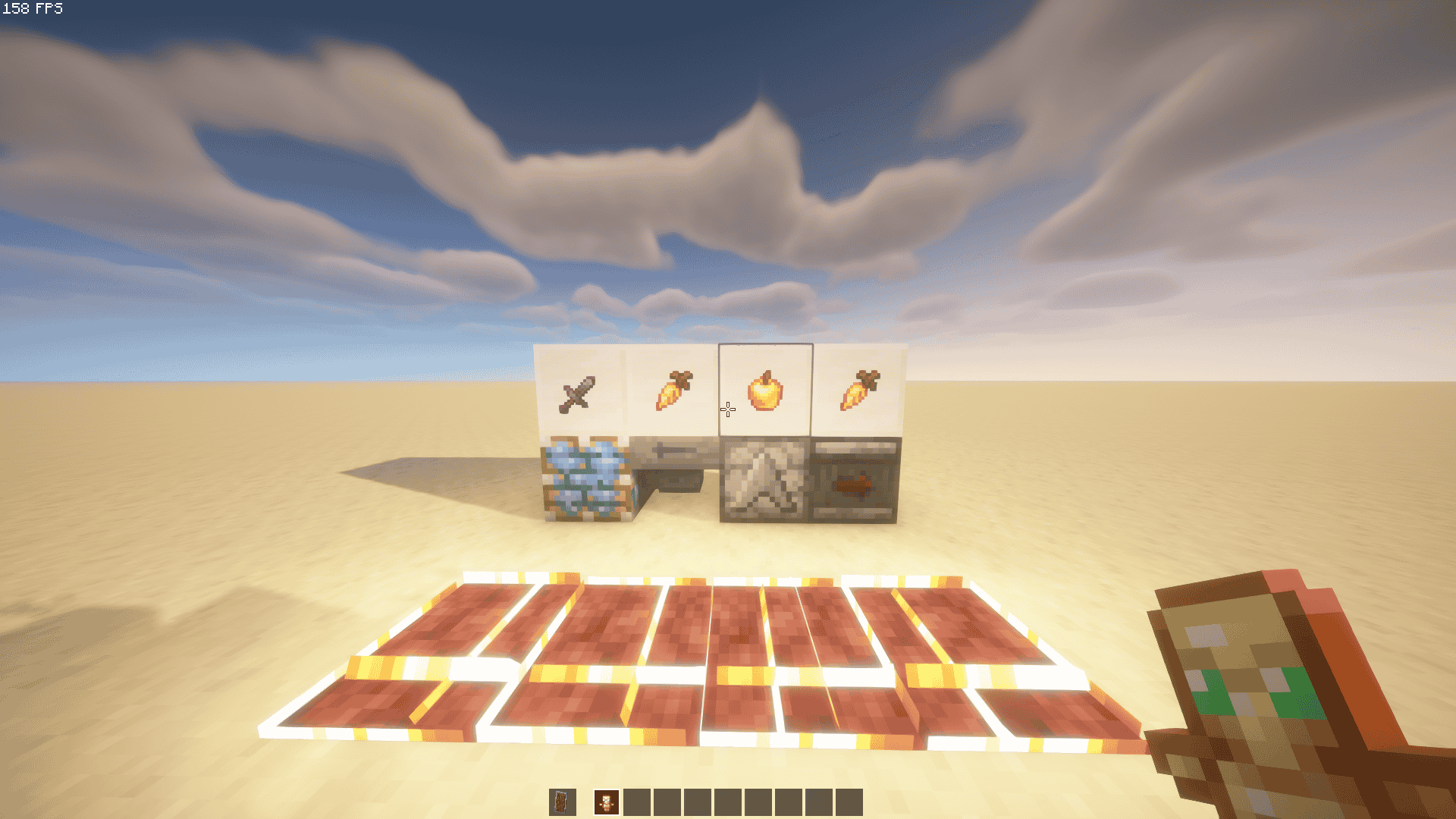
  • 🗡️ Custom textures for swords, pearls, totems & more
  • 📏 Enhanced block outline for improved placement accuracy
  • 🔥 Low fire, minimal particles, smaller items for clearer combat
  • ⚙️ Modular settings via Norespackopts – toggle features like blue Ancient Debris, block outlines, and eating animations in-game
  • ✅ 32× resolution · Built for Minecraft 1.21.5 · Lightweight & competitive-ready

🎨 Included Features

  • Custom totem model by blobh (CurseForge)
  • Custom pearl texture by Mucauk (PlanetMinecraft)
  • Smaller sword, tool, and utility models by Driuf and dark_phoenix_
  • Dark transparent UI by mc.pabli.dev
  • Refined food textures (golden apples/carrots) by Foo
  • Tweaks from VanillaTweaks.net, including:
    • Low fire, fewer particles, subtle explosion/fire sounds
    • Visual growth stages for saplings, composters, honey, and cauldrons
    • Directional dispensers, sticky piston sides, cyan slime blocks
    • Transparent carved pumpkin overlay
    • 3D sun/moon, improved banner shields, and more

⚙️ Installation Guide

📦 Installing the Resource Pack

  1. Launch Minecraft and go to:
    Options → Resource Packs → Open Pack Folder
  2. Drop the downloaded .zip file into this folder
  3. Return to the game and move the pack to the “Selected” column to activate

🛠️ Using Norespackopts (Optional)

  1. Install the Norespackopts mod
  2. When launched with both the mod and this resource pack, you'll see a settings (⚙️) button next to the pack in the Resource Packs menu
  3. Click it to toggle features like:
    • Blue Ancient Debris
    • Blue block outline
    • Eating animations
      …all without needing to unzip or modify the pack manually!
§6§lClapbxt’s Pack 1.21.8.zip
MC 1.21.8
Release 2025-10-06 Get
§6§lClapbxt’s Pack 1.1.0.zip
MC 1.21.5
Release 2025-07-05 Get
§6§lClapbxt’s Pack 1.2.0.zip
MC 1.21.5
Release 2025-07-05 Get
§6§lClapbxt’s Pack 1.0.0.zip
MC 1.21.5
Release 2025-05-28 Get

Requirements & install

How to use this resource pack in Minecraft
Resolution
32x
Minecraft
1.21.5 – 1.21.8
Install folder
.minecraft/resourcepacks

How to install resource packs

  1. Download the resource pack .zip file (do not extract it).
  2. In Minecraft open Options → Resource Packs → Open Pack Folder.
  3. Drop the .zip into the resourcepacks folder (.minecraft/resourcepacks).
  4. Move the pack to the Selected column and click Done.
Browse more: 16x resource packs 32x resource packs 64x resource packs 128x resource packs 256x resource packs 512x+ resource packs Resource Packs for 1.21.8 All resource packs

More from clapbxt

Advertisement Remove ads with Premium →

You Might Also Like