Mineuniverse
Resource Packs
CIT Story Mode Tools

CIT Story Mode Tools

RESOURCE PACK
Adds the Command Book Weapons from Minecraft Story Mode
by BuzzyAxos
Download Claim this project
3,263 downloads
0 likes
0 followers
Updated Oct 14, 2026
0 hypes
Follow0
16x Miscellaneous
Advertisement Remove ads with Premium →


Thanks for 200+ Downloads!


REQUIRES OPTIFINE OR CIT RESEWN

Cit-less version available under the latest release!

Some say nothing built lasts forever... But with this pack you can change that!

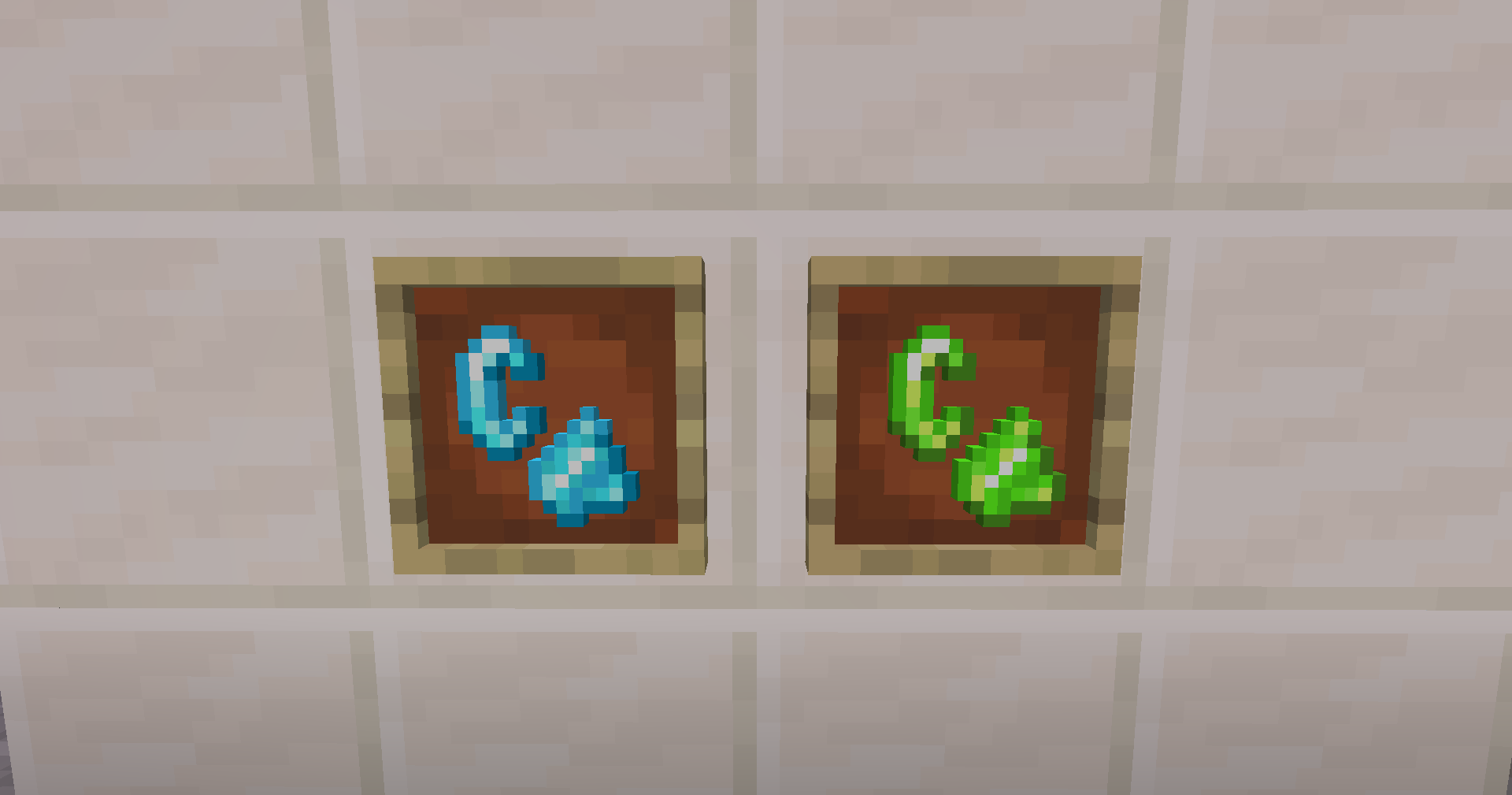
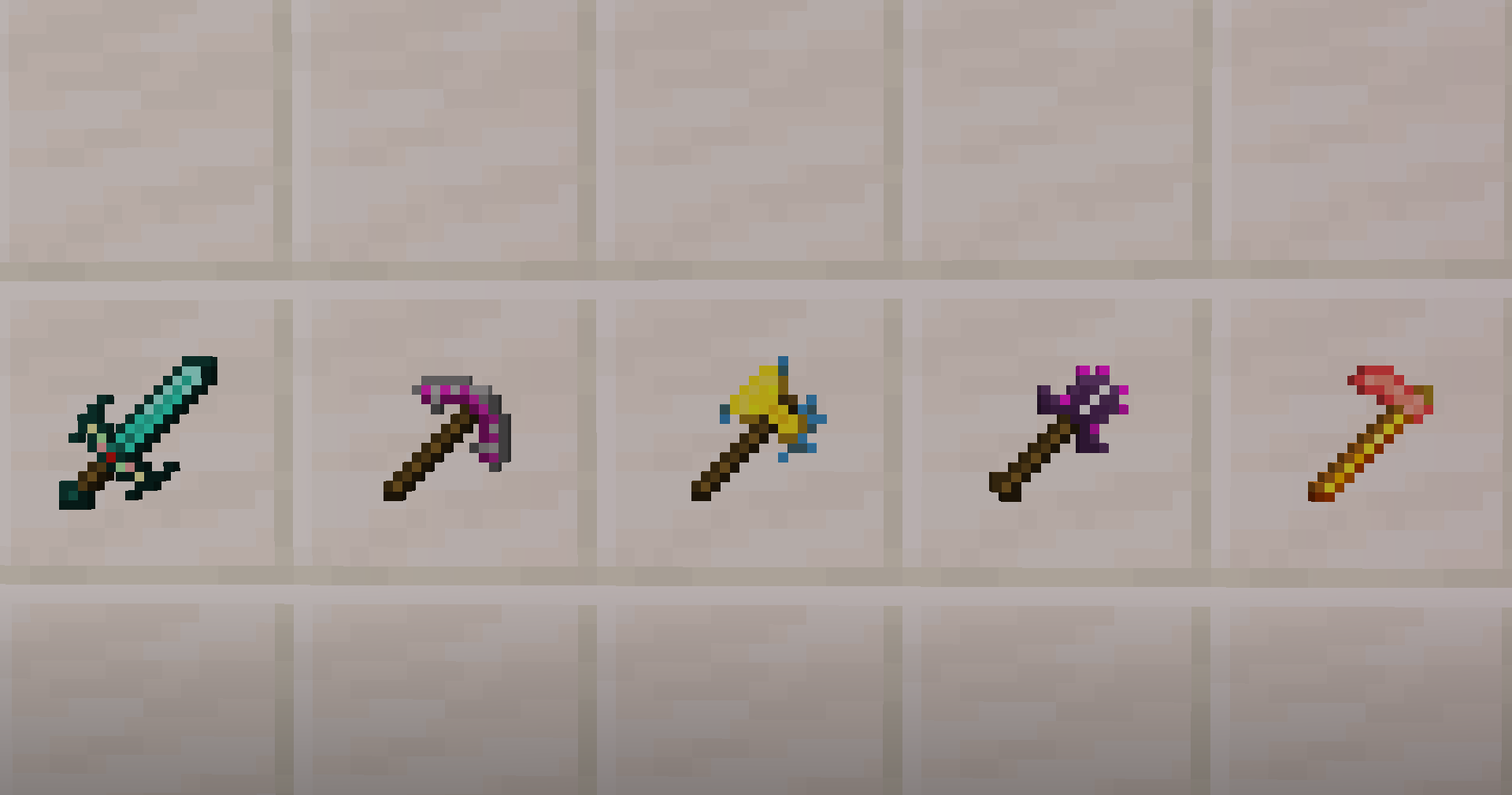
This pack adds the Command Block Tools and Enchanted Flint and Steels from Story Mode into Java Edition!
They will make you feel like you have "Ultimate" power

To get them, simply rename either Netherite or Diamond tools to include "Ultimate"
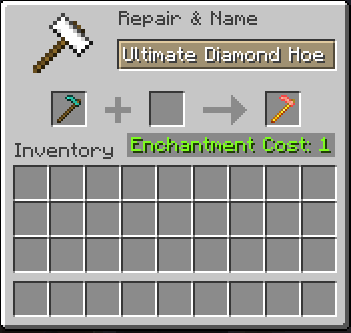
Screenshot of a diamond hoe being renamed to the packs hoe


To get the different colored Flint and Steels, Rename a regular flint and steel to include "Green" or "Blue"
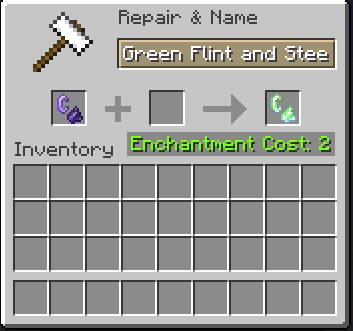

Screenshot of a flint and steel being renamed to the packs green one

CIT-less V4.7
MC 1.21.2-Snapshot, 1.21, 1.21.6-snapshot, 1.21.5, 1.21.1-Snapshot, 1.21.4, 1.21.5-Snapshot, 1.21-Snapshot, 1.21.3, 1.21.7, 1.21.1, 1.21.6, 1.21.4-Snapshot, 1.21.2
Beta 2025-07-10 Get
V3.7
MC 1.20.2, 1.21, 1.20.5, 1.19.4, 1.20.3, 1.20.1, 1.20, 1.20.6, 1.20.4
Release 2023-06-22 Get

Requirements & install

How to use this resource pack in Minecraft
Resolution
16x
Minecraft
1.21.3 – 1.21.7
Install folder
.minecraft/resourcepacks

How to install resource packs

  1. Download the resource pack .zip file (do not extract it).
  2. In Minecraft open Options → Resource Packs → Open Pack Folder.
  3. Drop the .zip into the resourcepacks folder (.minecraft/resourcepacks).
  4. Move the pack to the Selected column and click Done.
Browse more: 16x resource packs 32x resource packs 64x resource packs 128x resource packs 256x resource packs 512x+ resource packs Resource Packs for 1.21.7 All resource packs
Advertisement Remove ads with Premium →

You Might Also Like