Mineuniverse
Resource Packs
Cinzel UI

Cinzel UI

RESOURCE PACK
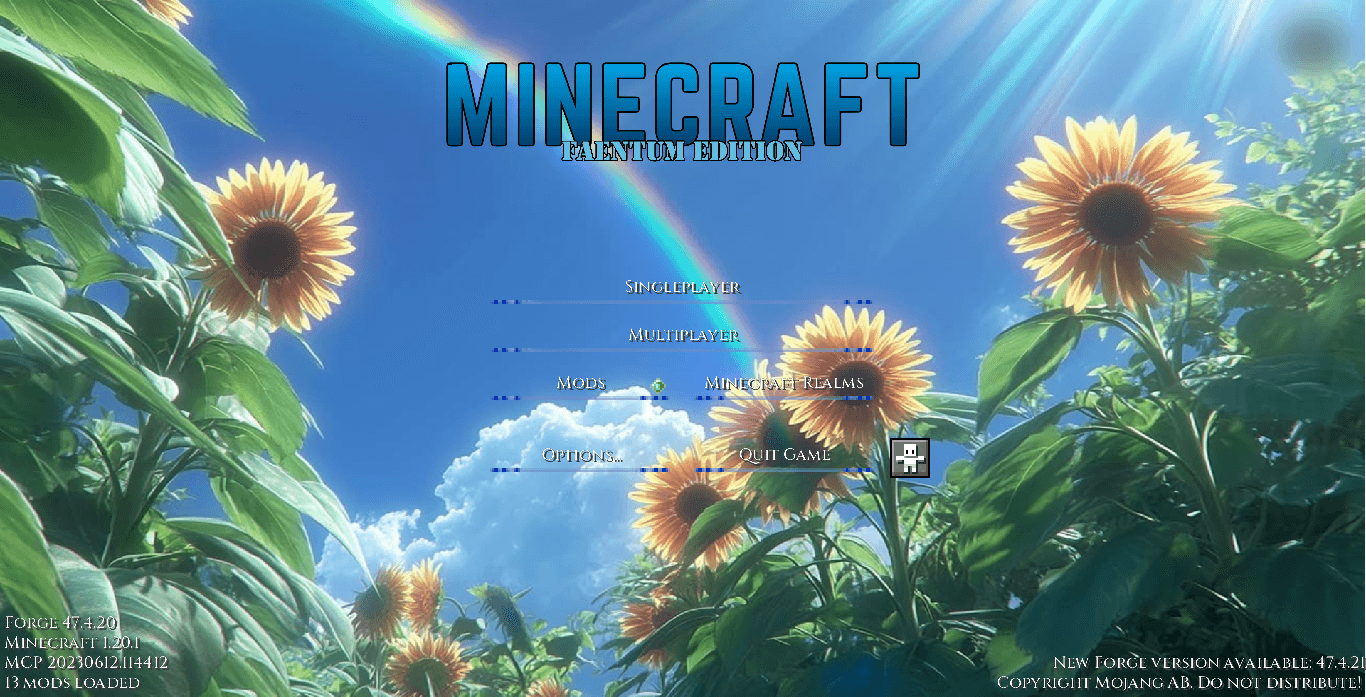
A bright, clean, and minimalist main menu UI overhaul featuring a peaceful sunflower field and rainbow aesthetic.
by Faentum
Download Claim this project
179 downloads
0 likes
Updated Oct 14, 2026
0 hypes
16x Font Packs Mod Support Modern Photo Realistic
Advertisement Remove ads with Premium →

Overview


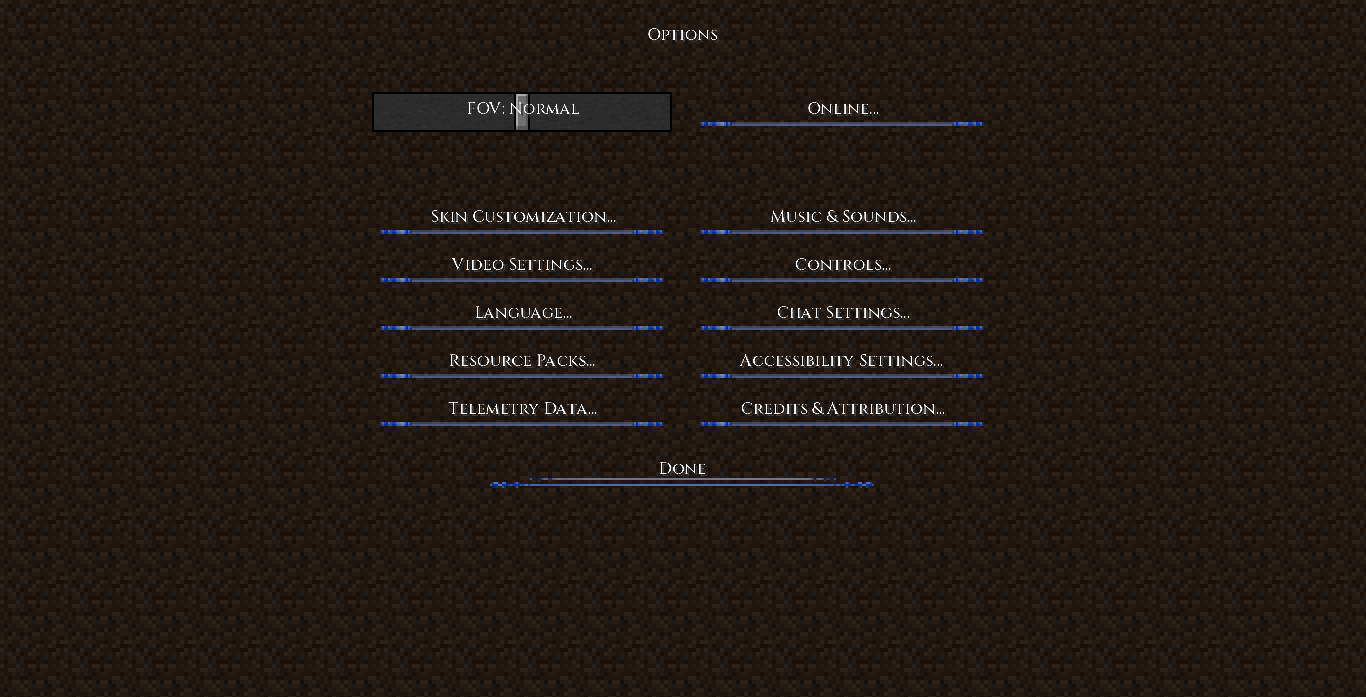
Cinzel - UI is a bright, clean, and minimalist main menu overhaul designed for casual, cozy, or anime-inspired Minecraft setups. It entirely strips away the traditional blocky interface in favor of a refreshing aesthetic.


Features

  • Minimalist Button Layout: Replaces standard heavy button grids with sleek, thin accent lines.
  • Custom Typography: Integrates sharp, modern lettering to give the menu a stylized look.
  • Bright Aesthetic Landscape: A vibrant sunflower field and rainbow background that sets a peaceful, inviting mood right when you boot up the game.
  • Focused Experience: Purely focuses on overhauling the title screen and option menus to provide maximum visual impact without touching your standard gameplay textures.

Usage Notes

  • Content Creators: If you use this UI pack in your videos or modpacks, please provide a link back to this CurseForge page!
  • Reuploading: Redistribution or reuploading modified versions of this pack to other sites without explicit permission is strictly prohibited.

Cinzel UI - 1.20.1+.zip
MC 1.21.2-Snapshot, 1.21, 1.21.6-snapshot, 1.20.2-Snapshot, 1.20.5-Snapshot, 1.21.1-Snapshot, 1.20.2, 1.21.8, 1.20.5, 1.21.5, 1.21.4, 1.21.5-Snapshot, 1.20.1, 1.20, 1.20-Snapshot
Release 2026-07-17 Get
Cinzel UI.zip
MC 1.20.1
Release 2026-07-12 Get

Requirements & install

How to use this resource pack in Minecraft
Resolution
16x
Minecraft
1.21 – 1.21.8
Install folder
.minecraft/resourcepacks

How to install resource packs

  1. Download the resource pack .zip file (do not extract it).
  2. In Minecraft open Options → Resource Packs → Open Pack Folder.
  3. Drop the .zip into the resourcepacks folder (.minecraft/resourcepacks).
  4. Move the pack to the Selected column and click Done.
Browse more: 16x resource packs 32x resource packs 64x resource packs 128x resource packs 256x resource packs 512x+ resource packs Resource Packs for 1.21.8 All resource packs

More from Faentum

Advertisement Remove ads with Premium →

You Might Also Like