Mineuniverse
Resource Packs
Choose Your UI - Experience Bars

Choose Your UI - Experience Bars

RESOURCE PACK
A fully modular Minecraft UI resource pack system - Choose Your UI: Your game, your style, your interface.
by DeniBabu
Download Claim this project
1,929 downloads
0 likes
Updated Oct 14, 2026
0 hypes
16x Miscellaneous
Advertisement Remove ads with Premium →

Banner

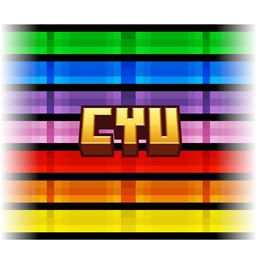
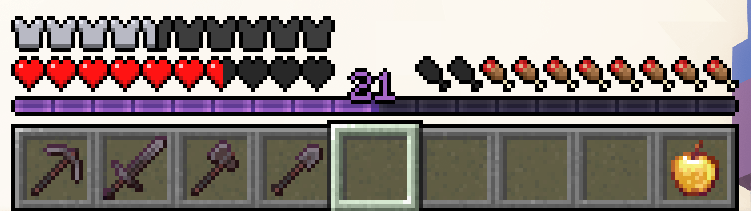
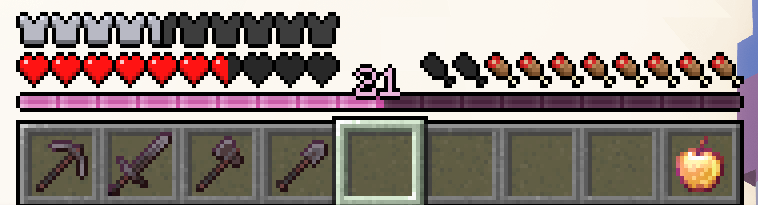
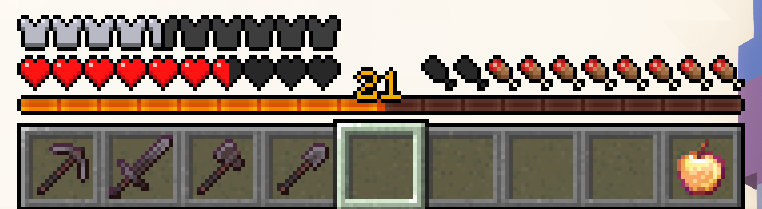
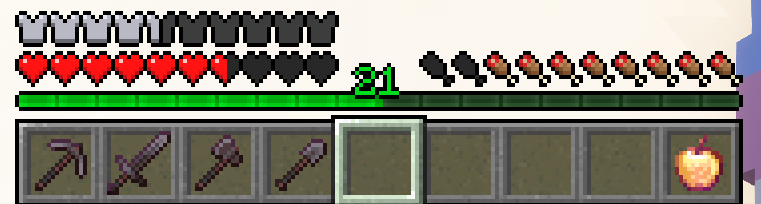
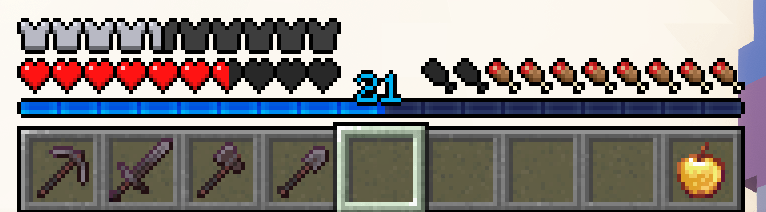
Choose Your UI (or CYU for short) is a resource pack project that gives Minecraft players full control over the look of their UI. Frustrated by the lack of flexibility in existing UI overhauls, I created CYU to let you mix and match individual components by color and theme - your UI, your rules.

🛠️ How It Works

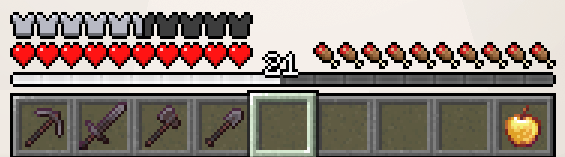
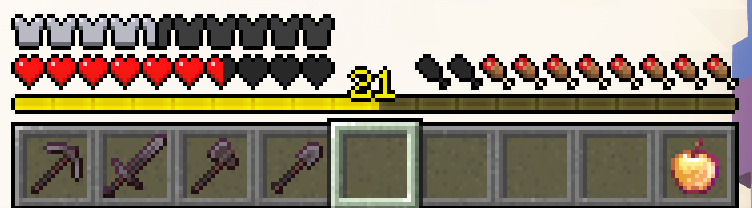
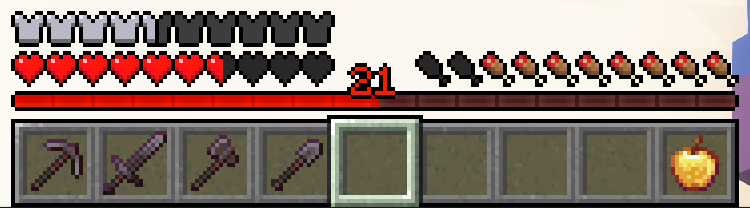
  1.  Head over to the Images Tab and choose a color you like.
  2.  Go to the Files Tab and download the matching pack (Don't forget to click "View All" to see all files!).
  3.  Place it in your Minecraft resource pack folder.
  4.  Launch the game and enable the pack in the resource pack menu.

To mix and match components, just rearrange the packs in the order you want them to apply.

🎨 Optional: Colored Level Text

Want your level number to match your experience bar color?

You can use the Polytone mod to do just that!
CYU already includes the necessary configuration, so no extra setup is needed - just install Polytone alongside the resource pack, and your level number will automatically use the correct color.

This feature is completely optional and not required for CYU to function, but it's a great way to complete the look!

🔄 Compatibility

Choose Your UI is compatible with any other resource pack. It’s designed to overwrite specific UI elements without affecting the rest of your setup.   Just place CYU at the top of your resource pack loading order, and you're good to go!

🧩 Available Components

Currently supported UI components include:

Each component has its own Curseforge page where you can view previews and download specific styles or colors.   Just click the links above to explore and grab the ones you want.

More UI elements are in development and will be added over time based on community feedback. If there's something you’d love to see, let me know!

❓ Want More Colors or Themes?

Join our Discord and share your ideas! If I like the suggestion, or the community shows interest, I'll try to add it when I have the time.

📦 Want the Full CYU Experience?

Looking to download everything at once?

The Complete Collection includes every color and every component in one archive - that's over 40 resource packs ready to use!

✅ Includes:

  • All supported components!
  • Every available color!

🎯 Perfect if you want to:

  • Try out different combinations
  • Mix and match freely
  • Save time without downloading everything one by one

📥 Download the Complete Collection here

Blue Expierence Bar
MC 1.21.2-Snapshot, 1.21, 1.21.6-snapshot, 1.21.5, 1.21.1-Snapshot, 1.21.4, 1.21.5-Snapshot, 1.21-Snapshot, 1.21.3, 1.21.7, 1.21.1, 1.21.6, 1.21.4-Snapshot, 1.21.2
Release 2025-07-16 Get
Green Expierence Bar
MC 1.21.2-Snapshot, 1.21, 1.21.6-snapshot, 1.21.5, 1.21.1-Snapshot, 1.21.4, 1.21.5-Snapshot, 1.21-Snapshot, 1.21.3, 1.21.7, 1.21.1, 1.21.6, 1.21.4-Snapshot, 1.21.2
Release 2025-07-16 Get
Orange Expierence Bar
MC 1.21.2-Snapshot, 1.21, 1.21.6-snapshot, 1.21.5, 1.21.1-Snapshot, 1.21.4, 1.21.5-Snapshot, 1.21-Snapshot, 1.21.3, 1.21.7, 1.21.1, 1.21.6, 1.21.4-Snapshot, 1.21.2
Release 2025-07-16 Get
Pink Expierence Bar
MC 1.21.2-Snapshot, 1.21, 1.21.6-snapshot, 1.21.5, 1.21.1-Snapshot, 1.21.4, 1.21.5-Snapshot, 1.21-Snapshot, 1.21.3, 1.21.7, 1.21.1, 1.21.6, 1.21.4-Snapshot, 1.21.2
Release 2025-07-16 Get
Purple Expierence Bar
MC 1.21.2-Snapshot, 1.21, 1.21.6-snapshot, 1.21.5, 1.21.1-Snapshot, 1.21.4, 1.21.5-Snapshot, 1.21-Snapshot, 1.21.3, 1.21.7, 1.21.1, 1.21.6, 1.21.4-Snapshot, 1.21.2
Release 2025-07-16 Get
Red Expierence Bar
MC 1.21.2-Snapshot, 1.21, 1.21.6-snapshot, 1.21.5, 1.21.1-Snapshot, 1.21.4, 1.21.5-Snapshot, 1.21-Snapshot, 1.21.3, 1.21.7, 1.21.1, 1.21.6, 1.21.4-Snapshot, 1.21.2
Release 2025-07-16 Get
Yellow Expierence Bar
MC 1.21.2-Snapshot, 1.21, 1.21.6-snapshot, 1.21.5, 1.21.1-Snapshot, 1.21.4, 1.21.5-Snapshot, 1.21-Snapshot, 1.21.3, 1.21.7, 1.21.1, 1.21.6, 1.21.4-Snapshot, 1.21.2
Release 2025-07-16 Get
White Experience Bar
MC 1.21.2-Snapshot, 1.21, 1.21.6-snapshot, 1.21.5, 1.21.1-Snapshot, 1.21.4, 1.21.5-Snapshot, 1.21-Snapshot, 1.21.3, 1.21.7, 1.21.1, 1.21.6, 1.21.4-Snapshot, 1.21.2
Release 2025-07-16 Get

Requirements & install

How to use this resource pack in Minecraft
Resolution
16x
Minecraft
1.21.3 – 1.21.7
Install folder
.minecraft/resourcepacks

How to install resource packs

  1. Download the resource pack .zip file (do not extract it).
  2. In Minecraft open Options → Resource Packs → Open Pack Folder.
  3. Drop the .zip into the resourcepacks folder (.minecraft/resourcepacks).
  4. Move the pack to the Selected column and click Done.
Browse more: 16x resource packs 32x resource packs 64x resource packs 128x resource packs 256x resource packs 512x+ resource packs Resource Packs for 1.21.7 All resource packs

More from DeniBabu

Advertisement Remove ads with Premium →

You Might Also Like