Mineuniverse
Resource Packs
Chimneys Datapack (survival and decoration)

Chimneys Datapack (survival and decoration)

RESOURCE PACK
A datapack that let's you palce chimneys
by Reppeti
Download Claim this project
Add a badge to your pageLink to Chimneys Datapack (survival and decoration) from a README, website or forum post.
Preview: Badge

Badges update automatically and link to the resource pack page on MineUniverse.

317 downloads
0 likes
0 followers
Updated Oct 14, 2026
0 hypes
Follow0
Data Packs Miscellaneous Traditional
Advertisement Remove ads with Premium →

Features

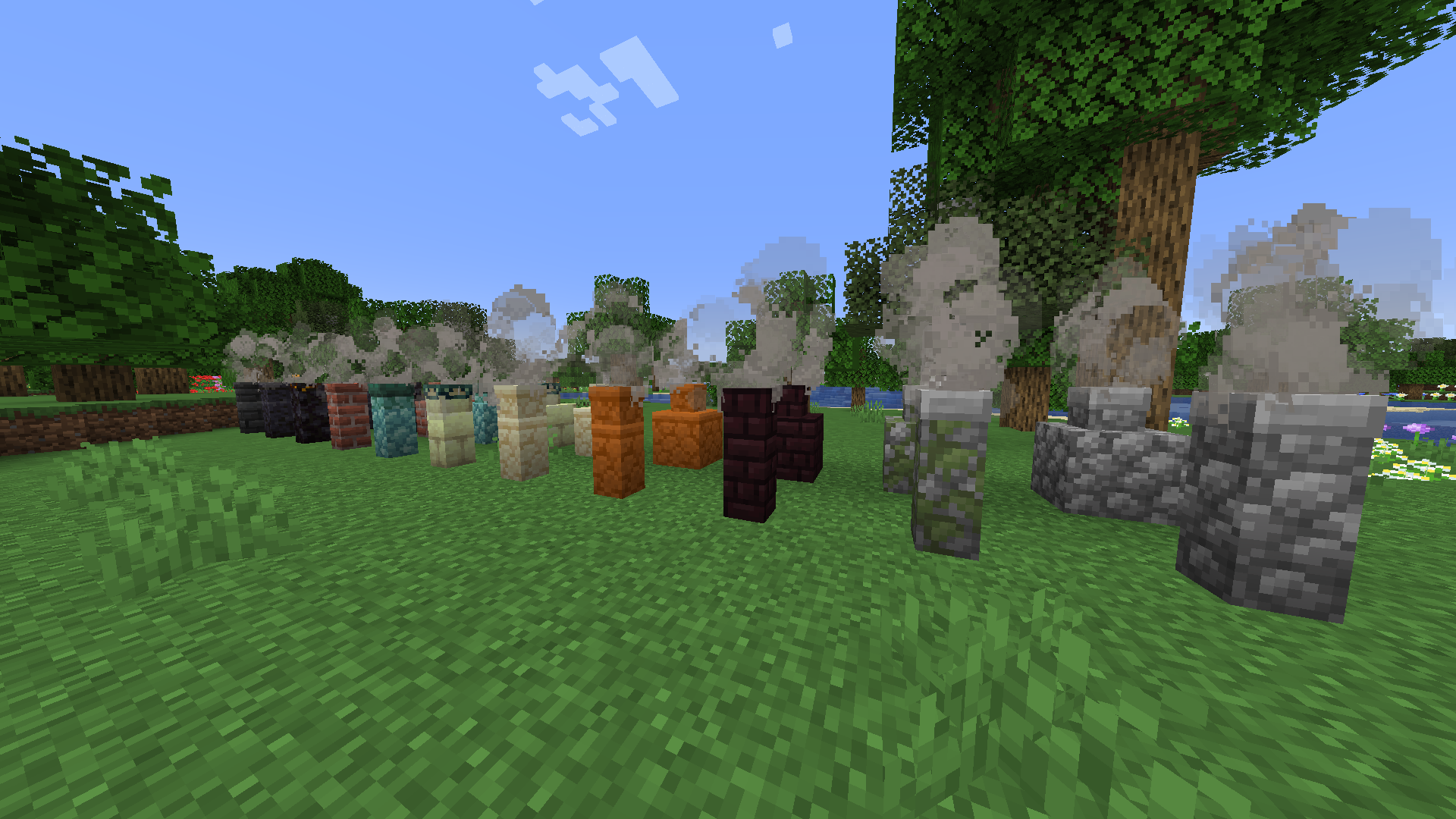
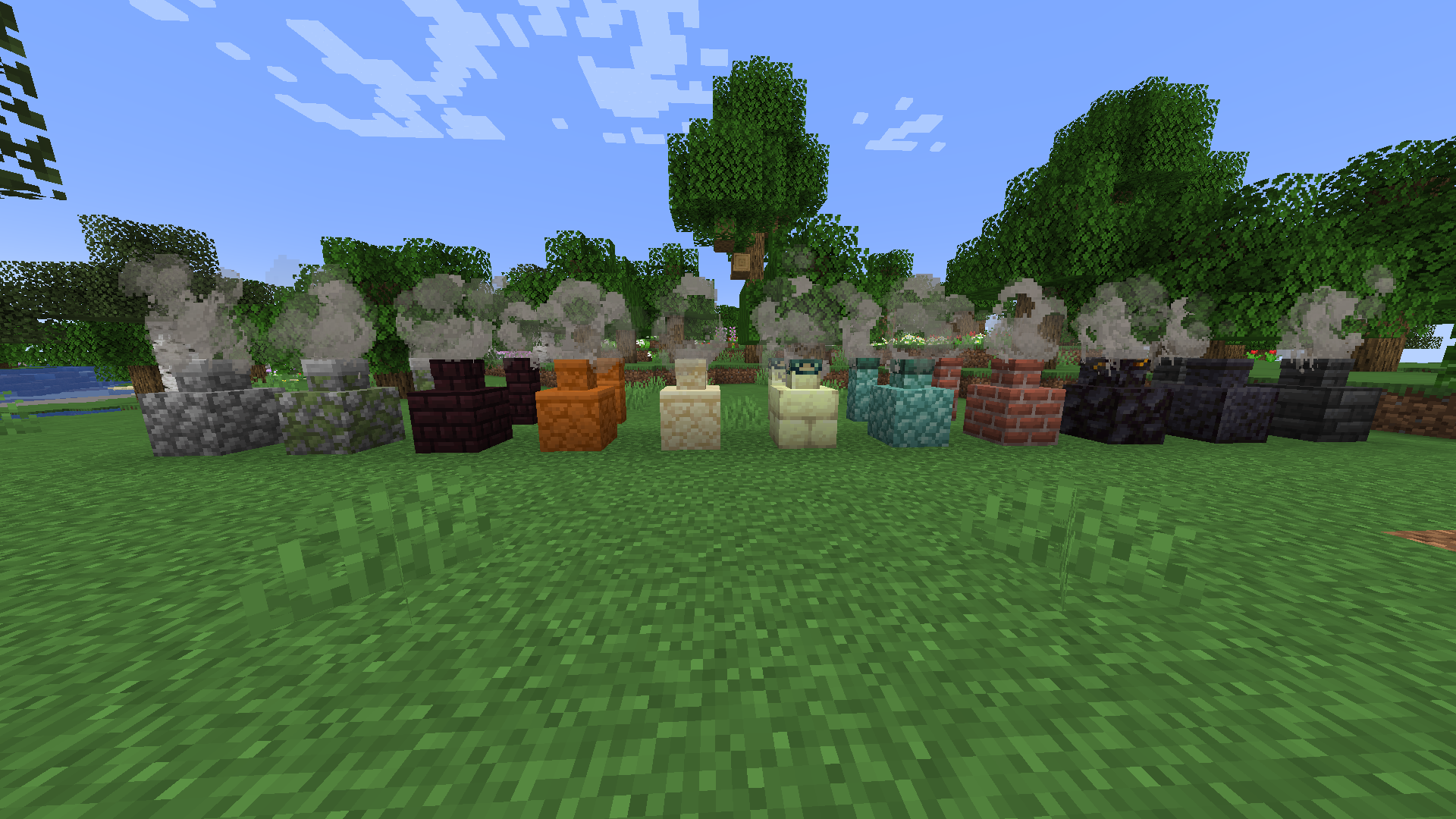
  • Adds smoking chimneys to mincecraft accesible to survival and creative players
  • Doesn't alter the game much it was made, so players can decorete their builds with a cool block that emits smoke
  • no more messing around with campfires

Current list of chimneys:

  • Cobblestone
  • Mossy Cobblestone
  • Endstone Bricks
  • Netherbricks
  • Sandstone
  • Red Sandstone
  • Prismarine
  • Blacktone
  • Polished Blackstone
  • Bricks
  • Deepslate Tiles


How to use:

  1.  Get an anvil
  2.  Name the block (from the list above) you want the chimney to be made out of "chimney" 
  3.  Stand where you want to put the chimney
  4.  Move the block you named into your hotbar
  5.  Select the block you named (it'll be removed and a chimney will be put at your foot)


Warning:

Smoke will not be emitted if you put the chimney down manually from hand. 


Video tutorial:

Planetminecraft page: https://www.planetminecraft.com/data-pack/chimney-datapack-for-survival-and-decoration/

chimney.zip
MC 1.17.1, 1.16.3, 1.18.1, 1.17, 1.19-Snapshot, 1.16.5, 1.18.2, 1.19.2, 1.19.1, 1.17-Snapshot, 1.18, 1.16.4, 1.18-Snapshot, 1.16.2, 1.19
Release 2022-09-08 Get

Requirements & install

How to use this resource pack in Minecraft
Resolution
Not specified
Minecraft
1.18-Snapshot – 1.19.2
Install folder
.minecraft/resourcepacks

How to install resource packs

  1. Download the resource pack .zip file (do not extract it).
  2. In Minecraft open Options → Resource Packs → Open Pack Folder.
  3. Drop the .zip into the resourcepacks folder (.minecraft/resourcepacks).
  4. Move the pack to the Selected column and click Done.
Browse more: 16x resource packs 32x resource packs 64x resource packs 128x resource packs 256x resource packs 512x+ resource packs Resource Packs for 1.19.2 All resource packs

More from Reppeti

Advertisement Remove ads with Premium →

You Might Also Like