Mineuniverse
Resource Packs
chillmod 1.3 128x

chillmod 1.3 128x

RESOURCE PACK
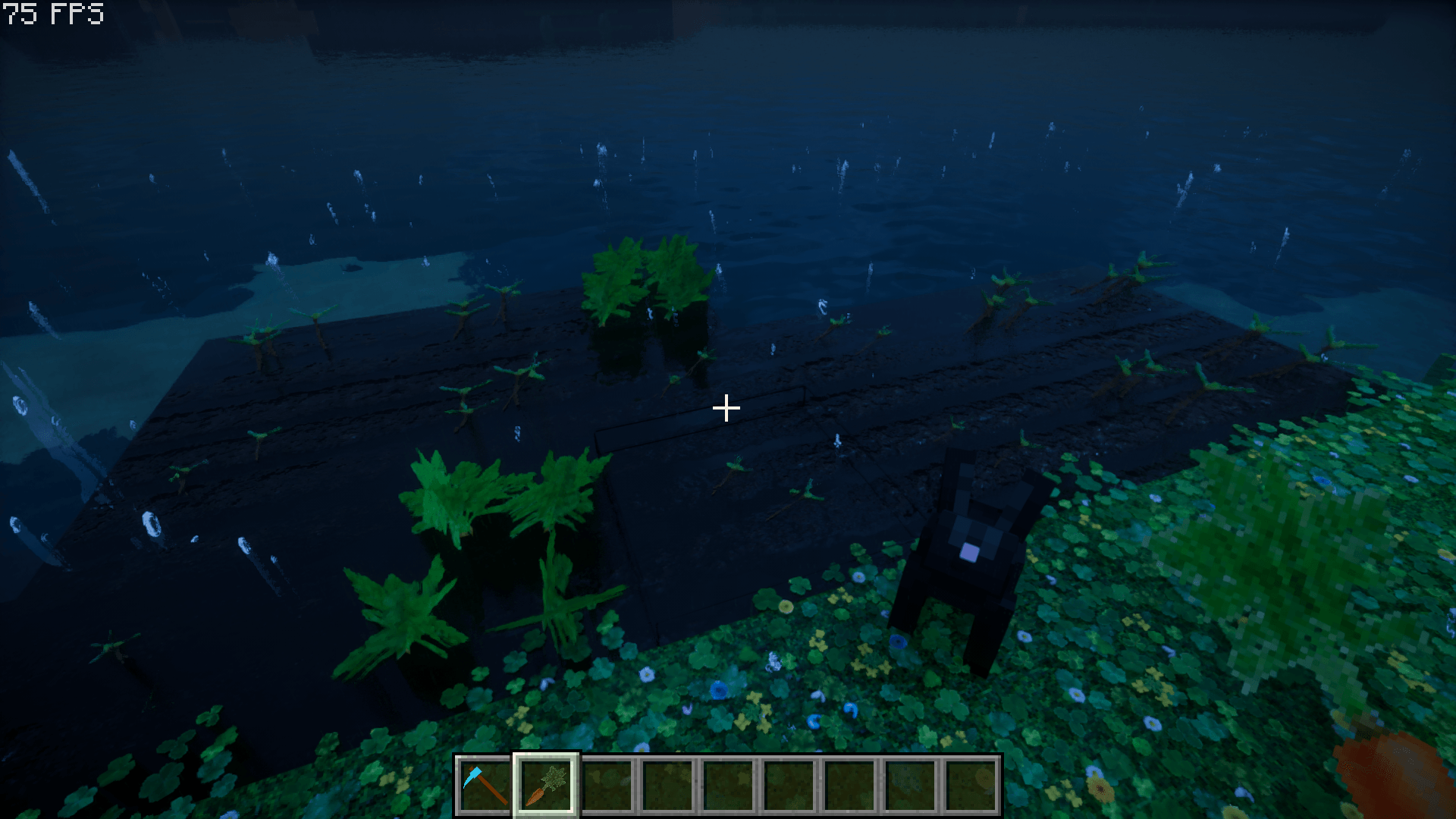
chillmod 1.3 is one of the best realistic resource pack,
by chillguy13
Download Claim this project
3,847 downloads
0 likes
0 followers
Updated Oct 14, 2026
0 hypes
Follow0
128x Photo Realistic
Advertisement Remove ads with Premium →

THIS MOD IS FROM XIAOKUN ON AFDIAN AND WAS STOLEN BY THE ART OF BLOCK, PLEASE SPREAD THE WORD. THE ART OF BLOCK IS PROFITING OF A CHINESSE MOD MAKER AND NOT CREDITING HIM AT ALL.
step to install chillmod 1.3 and make it work with any version you want from  1.14-4 to 1.21-x
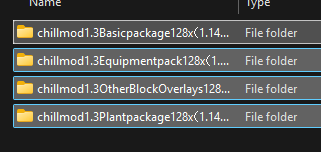
  1. install all 4 folder.   
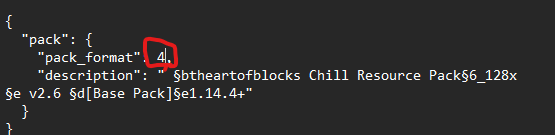
  2. to use the 1.21 pack in a -1.21 version edit the pack.mcdata using note
  3. change this one number to the desired version
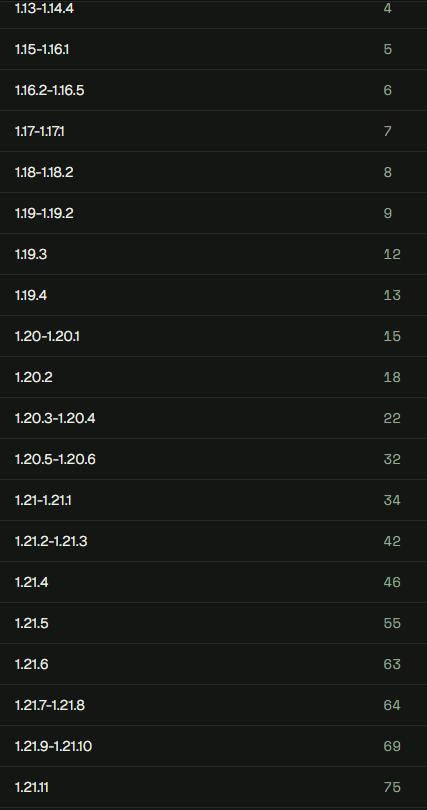
  4. here are the version and their number 
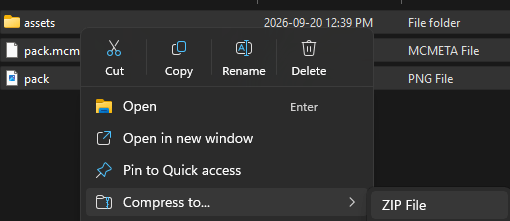
  5. after editing the 4 pack.mcdata files, compress all 3 files in each resource pack zip to a compressed zip
  6. put the 4 compressed zip into the resource pack folder of your launcher
  7. enjoy 
basic package 128x for 1.21
MC 1.21.2-Snapshot, 1.21, 1.21.6-snapshot, 1.21.1-Snapshot, 1.21.8, 1.21.5, 1.21.4, 1.21.5-Snapshot, 1.21.1, 1.21.6, 1.21.3, 1.21.7, 1.21-Snapshot, 1.21.4-Snapshot, 1.21.2
Release 2026-09-30 Get
chillmod1.3equipmentpack128x (1.21).zip
MC 1.21.2-Snapshot, 1.21, 1.21.6-snapshot, 1.21.1-Snapshot, 1.21.8, 1.21.5, 1.21.4, 1.21.5-Snapshot, 1.21.1, 1.21.6, 1.21.3, 1.21.7, 1.21-Snapshot, 1.21.4-Snapshot, 1.21.2
Release 2026-09-30 Get
chillmod1.3otherblockoverlays128x (1.21).zip
MC 1.21.2-Snapshot, 1.21, 1.21.6-snapshot, 1.21.1-Snapshot, 1.21.8, 1.21.5, 1.21.4, 1.21.5-Snapshot, 1.21.1, 1.21.6, 1.21.3, 1.21.7, 1.21-Snapshot, 1.21.4-Snapshot, 1.21.2
Release 2026-09-30 Get
chillmod1.3plantpackage128x (1.21).zip
MC 1.21.2-Snapshot, 1.21, 1.21.6-snapshot, 1.21.1-Snapshot, 1.21.8, 1.21.5, 1.21.4, 1.21.5-Snapshot, 1.21.1, 1.21.6, 1.21.3, 1.21.7, 1.21-Snapshot, 1.21.4-Snapshot, 1.21.2
Release 2026-09-30 Get

Requirements & install

How to use this resource pack in Minecraft
Resolution
128x
Minecraft
1.21.4-Snapshot – 1.21.8
Install folder
.minecraft/resourcepacks

How to install resource packs

  1. Download the resource pack .zip file (do not extract it).
  2. In Minecraft open Options → Resource Packs → Open Pack Folder.
  3. Drop the .zip into the resourcepacks folder (.minecraft/resourcepacks).
  4. Move the pack to the Selected column and click Done.

Packs from 128x upwards need more video memory: install a performance mod such as Sodium for smooth frame rates.

Browse more: 16x resource packs 32x resource packs 64x resource packs 128x resource packs 256x resource packs 512x+ resource packs Resource Packs for 1.21.8 All resource packs
Advertisement Remove ads with Premium →

You Might Also Like