Mineuniverse
Resource Packs
ChillByte – Visible Powdered Snow

ChillByte – Visible Powdered Snow

RESOURCE PACK
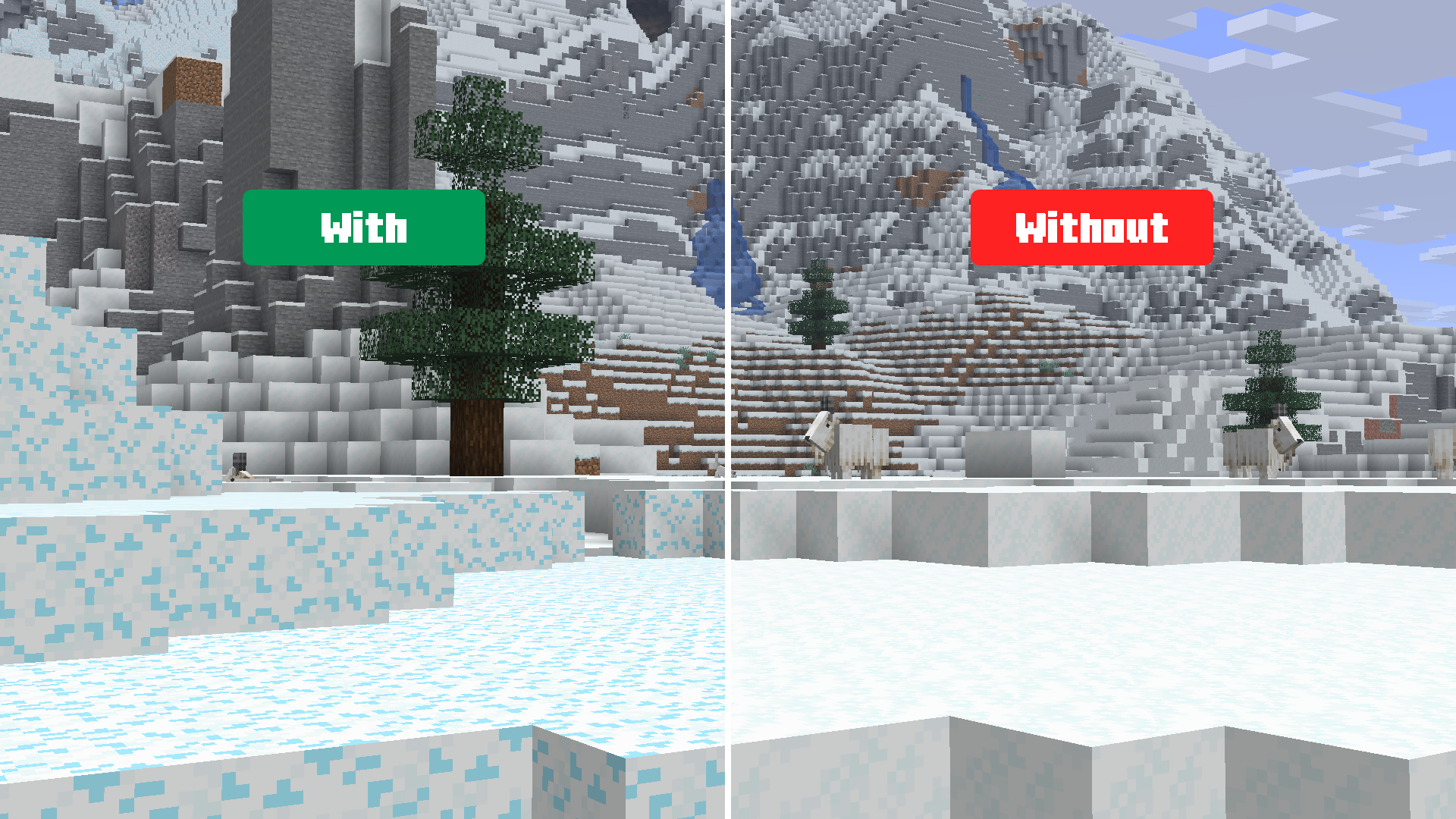
Makes sure powdered snow is visible and different than regular snow.
by ChillByte
Download Claim this project
240 downloads
0 likes
0 followers
Updated Oct 14, 2026
0 hypes
Follow0
16x Miscellaneous
Advertisement Remove ads with Premium →

ChillByte – Visible Powdered Snow Featured Image


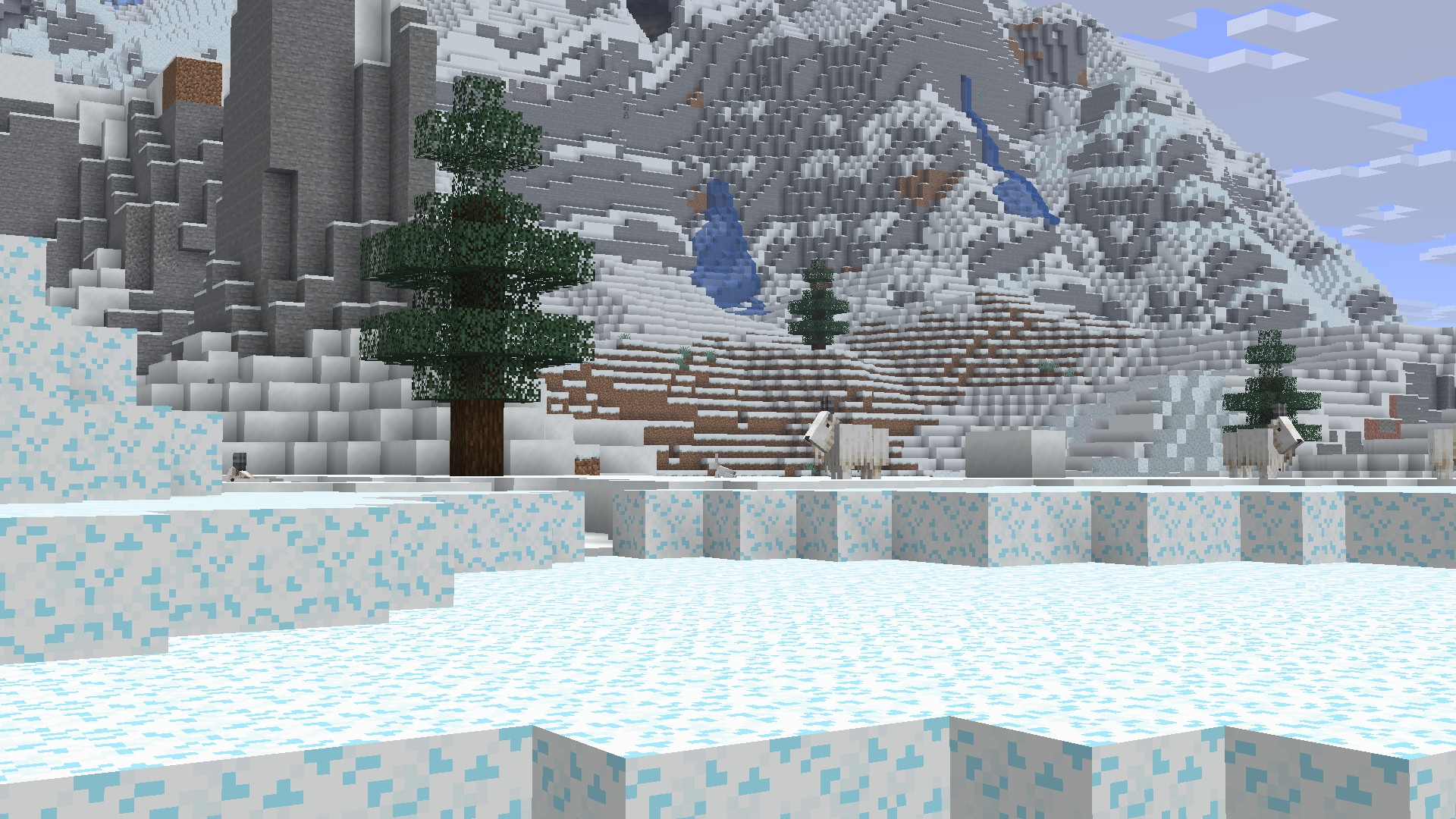
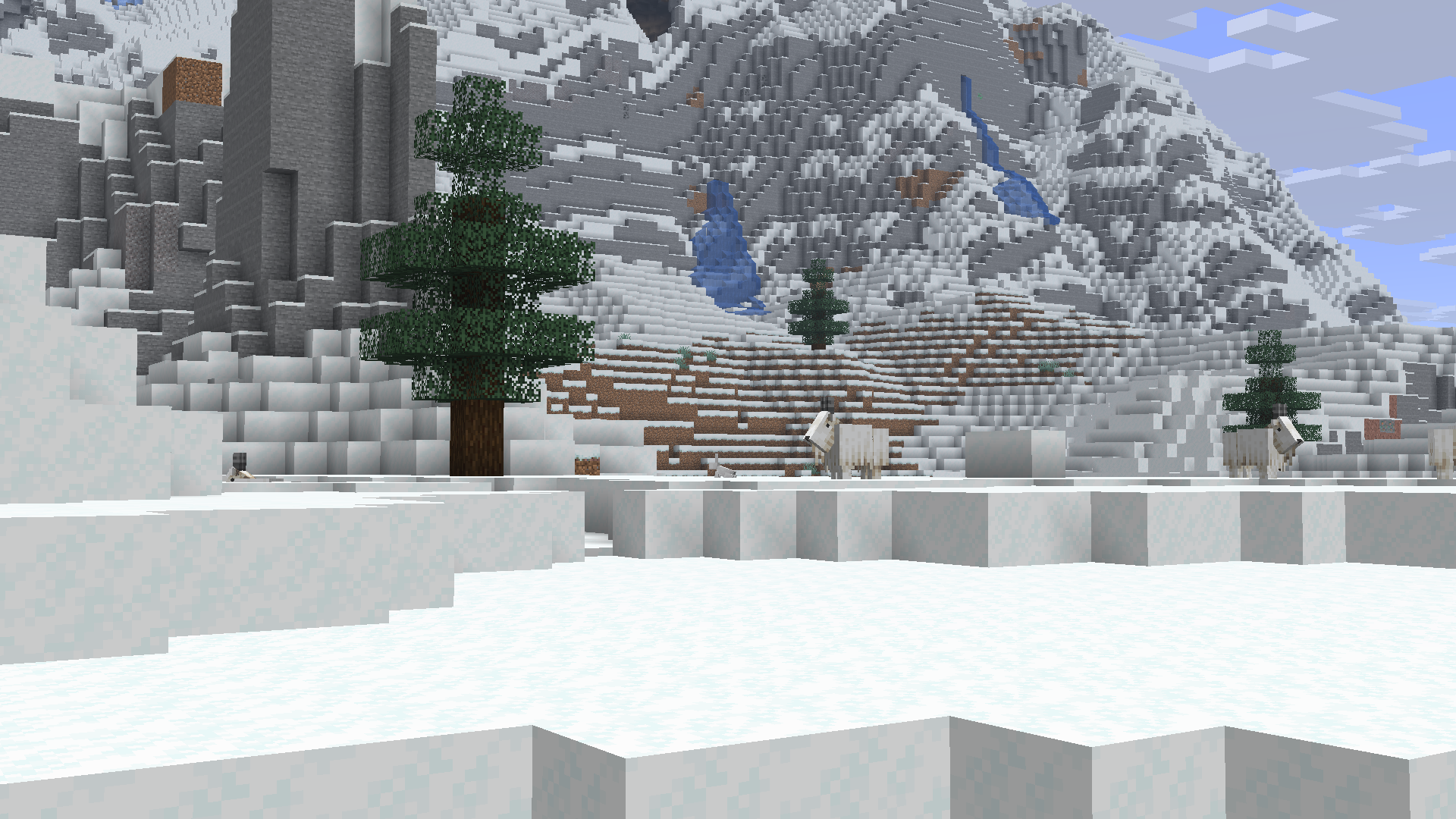
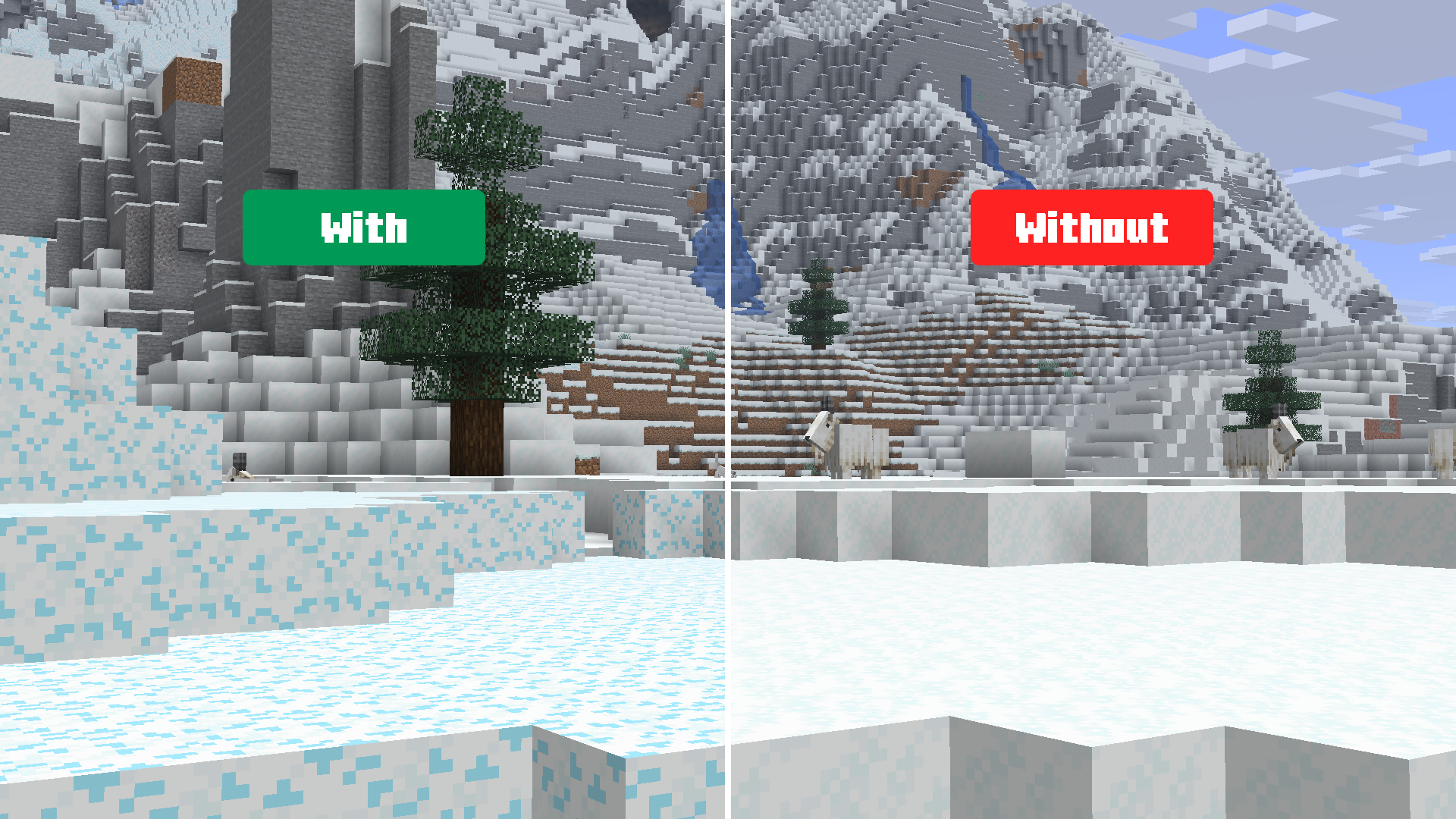
ChillByte – Visible Powdered Snow is a lightweight texture pack that makes powdered snow blocks visually different from regular snow, to help prevent falling into powdered snow accidentally.



Modrinth IconCurseForge IconDiscord Icon


✨ Features

  • Gives powdered snow a unique texture so it stands out clearly from regular snow blocks
  • Helps prevent freezing traps and accidental falls in snowy biomes
  • Lightweight client-side resource pack
  • No performance impact
  • Works with Vanilla, Sodium, and OptiFine

📦 Installation

  1. Download the .zip file
  2. Open Minecraft → Options → Resource Packs → Open Pack Folder
  3. Paste the .zip file into the folder
  4. Close and re-open the Resource Packs menu
  5. Enable ChillByte - Visible Powdered Snow from the list

📸 Screenshots

With Without
View Full Size View Full Size

🧩 Compatibility

  • Minecraft 1.17+
  • Works without any mods
  • Compatible with Sodium, OptiFine, and other mods

📁 The Collection

Any pack downloaded from PrecisionZero or ChillByte will completely work with all other packs from us. Our texture packs are designed in a way that no pack would clash with each other, ensuring a reliable and seamless experience.
Discover the PrecisionStudios Collection

   
PrecisionZero Banner ChillByte Banner

📧 Contact

For any concerns regarding ChillByte – Visible Powdered Snow, contact me at: [email protected]


🔒 License

Licensed as All Rights Reserved (ARR) under PrecisionZero

Public Release 1.0.0
MC 1.17.1, 1.21.2-Snapshot, 1.21, 1.21.6-snapshot, 1.18.1, 1.20.2-Snapshot, 1.20.5-Snapshot, 1.19-Snapshot, 1.21.1-Snapshot, 1.19.3, 1.20.2, 1.19.4, 1.21.8, 1.17, 1.19.4-Snapshot
Release 2026-08-22 Get

Requirements & install

How to use this resource pack in Minecraft
Resolution
16x
Minecraft
1.20.2-Snapshot – 1.21.8
Install folder
.minecraft/resourcepacks

How to install resource packs

  1. Download the resource pack .zip file (do not extract it).
  2. In Minecraft open Options → Resource Packs → Open Pack Folder.
  3. Drop the .zip into the resourcepacks folder (.minecraft/resourcepacks).
  4. Move the pack to the Selected column and click Done.
Browse more: 16x resource packs 32x resource packs 64x resource packs 128x resource packs 256x resource packs 512x+ resource packs Resource Packs for 1.21.8 All resource packs

More from ChillByte

Advertisement Remove ads with Premium →

You Might Also Like