Mineuniverse
Resource Packs
Chemistry Potions

Chemistry Potions

RESOURCE PACK
Makes the potions look more like a chemistry set
by Owls_Parliament
Download Claim this project
3,363 downloads
0 likes
0 followers
Updated Oct 14, 2026
0 hypes
Follow0
16x Mod Support Modern
Advertisement Remove ads with Premium →

Ever wanted a more modern feel to Minecraft? With this texture pack, the potions will look like a modern chemistry set!

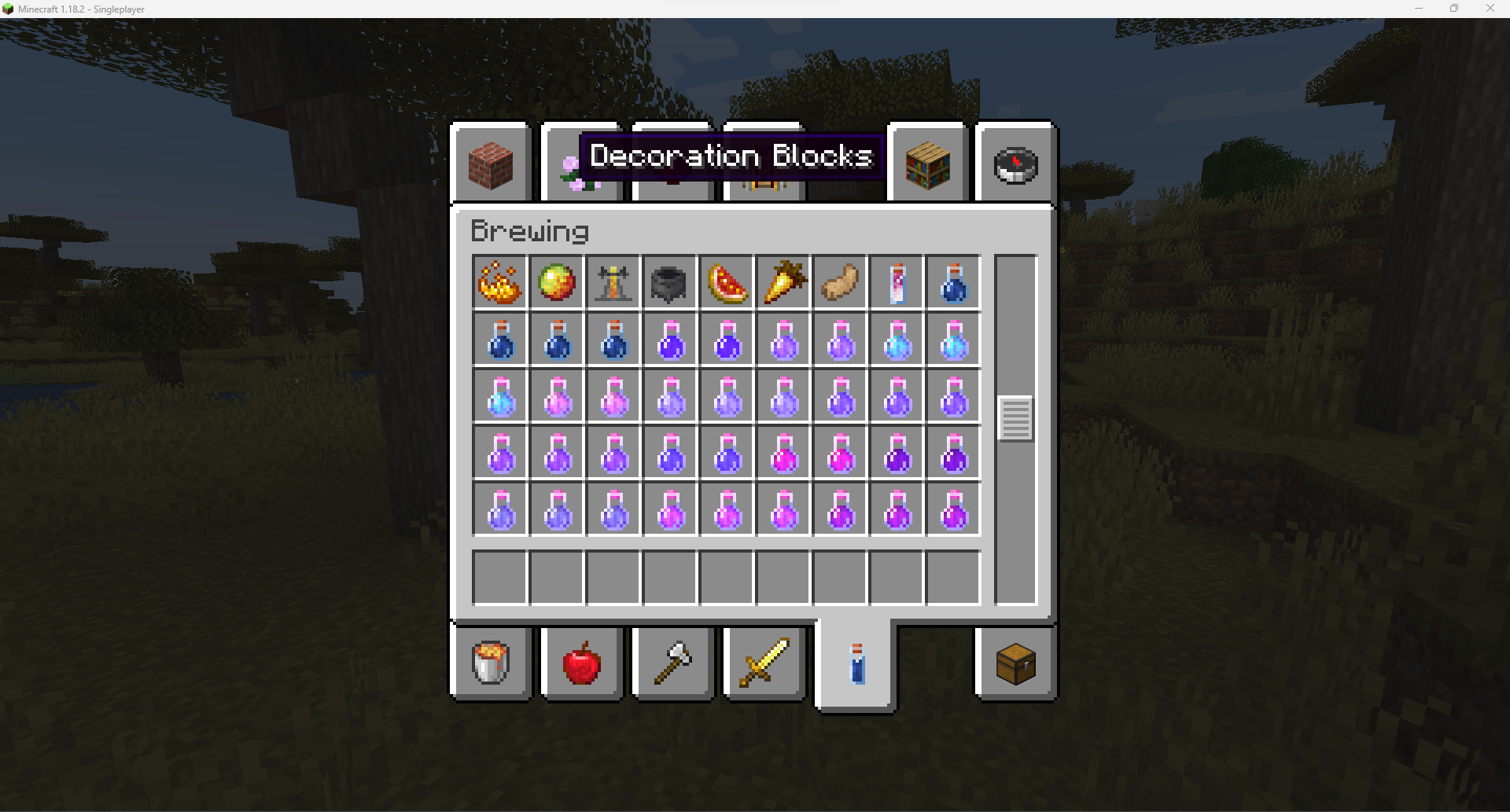
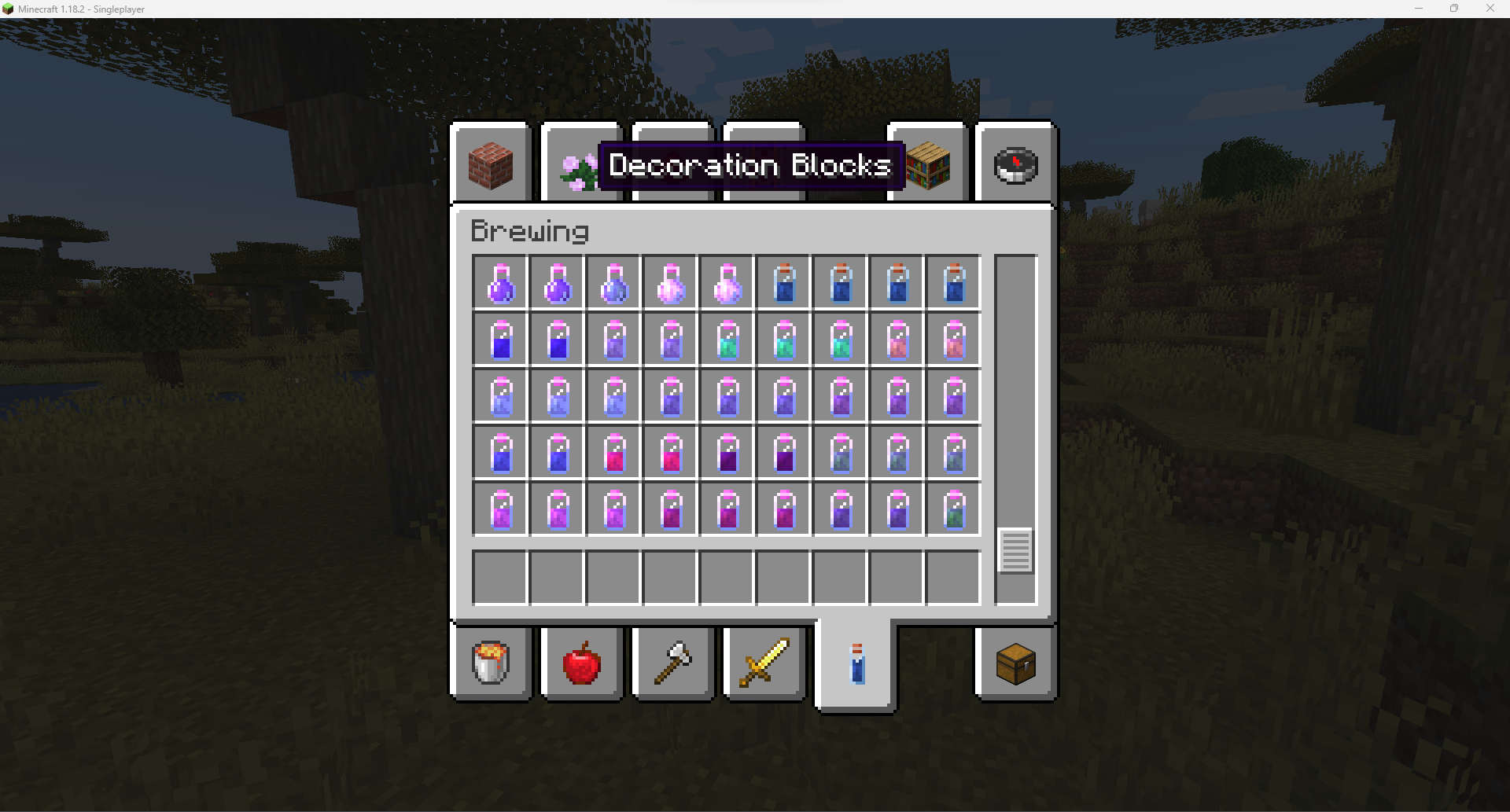
Includes textures for glass bottle, potions, splash potions, lingering potions, honey bottle, dragon's breath, experience bottle, brewing stand.
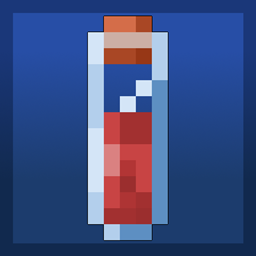
Glass bottles, potions, honey bottle, and dragon's breath look like test tubes, splash potions look like flasks, and lingering potions look like beakers.
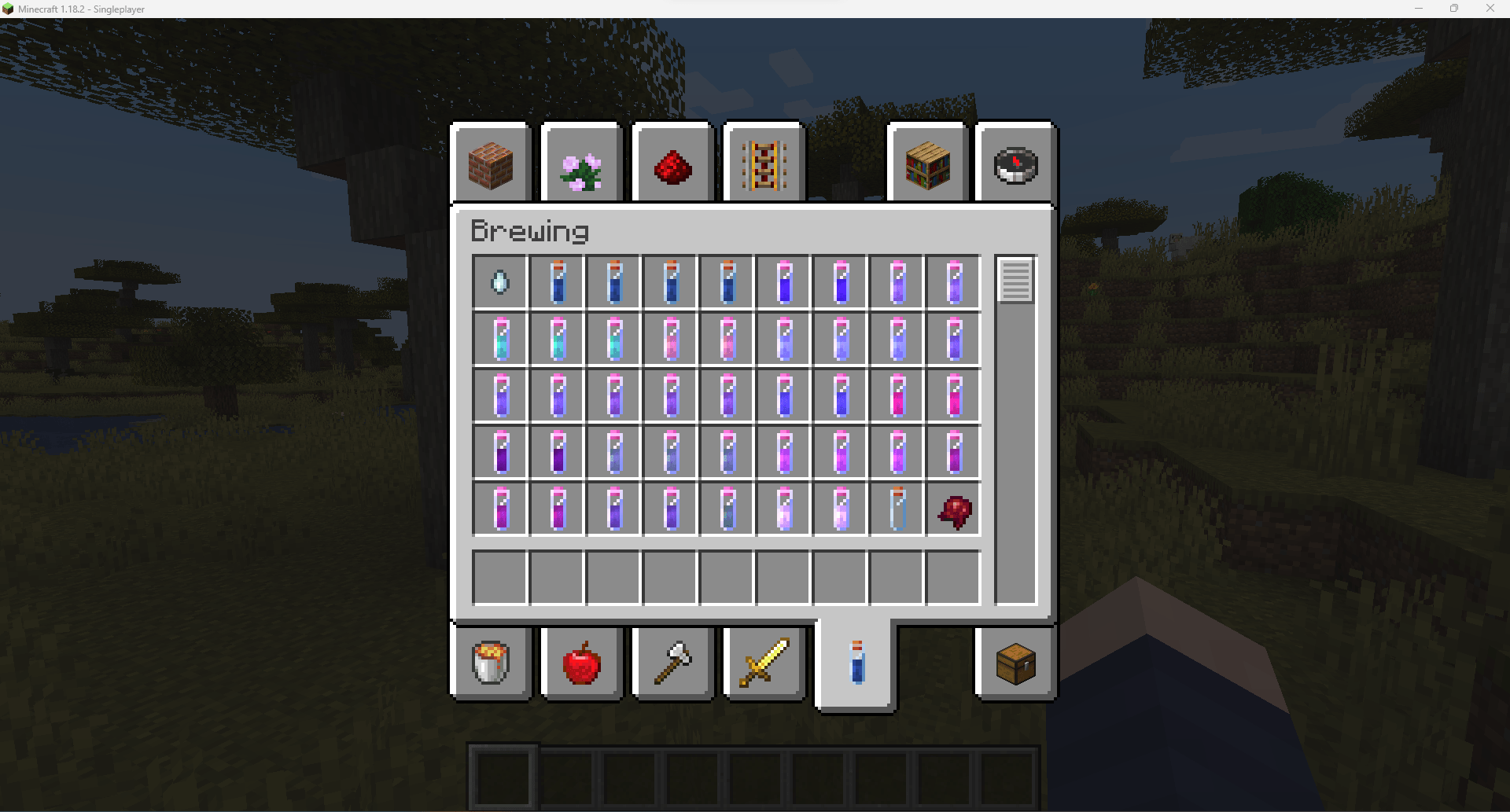
Potions made to look like test tubes

More examples are available in the images tab.

It should work almost any modded potions unless it is one of the few that uses a unique or custom texture. But if you find a modded potion that is not supported, feel free to make a request in the comments and I'll see about adding it in the next update.

Includes Supplementaries support for the brewing stand textures, with possibly more mod support coming in the future.

 

Chemistry Potions 1.20.1.zip
MC 1.16-Snapshot, 1.17.1, 1.16.3, 1.19.3, 1.20.2, 1.21.2-Snapshot, 1.21, 1.15-Snapshot, 1.16.1, 1.18.1, 1.19.4-Snapshot, 1.20.5, 1.17, 1.20.2-Snapshot, 1.20.5-Snapshot, 1.15, 1.16
Release 2024-10-16 Get
Chemistry Potions v2 - 1.18.2
MC 1.16-Snapshot, 1.17.1, 1.16.3, 1.19.3, 1.16.1, 1.18.1, 1.19.4-Snapshot, 1.17, 1.15, 1.16, 1.19.4, 1.19-Snapshot, 1.16.5, 1.18.2, 1.19.2, 1.15.2, 1.20.1, 1.20, 1.19.1
Release 2024-01-18 Get
Chemistry Potions 1.18.2.zip
MC 1.16-Snapshot, 1.17.1, 1.16.3, 1.19.3, 1.16.1, 1.18.1, 1.19.4-Snapshot, 1.17, 1.15, 1.16, 1.19.4, 1.19-Snapshot, 1.16.5, 1.18.2, 1.19.2, 1.15.2, 1.20.1, 1.20, 1.19.1
Beta 2024-01-12 Get

Requirements & install

How to use this resource pack in Minecraft
Resolution
16x
Minecraft
1.20 – 1.21.2-Snapshot
Install folder
.minecraft/resourcepacks

How to install resource packs

  1. Download the resource pack .zip file (do not extract it).
  2. In Minecraft open Options → Resource Packs → Open Pack Folder.
  3. Drop the .zip into the resourcepacks folder (.minecraft/resourcepacks).
  4. Move the pack to the Selected column and click Done.
Browse more: 16x resource packs 32x resource packs 64x resource packs 128x resource packs 256x resource packs 512x+ resource packs Resource Packs for 1.21.2-Snapshot All resource packs

More from Owls_Parliament

Advertisement Remove ads with Premium →

You Might Also Like