PSA: The current screenshots are outdated and will be replaced with new screenshots when the newest version of the pack is released. Thank you for your continuing patience.

CGM Audio/Visual Enhancements is an enhancement resource pack for MrCrayfish's Gun Mod that alters the mod's textures, models, and sounds. These changes are meant to reflect the style of my own CGM addon, NineZero's Gun Expansion (NZGE), and allow the weapons from both mods to fit together even better.
NZGE also receives some tweaks and enhancements with this pack when used together.

General Changes
All CGM guns receive new fire, silenced, reload, and gun cock sounds.
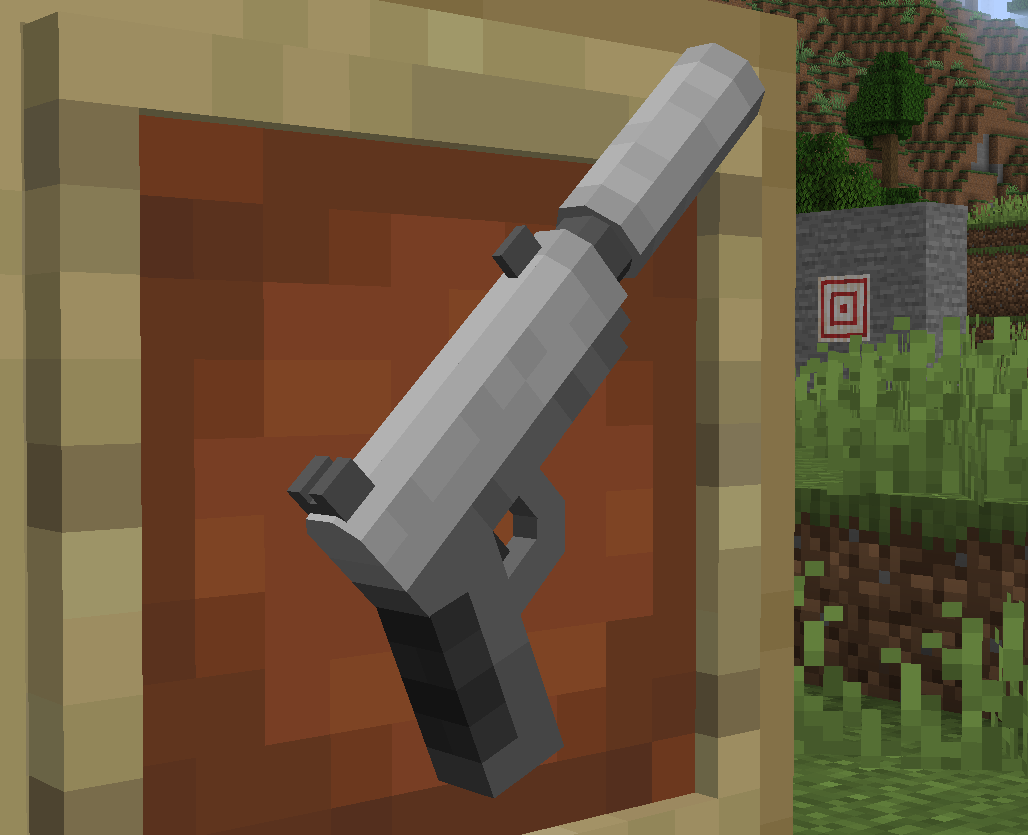
Pistol

The Pistol's model is mostly the same with some small adjustments. The only major alteration is the addition of rear sights that work with the front sight when aiming down the sights.
Additionally, stock attachments will be mounted upside down on the bottom of the grip instead of on the body.
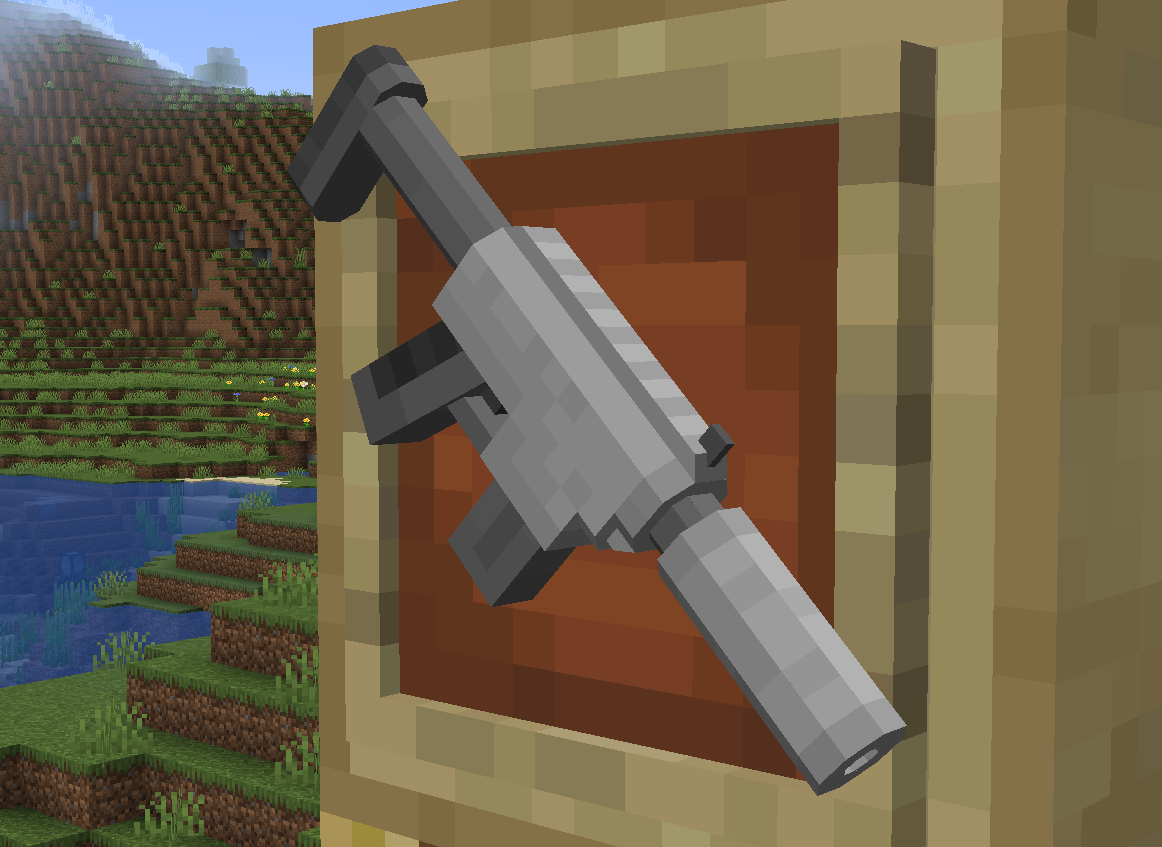
Machine Pistol

The Machine Pistol's magazine is changed to a skinnier design, mirroring the SMG from NZGE. The front sight has also been adjusted and moved forward slightly.
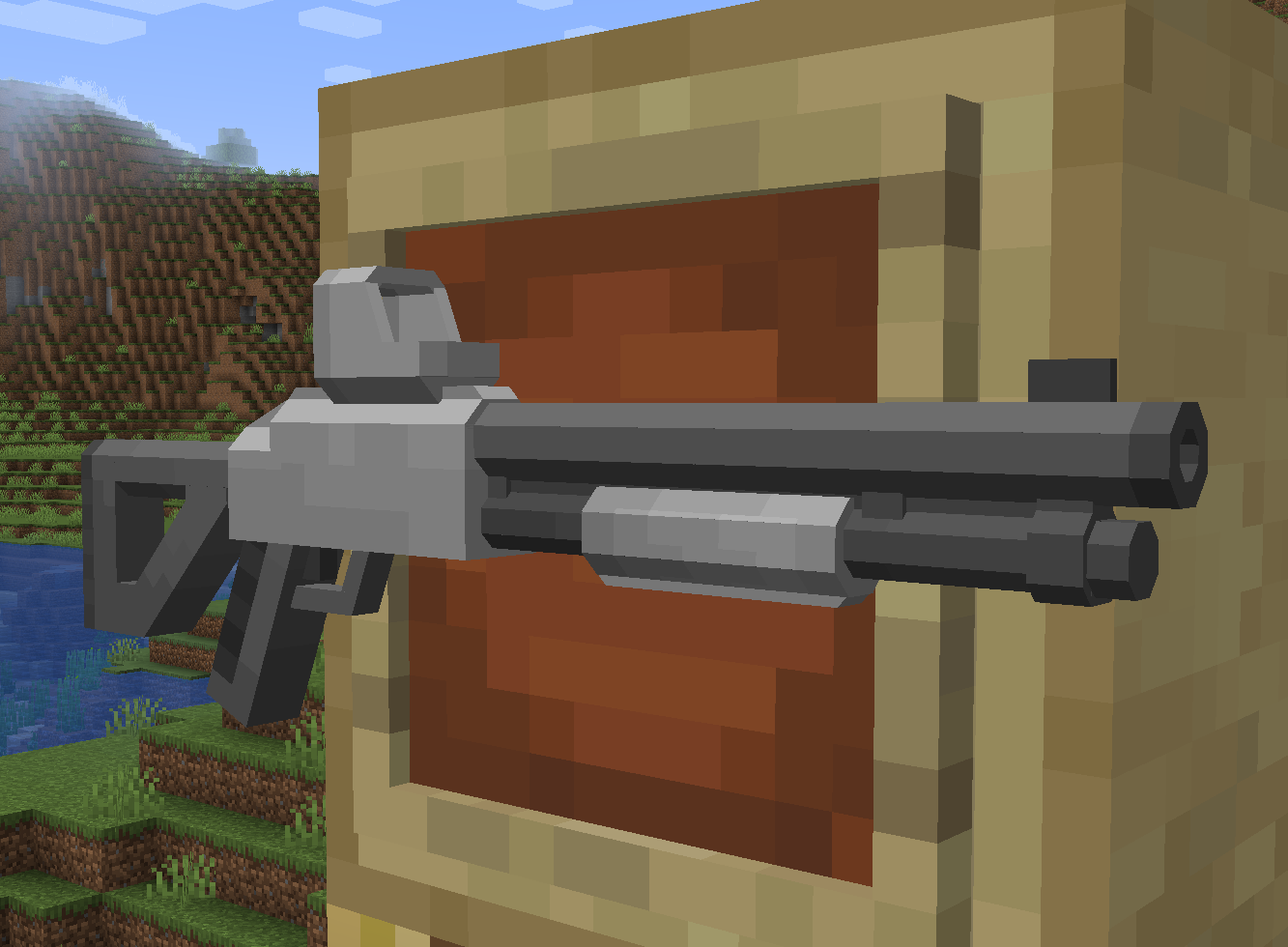
Shotgun

The Shotgun receives a full model overhaul, sharing most of its model elements with the Hunting Shotgun in NZGE. The trigger and grip are mostly unchanged from the original Shotgun model, helping to keep an element of familiarity with the new model.
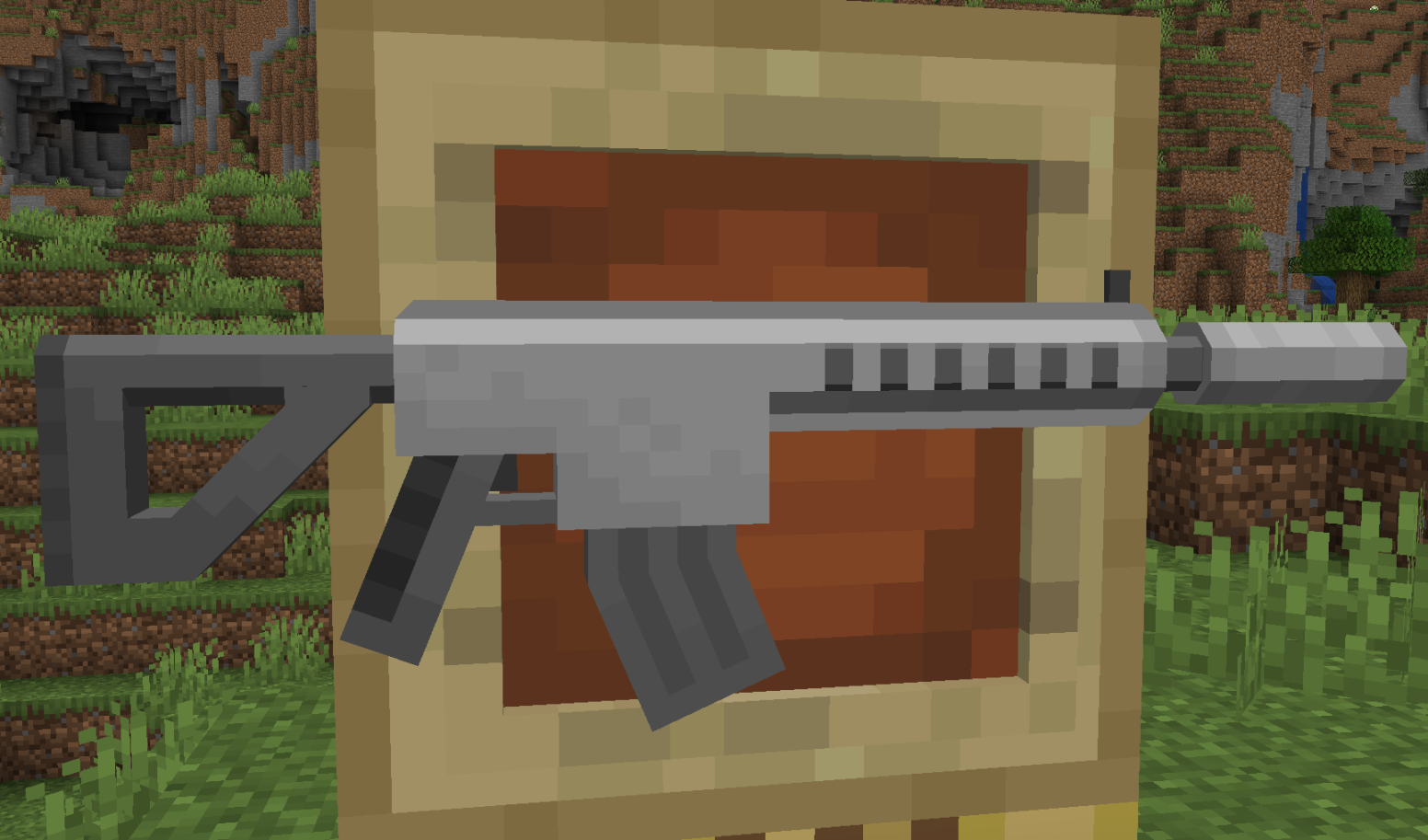
Assault Rifle

The Assault Rifle's magazine is made larger and curved in a similar vein to the SMG and Heavy AR in NZGE. The front sight is also moved slightly, but the model is otherwise unchanged.
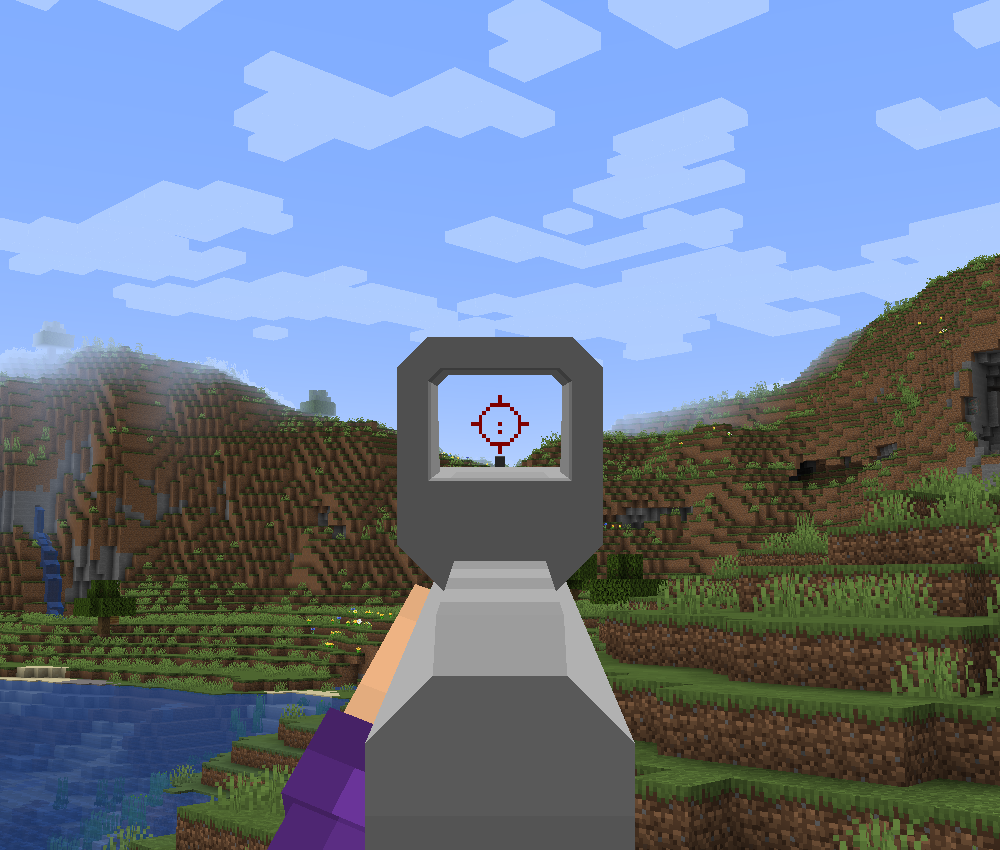
Short Scope

The Short Scope is expanded into a holographic sight, with a new reticle inspired by an EOTech EXPS reticle.
The ADS positioning has also been slightly adjusted to improve the view area inside the scope.
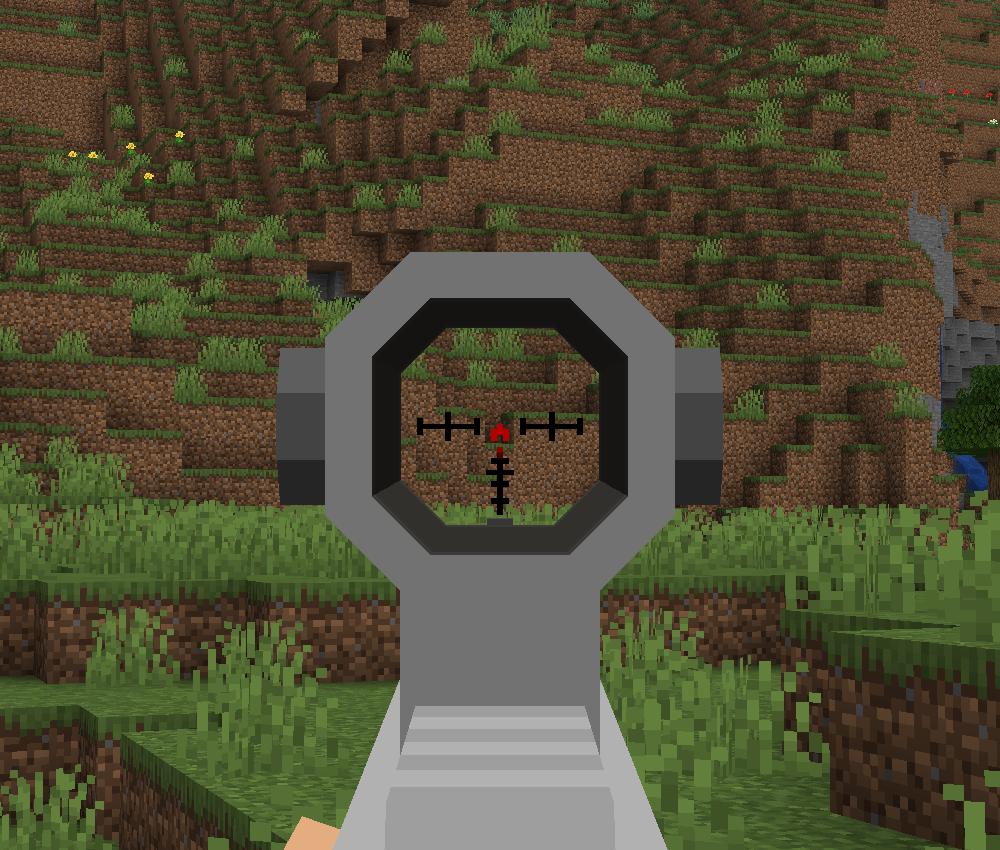
Medium Scope

The Medium Scope receives a new Aimpoint-style reticle, to help differ it from the Short Scope's reticle.
The model used in previous versions can be found in NZGE as the Chevron Scope.
The ADS positioning has also been slightly adjusted to slightly enlarge the scope when aiming.
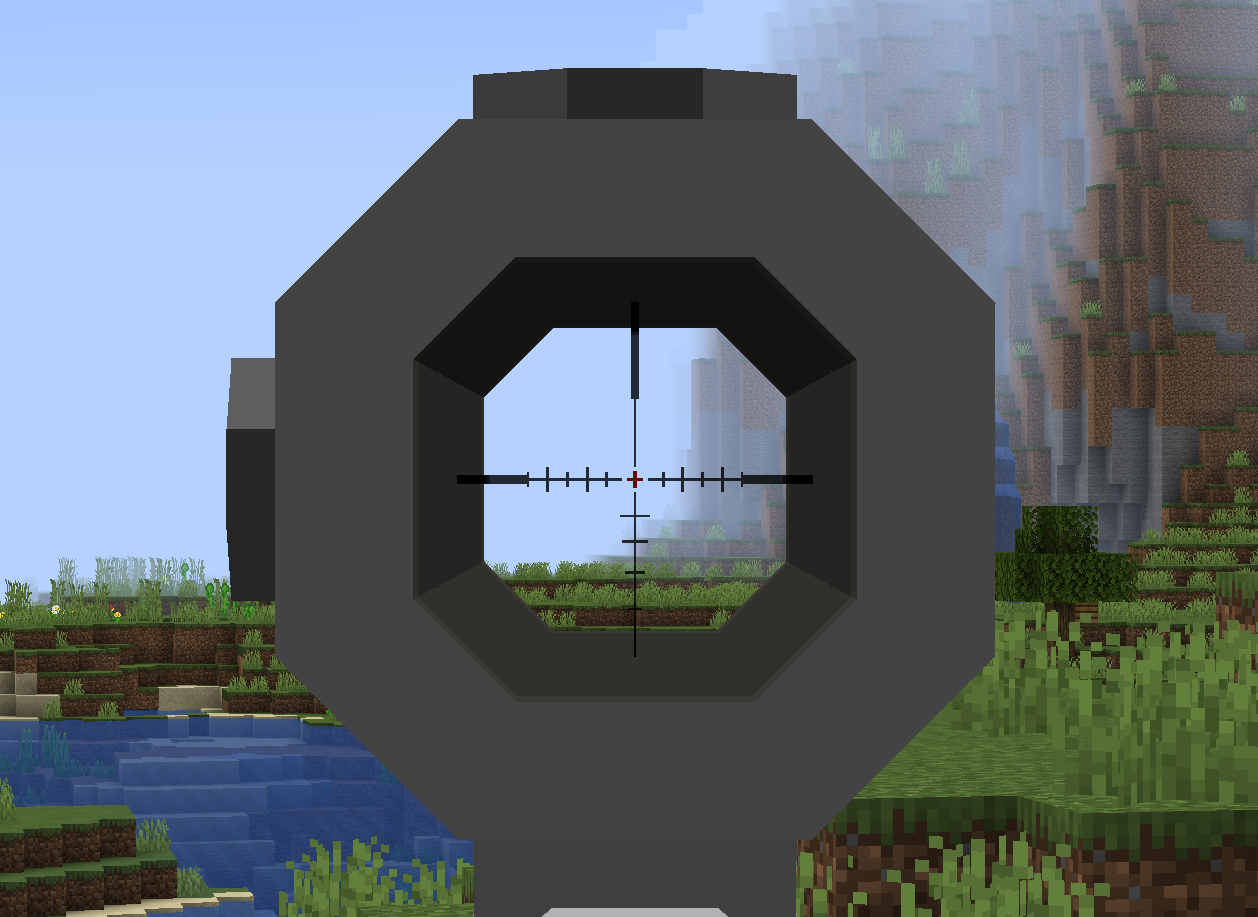
Long Scope

The Long Scope receives several changes, making it resemble an 8x CQBSS scope. This also includes a new reticle based on the CQBSS reticle.
The ADS positioning has also been slightly adjusted to enlarge the scope when aiming.
A true sniper-style scope is included in NZGE as the Ballistic Scope.
Tactical Stock

The Tactical Stock receives minor detail changes to its forward section, with no major alterations. If NZGE is installed, the mod's dyeable Tactical Stock will receive the same changes.
Weighted Stock

The Weight Stock is heavily altered, taking on a much bulkier appearance that more fittingly reflects its stat modifiers. (Excellent recoil reduction and stabilization, but very poor ADS speed)
Light Grip

The Light Grip receives a near overhaul to its design. It now resembles a generic hand-stop grip and has a much slimmer design.
The following changes apply to items found in NineZero's Gun Expansion:
Heavy Assault Rifle
The Heavy Assault Rifle receives some additional details to the barrel furniture, front tower sight, and the back of the body. No other changes were made to the model.
The following languages include these localization changes:
Q: Can I include this in my modpack/server?
A: Yes. For modpack devs, I highly recommend using Paxi by YUNGNICKYOUNG to automatically load the resource pack when the game is launched.
Q: Does this addon require NineZero's Gun Expansion?
A: Nope. NZGE is not required to use CGM A/V Enhancements.
Q: Will you release the pack for other Minecraft versions?
A: Yes. I will release the pack for versions 1.16.5 and up. Please note that the 1.16.5 version of the pack will take longer to put together and will likely have altered models to account for code differences in CGM for 1.16.5.