Mineuniverse
Resource Packs
Cat Sun & Moon

Cat Sun & Moon

RESOURCE PACK
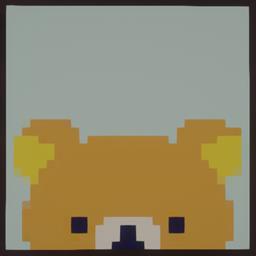
Turns the sun and moon into cute cat shaped designs
by McPaintingsKing
Download Claim this project
16,432 downloads
0 likes
Updated Oct 14, 2026
0 hypes
16x Miscellaneous
Advertisement Remove ads with Premium →

Overview:

A small and cute texture pack that turns the sun and moon into adorable cat shaped designs.
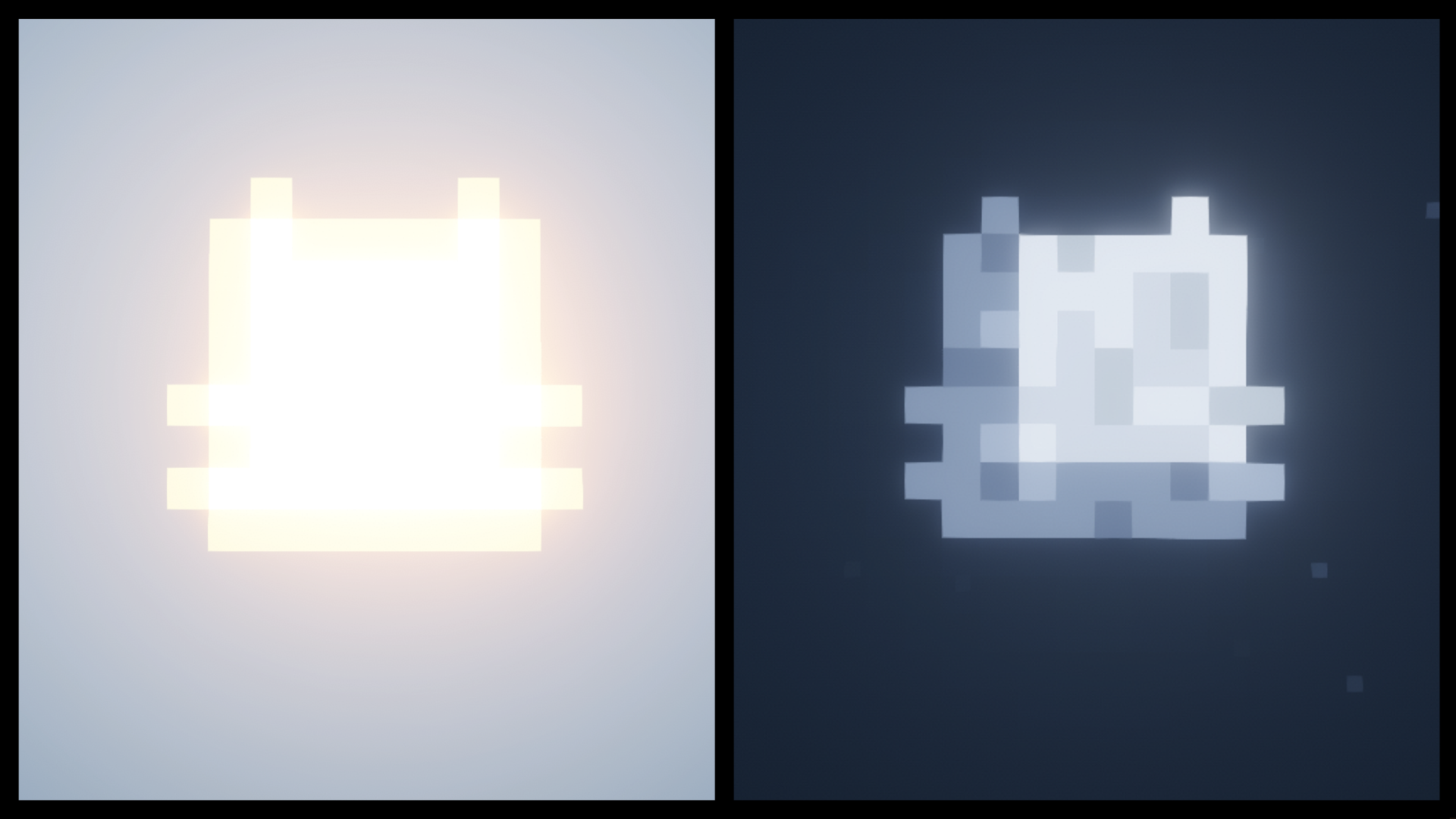
Sun:

The sun has been replaced with a cute cat.

Moon:

The cat stays visible throughout all moon phases.


Credit: Made by i4sha, Updated by McPaintingsKing

Feel free to use this in your modpacks!

Cat_Sun_and_Moon 26.3.zip
MC 26.3
Release 2026-10-04 Get
Cat_Sun_and_Moon 26.2.zip
MC 26.2
Release 2026-06-20 Get
Cat_Sun_and_Moon 1.21.11 fixed.zip
MC 1.21.11
Release 2026-06-09 Get
Cat_Sun_and_Moon 26.1.2.zip
MC 26.1.2
Release 2026-06-09 Get
Cat Sun and Moon 1.12.zip
MC 1.12.1, 1.12, 1.11, 1.11.1, 1.11.2, 1.12.2
Release 2026-01-23 Get
Cat Sun and Moon 1.13 + 14.zip
MC 1.13.1, 1.14.3, 1.13, 1.14.4, 1.14.1, 1.14, 1.13.2, 1.14.2
Release 2026-01-23 Get
Cat Sun and Moon 1.15.zip
MC 1.16.1, 1.15, 1.16, 1.15.2, 1.15.1
Release 2026-01-23 Get
Cat Sun and Moon 1.16.5.zip
MC 1.16.3, 1.16.5, 1.16.2, 1.16.4
Release 2026-01-23 Get
Cat Sun and Moon 1.17.zip
MC 1.17.1, 1.17
Release 2026-01-23 Get
Cat Sun and Moon 1.18.zip
MC 1.18.1, 1.18, 1.18.2
Release 2026-01-23 Get
Cat Sun and Moon 1.19.zip
MC 1.19.1, 1.19.2, 1.19
Release 2026-01-23 Get
Cat Sun and Moon 1.20.1.zip
MC 1.20.1, 1.20
Release 2026-01-23 Get
Cat Sun and Moon 1.21.1.zip
MC 1.21, 1.21.1
Release 2026-01-23 Get
Cat Sun and Moon 1.21.4.zip
MC 1.21.4
Release 2026-01-23 Get
Cat Sun and Moon 1.21.8.zip
MC 1.21.8
Release 2026-01-23 Get
Cat Sun and Moon 1.21.10.zip
MC 1.21.9, 1.21.10
Release 2026-01-23 Get
Cat Sun and Moon 1.21.11.zip
MC 1.21.11
Release 2026-01-23 Get

Requirements & install

How to use this resource pack in Minecraft
Resolution
16x
Minecraft
1.21.4 – 26.3
Install folder
.minecraft/resourcepacks

How to install resource packs

  1. Download the resource pack .zip file (do not extract it).
  2. In Minecraft open Options → Resource Packs → Open Pack Folder.
  3. Drop the .zip into the resourcepacks folder (.minecraft/resourcepacks).
  4. Move the pack to the Selected column and click Done.
Browse more: 16x resource packs 32x resource packs 64x resource packs 128x resource packs 256x resource packs 512x+ resource packs Resource Packs for 26.3 All resource packs

More from McPaintingsKing

Advertisement Remove ads with Premium →

You Might Also Like