Mineuniverse
Resource Packs
Carousel Gondola Magic

Carousel Gondola Magic

RESOURCE PACK
Carousel Gondola Magic texture pack
by scalli007
Download Claim this project
Add a badge to your pageLink to Carousel Gondola Magic from a README, website or forum post.
Preview: Badge

Badges update automatically and link to the resource pack page on MineUniverse.

269 downloads
0 likes
0 followers
Updated Oct 14, 2026
0 hypes
Follow0
128x Mod Support Modern
Advertisement Remove ads with Premium →

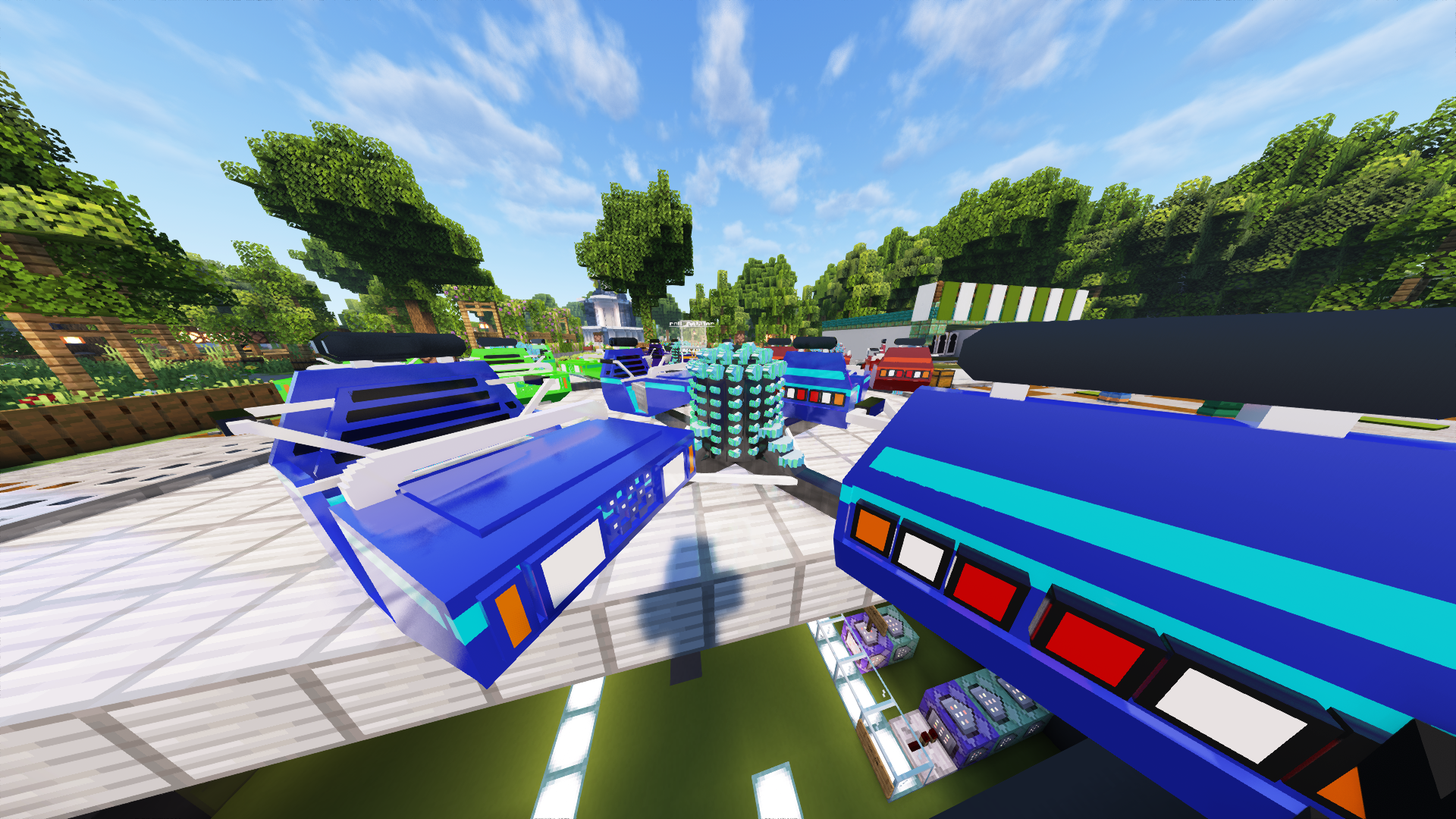
Carousel Gondola Magic texture pack is a magical add-on for Minecraft that will transform your gaming experience into a fantastic carousel world. This texture pack gives a unique and magical look to the standard carousel gondolas in Minecraft. With vibrant colors and loving details, you'll be immersed in a world of fun and joy.

Features:

Enchanting Gondolas: Replace the boring standard gondolas in Minecraft with beautifully designed carousel gondolas, featuring intricate decorations and colorful patterns.

Magical atmosphere: the texture changes create a fairytale atmosphere that perfectly fits any theme park world or amusement park in your game.

Detailed textures: each gondola is designed with care and contains fascinating details that stand out when you ride the carousel.

Customizable options: The texture pack offers different variations and color palettes for the gondolas, so you can customize your carousel attractions to your own taste.

Experience the joy of Minecraft carousels in a whole new way and add a touch of magic to your theme parks and amusement parks with the "Carousel Gondola Magic" texture pack. Dive into the world of carousel delights and enjoy hours of fun.

Scalli-V0.69c.zip
MC 1.20.1
Release 2023-12-07 Get
Scalli-V0.5.zip
MC 1.20.1
Beta 2023-11-05 Get
Gondeln_tp_V0.2.zip
MC 1.20.1
Beta 2023-10-27 Get

Requirements & install

How to use this resource pack in Minecraft
Resolution
128x
Minecraft
1.20.1
Install folder
.minecraft/resourcepacks

How to install resource packs

  1. Download the resource pack .zip file (do not extract it).
  2. In Minecraft open Options → Resource Packs → Open Pack Folder.
  3. Drop the .zip into the resourcepacks folder (.minecraft/resourcepacks).
  4. Move the pack to the Selected column and click Done.

Packs from 128x upwards need more video memory: install a performance mod such as Sodium for smooth frame rates.

Browse more: 16x resource packs 32x resource packs 64x resource packs 128x resource packs 256x resource packs 512x+ resource packs Resource Packs for 1.20.1 All resource packs
Advertisement Remove ads with Premium →

You Might Also Like