Mineuniverse
Resource Packs
Bunx's ResPack

Bunx's ResPack

RESOURCE PACK
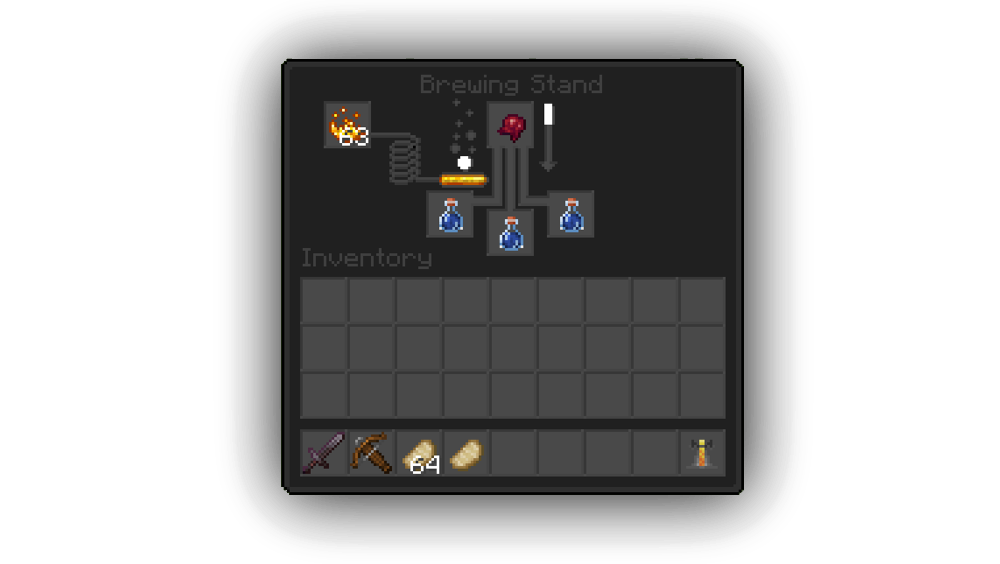
Adds: Dark Theme, New Crosshair, New Menu And More.
by Bunx_Live
Download Claim this project
666 downloads
0 likes
Updated Oct 14, 2026
0 hypes
16x Miscellaneous Modern
Advertisement Remove ads with Premium →

INFO: A better version of this resource pack has been released

Bunx's ResPack

Changes Gui, Bedrock, And Elytra.


Features

  • Dark Theme
  • Darker Bedrock
  • Changed Crosshair To A Square
  • Changed Menu
  • Changed Elytra
  • Changed Hotbar

Soon I'll Start Updating It To Later And Older Versions...
1.16.5 R1.1
MC 1.16.3, 1.16.1, 1.16, 1.16.5, 1.16.4, 1.16.2
Release 2021-05-12 Get
1.16.4 R1.0
MC 1.16.4
Release 2021-04-13 Get
1.8.9 R1.0
MC 1.8.9
Release 2021-04-13 Get
1.12.2 R1.0
MC 1.12.1, 1.12, 1.12.2
Release 2021-04-13 Get

Requirements & install

How to use this resource pack in Minecraft
Resolution
16x
Minecraft
1.12.1 – 1.16.5
Install folder
.minecraft/resourcepacks

How to install resource packs

  1. Download the resource pack .zip file (do not extract it).
  2. In Minecraft open Options → Resource Packs → Open Pack Folder.
  3. Drop the .zip into the resourcepacks folder (.minecraft/resourcepacks).
  4. Move the pack to the Selected column and click Done.
Browse more: 16x resource packs 32x resource packs 64x resource packs 128x resource packs 256x resource packs 512x+ resource packs Resource Packs for 1.16.5 All resource packs

More from Bunx_Live

Advertisement Remove ads with Premium →

You Might Also Like