Mineuniverse
Resource Packs
Brunozamp's Bushes

Brunozamp's Bushes

RESOURCE PACK
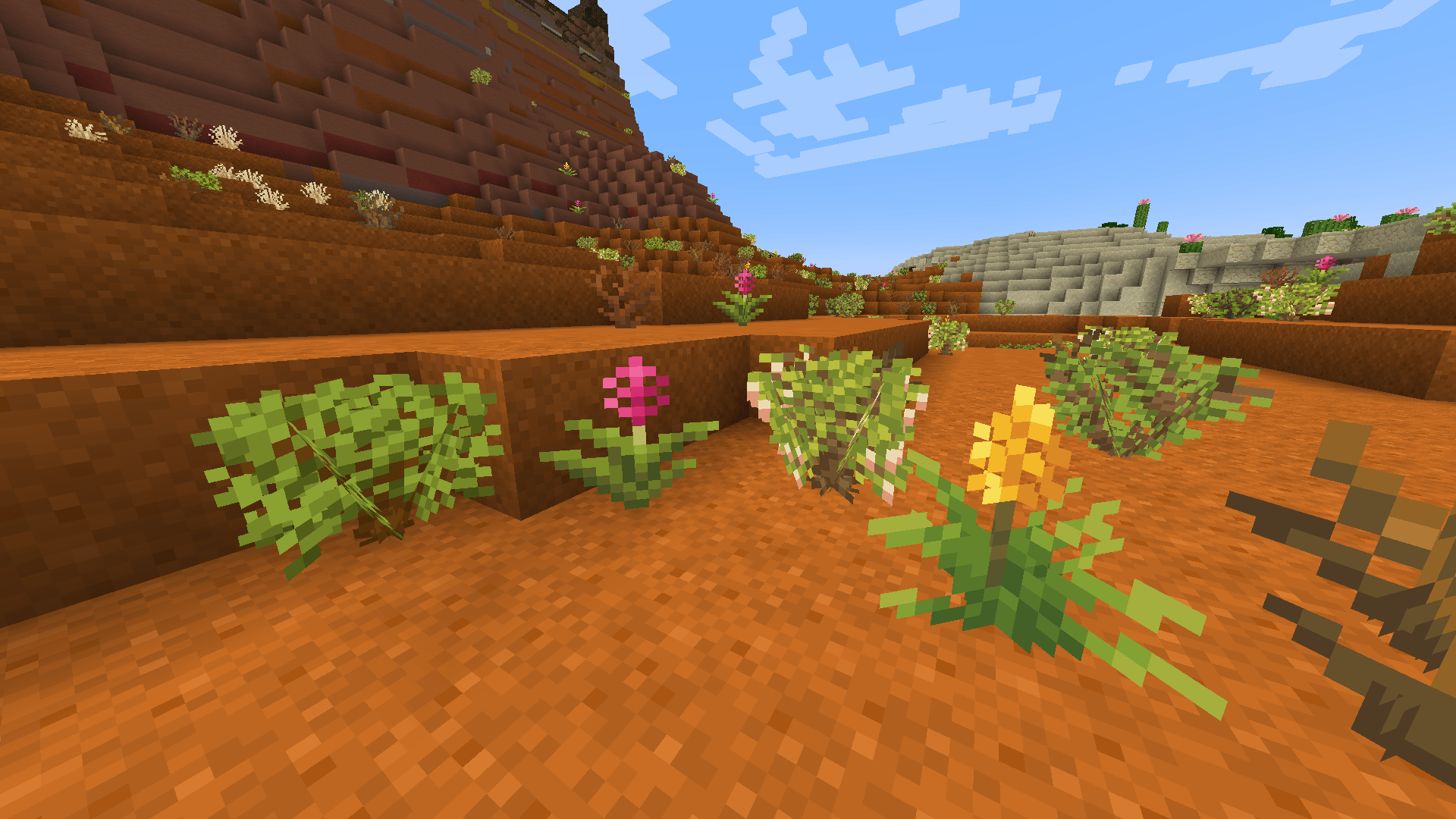
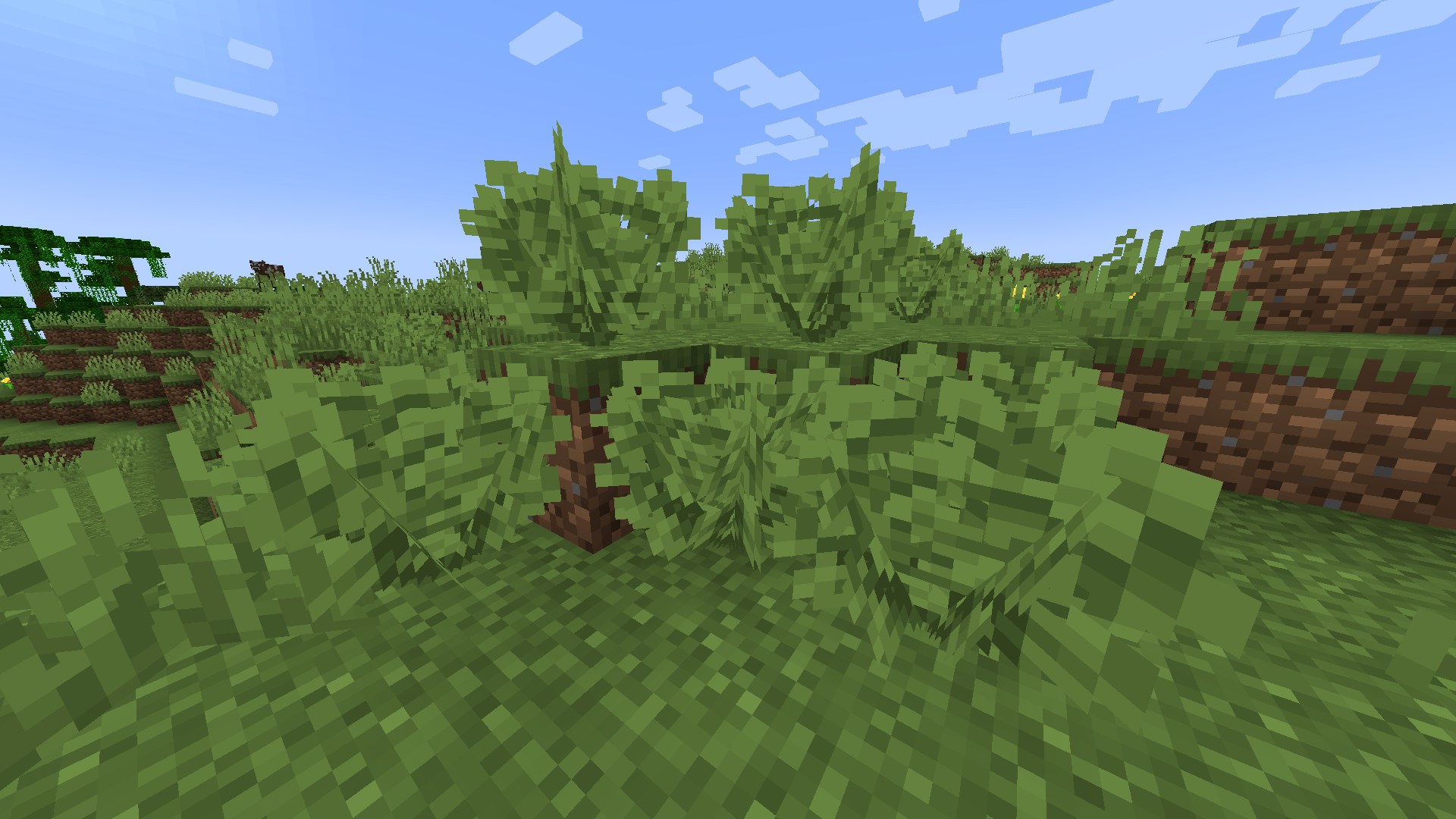
Adds more density and variation to Bushes and Dead Bushes! (Addon for Brunozamp's Foliage))
by brunozampBR
Download Claim this project
69 downloads
0 likes
0 followers
Updated Oct 14, 2026
0 hypes
Follow0
16x Miscellaneous Traditional
Advertisement Remove ads with Premium →

English/Inglês

Brunozamp's Torches is an addon to Brunozamp's Foliage focused on bushes and dead bushes, adding more density and variations to them!
This pack still in development, i still plan to add more variations to the bush, and possibly dead bushes too

This resourcepack includes:

  • New texture and bushy model for the bush
  • 9 new variants for dead bushes, some with a bushy model, others with the default cross model

Please DO NOT use anything from this pack in your resourcepacks without my permission, this took a lot of work to do and it would be realy disrespectful from your part.

Português/Portuguese

Brunozamp's Torches é um addon para Brunozamp's Foliage focado nos arbustos e arbustos mortos, adicionando mais densidade e variações para eles!
Esse pacote ainda está em desenvolvimento, eu ainda planejo adicionar mais variações pro arbusto, e possivelmente mais variantes para os arbustos mortos também

Esse pacote inclui:

  • Nova textura e modelo folhoso para o arbusto
  • 9 Novas variantes para arbustos mortos, alguns com modelo folhoso, outros com o modelo de cruz padrão

Por favor, NÃO use nada desse pacote em seus pacotes de recursos sem a minha permissão, esse projeto levou muito trabalho para fazer e seria realmente desrespeitoso da sua parte.

Brunozamp's Bushes 1.0.zip
MC 1.21.5-Snapshot
Beta 2025-02-07 Get

Requirements & install

How to use this resource pack in Minecraft
Resolution
16x
Minecraft
1.21.5-Snapshot
Install folder
.minecraft/resourcepacks

How to install resource packs

  1. Download the resource pack .zip file (do not extract it).
  2. In Minecraft open Options → Resource Packs → Open Pack Folder.
  3. Drop the .zip into the resourcepacks folder (.minecraft/resourcepacks).
  4. Move the pack to the Selected column and click Done.
Browse more: 16x resource packs 32x resource packs 64x resource packs 128x resource packs 256x resource packs 512x+ resource packs Resource Packs for 1.21.5-Snapshot All resource packs

More from brunozampBR

Advertisement Remove ads with Premium →

You Might Also Like