Mineuniverse
Resource Packs
brio: shiny blades [discontinued]

brio: shiny blades [discontinued]

RESOURCE PACK
Bring some brio to your world! With weapons redesign.
by noxwave
Download Claim this project
Add a badge to your pageLink to brio: shiny blades [discontinued] from a README, website or forum post.
Preview: Badge

Badges update automatically and link to the resource pack page on MineUniverse.

1,725 downloads
0 likes
0 followers
Updated Oct 14, 2026
0 hypes
Follow0
16x Animated Miscellaneous Traditional
Advertisement Remove ads with Premium →

CHECK ALSO 3D TOOLS

DESCRIPTION
Requires EMF and ETF (EMF Download) (ETF Download)

Model gap fix reccomended

Actually you still can play on vanilla with that pack, but trident and arrow models will remain unchanged.


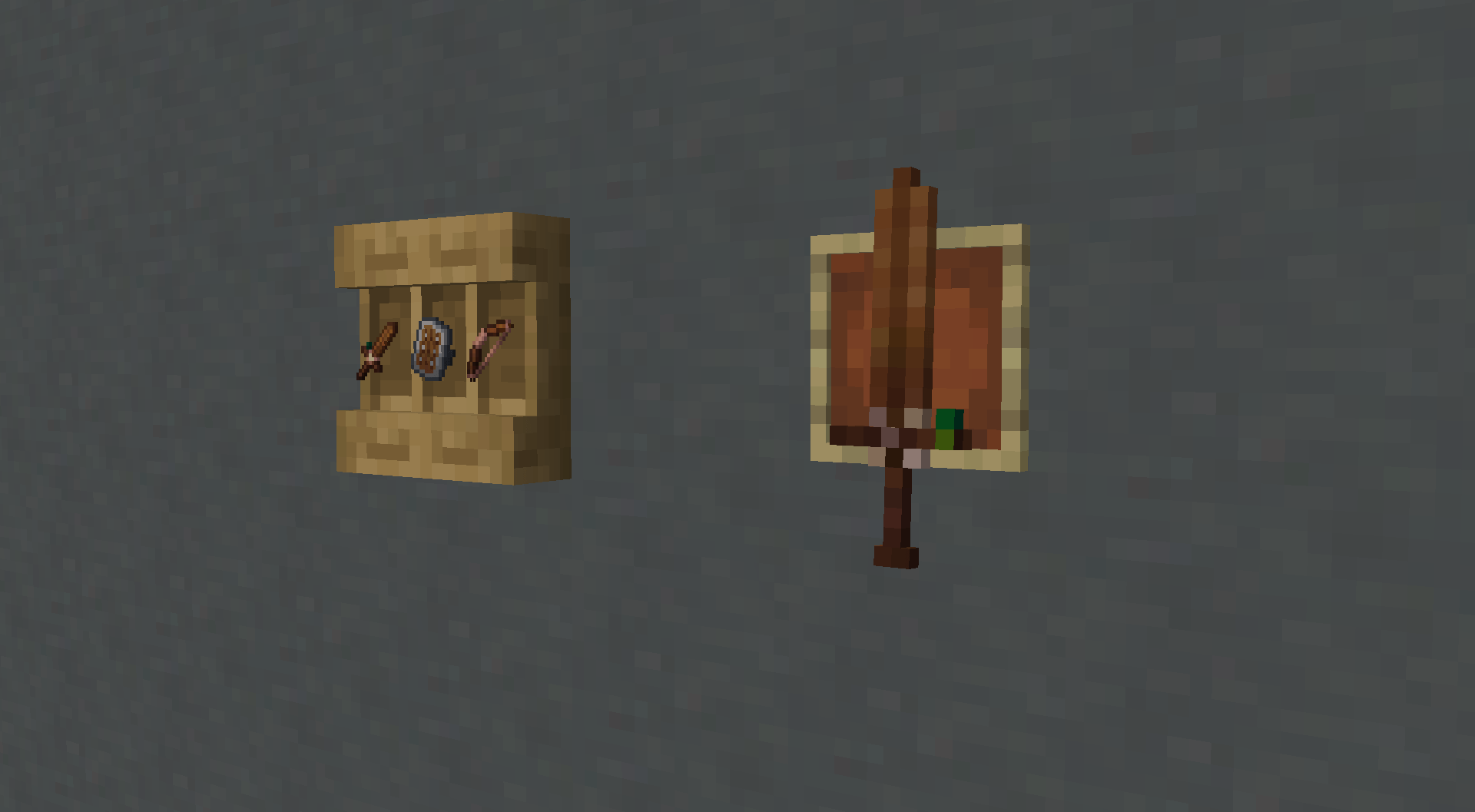
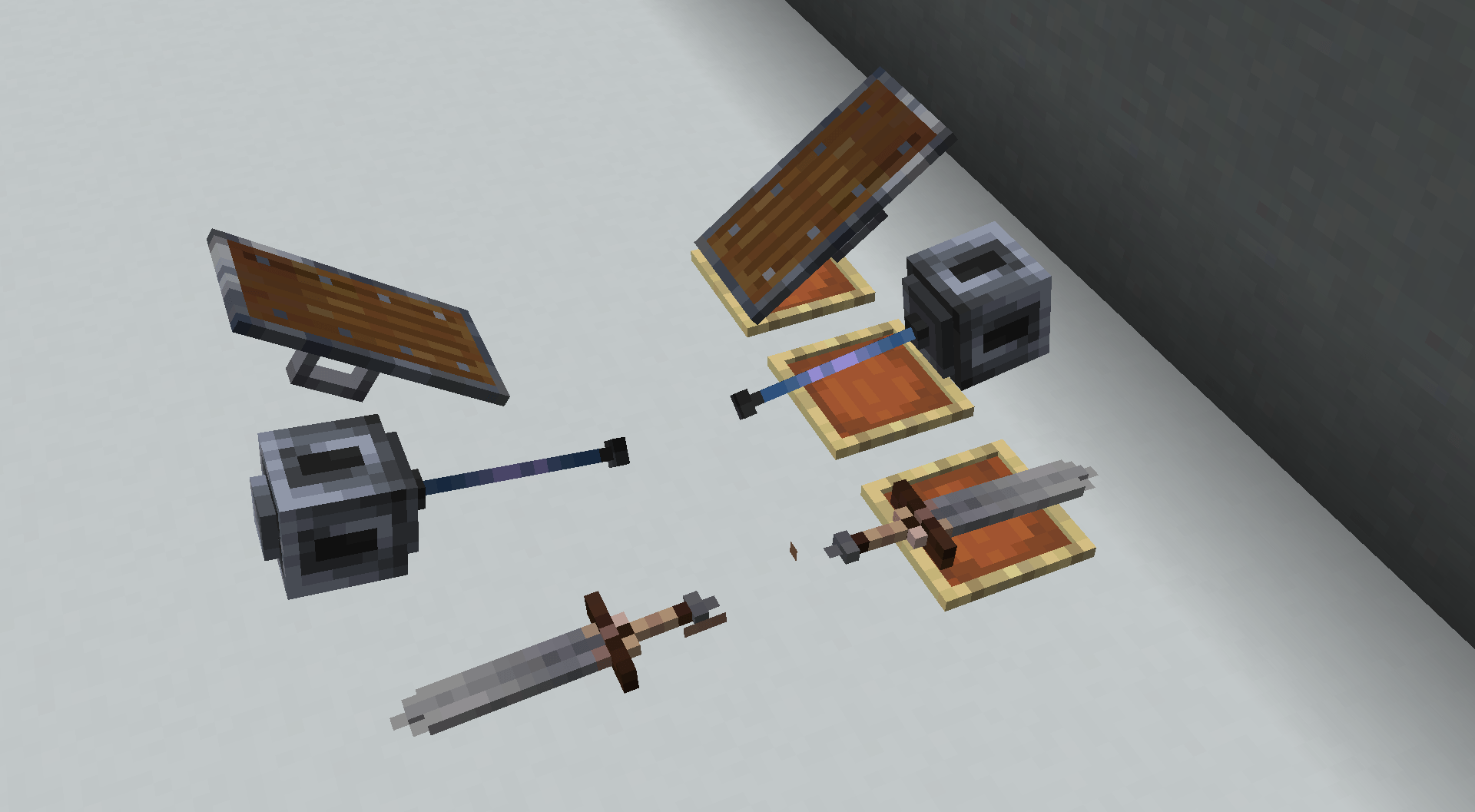
That pack is a complete weapons redesign with new 3D models, exclusive features and animations. All in one style, that fits vanilla perfectly. Each weapon developed as an unique piece with his own special features. 


Main feature of this RP is 2D GUI icons of items, but 3D models in hands and frames. Each item have its own unique display position in item frame, so that they can be not only an "item in frame", but actually a nice decoration.

  • High quality, stylish, detailed Vanilla-like 16x16 resourcepack
  • 2D GUI icons
  • 3D models in hand
  • Unique item frames display for each weapon
  • Unique display if equipped in helmet slot for melee weapon and arrows
  • Unique effects like light emissive elements, colored outlines and animations (more in future!)

PLANS

  • More animations
  • Some retexture
  • Visible damage and enchantments
  • Hold my items support

TECH SUMMARY AND WARNINGS

v1.1.0

  • Bow doesn't work properly below 1.21.6

v1.0.0

  • Tested on FORGE (EMF ETF) 1.21.4-1.21.8. Everything works properly.
  • Tested on FABRIC (FAPI EMF ETF) 1.21.4-1.21.8. Everything works properly.
  • Tested on Optifine 1.21.4 AND 1.21.8. CEM doesn't work properly. I do not recommend.

CREDITS
Thanks for the glow shader!
https://modrinth.com/resourcepack/tools-and-utils?version=1.21.8

BRIO | Shiny Blades v1.2.0
MC 1.21.9, 1.21.10
Release 2025-10-15 Get
BRIO | Shiny Blades v1.1.2
MC 1.21.8, 1.21.7, 1.21.6
Release 2025-09-27 Get
BRIO | Shiny Blades v1.1.1
MC 1.21.8, 1.21.7, 1.21.6
Release 2025-09-26 Get
BRIO | Shiny Blades v1.1.0
MC 1.21.8, 1.21.7, 1.21.6
Release 2025-09-21 Get
BRIO | Shiny Blades v1.0.0
MC 1.21.5, 1.21.8, 1.21.4, 1.21.7, 1.21.6
Release 2025-09-18 Get

Requirements & install

How to use this resource pack in Minecraft
Resolution
16x
Minecraft
1.21.4 – 1.21.10
Install folder
.minecraft/resourcepacks

How to install resource packs

  1. Download the resource pack .zip file (do not extract it).
  2. In Minecraft open Options → Resource Packs → Open Pack Folder.
  3. Drop the .zip into the resourcepacks folder (.minecraft/resourcepacks).
  4. Move the pack to the Selected column and click Done.
Browse more: 16x resource packs 32x resource packs 64x resource packs 128x resource packs 256x resource packs 512x+ resource packs Resource Packs for 1.21.10 All resource packs

More from noxwave

Advertisement Remove ads with Premium →

You Might Also Like