Mineuniverse
Resource Packs
BonePileFix - Valhelsia Structures

BonePileFix - Valhelsia Structures

RESOURCE PACK
Fixes the Bone Pile block from Valhelsia Structures rendering vertically and ignores layer height when using Sodium or Embeddium. Unofficial visual fix, requires Valhelsia Structures installed.
by ronidas
Download Claim this project
1,475 downloads
0 likes
Updated Oct 14, 2026
0 hypes
16x Miscellaneous Mod Support
Advertisement Remove ads with Premium →

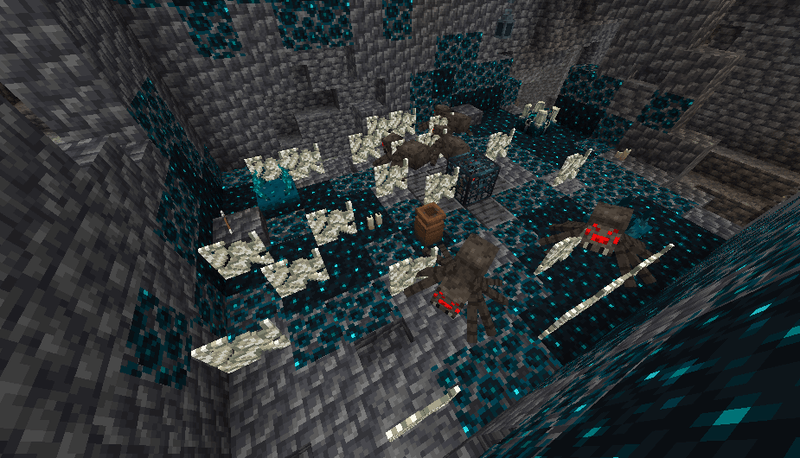
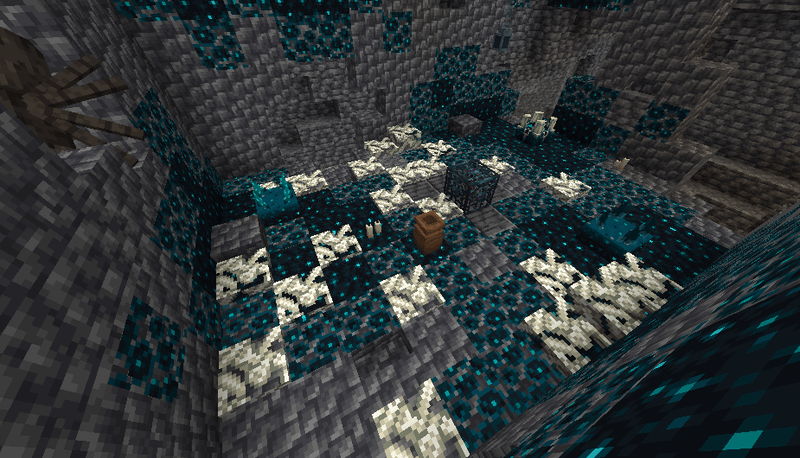
An unofficial visual fix for the Bone Pile block from Valhelsia Structures - Minecraft Mods - CurseForge when using Sodium or Embeddium.

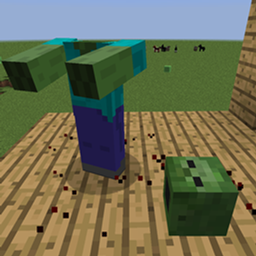
Before
After
The Problem

When Sodium or Embeddium is installed, the Bone Pile block renders vertically instead of lying flat on the ground. This is caused by the original model using `minecraft:block/carpet` as its parent, which Sodium mishandles for mod-added blocks.

What This Fix Does

- Replaces the model with explicit flat geometry, bypassing the broken `carpet` parent
- No textures from the original mod are included or redistributed
- Layer stacking visuals are partially affected due to a deeper incompatibility between Sodium and the mod's rendering Mixin — this cannot be fully resolved from a resource pack alone

Requirements

- Valhelsia Structures - [NeoForge] Valhelsia Structures - 1.1.2 - Minecraft Mods - CurseForge
- Sodium or Embeddium (the bug does not occur without these)


 Notes

This is an unofficial fix. All credit for the original mod goes to the [Valhelsia Team](https://github.com/ValhelsiaTeam).
The root cause has been reported to the developers — see the [GitHub issue](https://github.com/ValhelsiaTeam/Valhelsia-Structures/issues).

BonePileFix.zip
MC 1.21.1
Release 2026-03-18 Get

Requirements & install

How to use this resource pack in Minecraft
Resolution
16x
Minecraft
1.21.1
Install folder
.minecraft/resourcepacks

How to install resource packs

  1. Download the resource pack .zip file (do not extract it).
  2. In Minecraft open Options → Resource Packs → Open Pack Folder.
  3. Drop the .zip into the resourcepacks folder (.minecraft/resourcepacks).
  4. Move the pack to the Selected column and click Done.
Browse more: 16x resource packs 32x resource packs 64x resource packs 128x resource packs 256x resource packs 512x+ resource packs Resource Packs for 1.21.1 All resource packs

More from ronidas

Advertisement Remove ads with Premium →

You Might Also Like