Mineuniverse
Resource Packs
BlueMaps x Immersive Engineering

BlueMaps x Immersive Engineering

RESOURCE PACK
Makes Immersive Engineering ores invisible in Bluemaps to prevent cheating with Bluemaps
by LordWolfi
Download Claim this project
23 downloads
0 likes
Updated Oct 14, 2026
0 hypes
16x Mod Support
Advertisement Remove ads with Premium →

💎 Immersive Engineering Anti-Xray for BlueMap

Stop players from scouting ores through your web map!

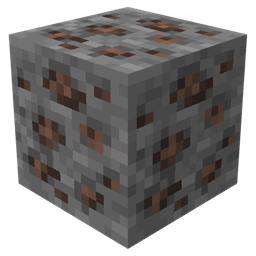
By default, BlueMap renders blocks exactly as they appear, which can lead to players using the web interface to pinpoint rare Immersive Engineering ores. This resource pack provides a simple, lightweight fix by overriding the model files for all Immersive Engineering ores, making them completely invisible specifically within the BlueMap render.

✨ Key Features

  • Anti-Cheat: Prevents players from finding Lead, Silver, Bauxite, Nickel and Uranium via the web browser.
  • Performance Friendly: Uses simple model overrides no complex scripts or heavy textures.
  • Seamless Integration: Does not affect in-game visuals; ores remain perfectly visible to players while they are actually playing the game.

🛠 Installation Guide

To apply these changes to your map, follow these steps:

  1. Download the latest version of the resource pack.
  2. Upload the .zip file to your server's BlueMap configuration directory: config/bluemap/packs/
  3. Refresh Renders: For the changes to take effect on existing chunks, you must perform a full re-render:
  • /bluemap reload
  1. Enjoy! Your Immersive Engineering ores are now hidden from prying eyes on the web.

> Note: This pack specifically targets Immersive Engineering ores. If you are using other tech mods, you will need another pack that covers those, but you can open a suggestion on our GitHub and we can upload one specifically for that too!


🔗 Links

immersive engineering x bluemaps.zip
MC 1.16.5, 1.19.3, 1.19.4, 1.20.1, 1.21.1, 1.20.4, 1.18.2, 1.19.2, 1.12.2
Release 2026-01-27 Get

Requirements & install

How to use this resource pack in Minecraft
Resolution
16x
Minecraft
1.16.5 – 1.21.1
Install folder
.minecraft/resourcepacks

How to install resource packs

  1. Download the resource pack .zip file (do not extract it).
  2. In Minecraft open Options → Resource Packs → Open Pack Folder.
  3. Drop the .zip into the resourcepacks folder (.minecraft/resourcepacks).
  4. Move the pack to the Selected column and click Done.
Browse more: 16x resource packs 32x resource packs 64x resource packs 128x resource packs 256x resource packs 512x+ resource packs Resource Packs for 1.21.1 All resource packs

More from LordWolfi

Advertisement Remove ads with Premium →

You Might Also Like