Mineuniverse
Resource Packs
Blank Coins (ParkerMc's Coins)

Blank Coins (ParkerMc's Coins)

RESOURCE PACK
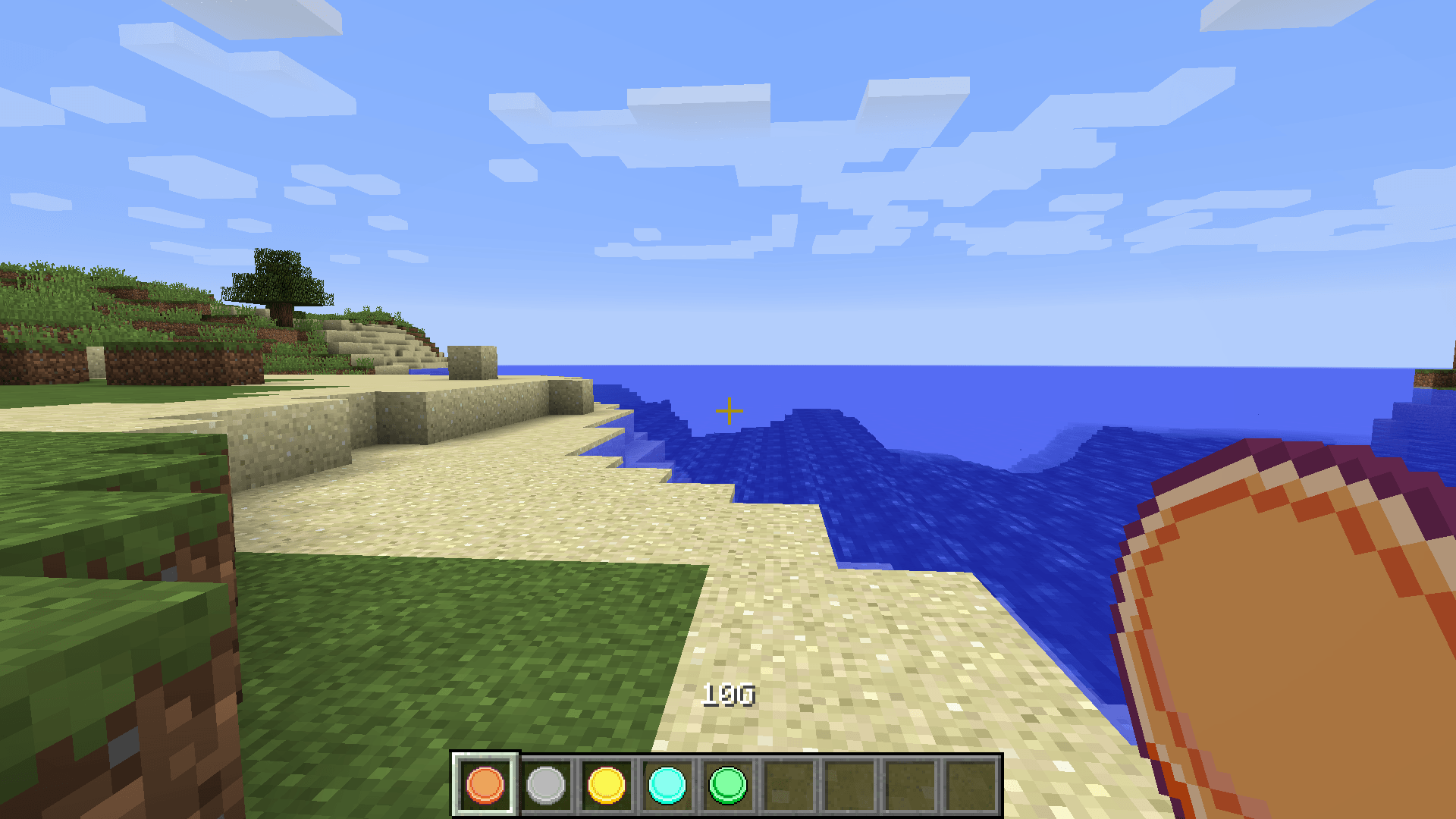
Changes the textures of the coins in ParkerMc's Coins Mod, to new type of coins, without anything written on them.
by Kehaan
Download Claim this project
Add a badge to your pageLink to Blank Coins (ParkerMc's Coins) from a README, website or forum post.
Preview: Badge

Badges update automatically and link to the resource pack page on MineUniverse.

148,853 downloads
0 likes
0 followers
Updated Oct 14, 2026
0 hypes
Follow0
16x Miscellaneous Mod Support
Advertisement Remove ads with Premium →

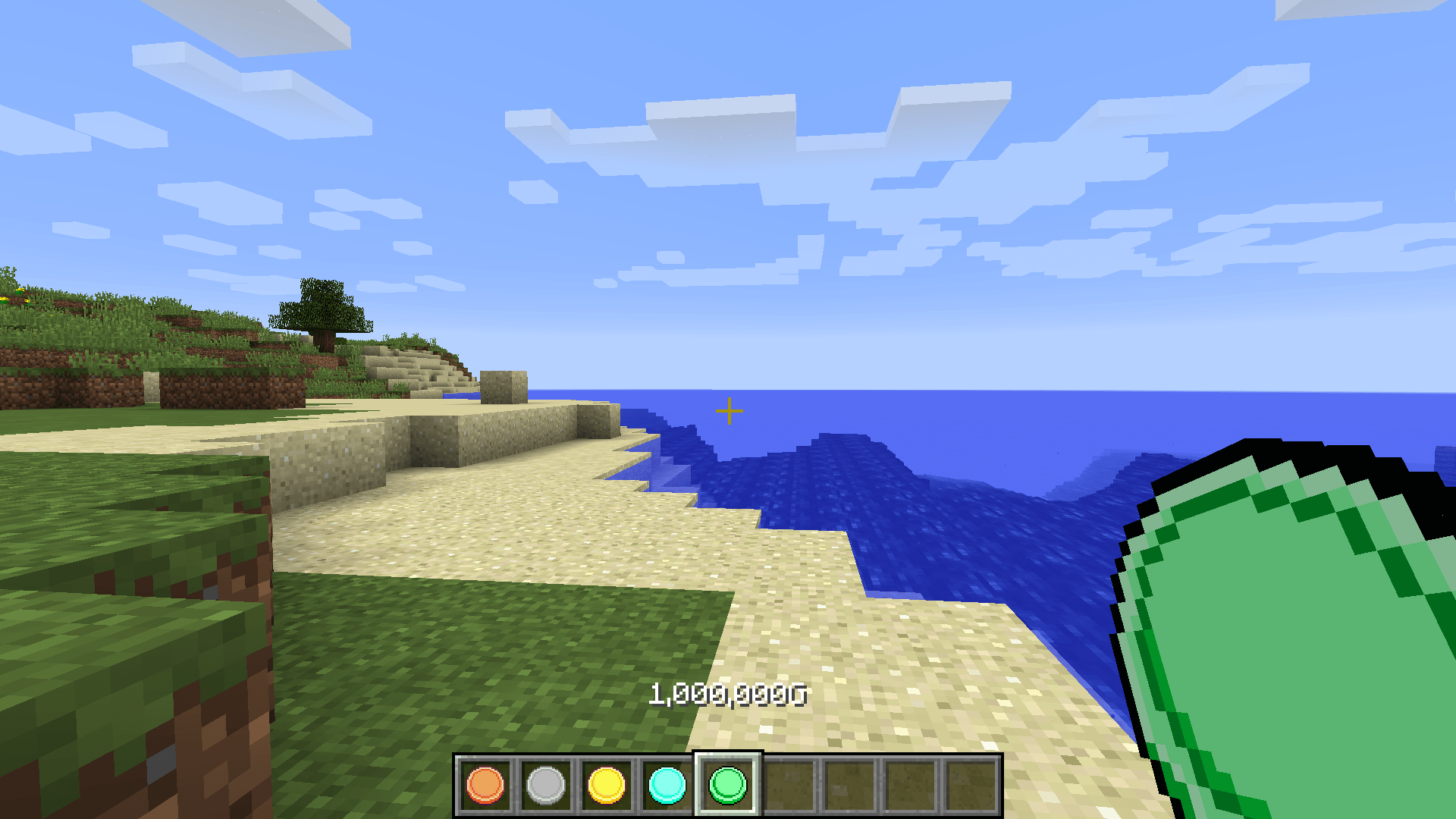
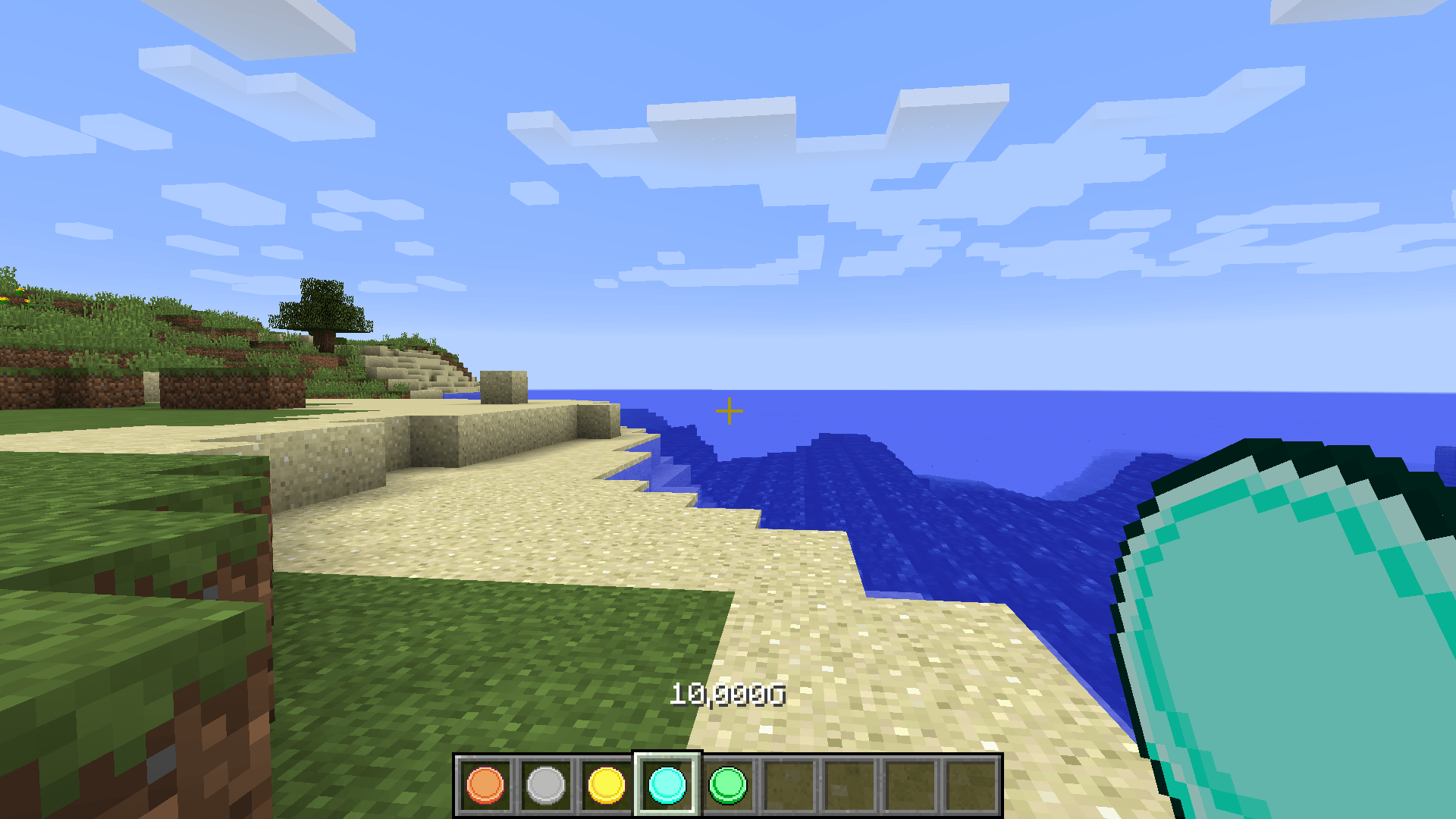
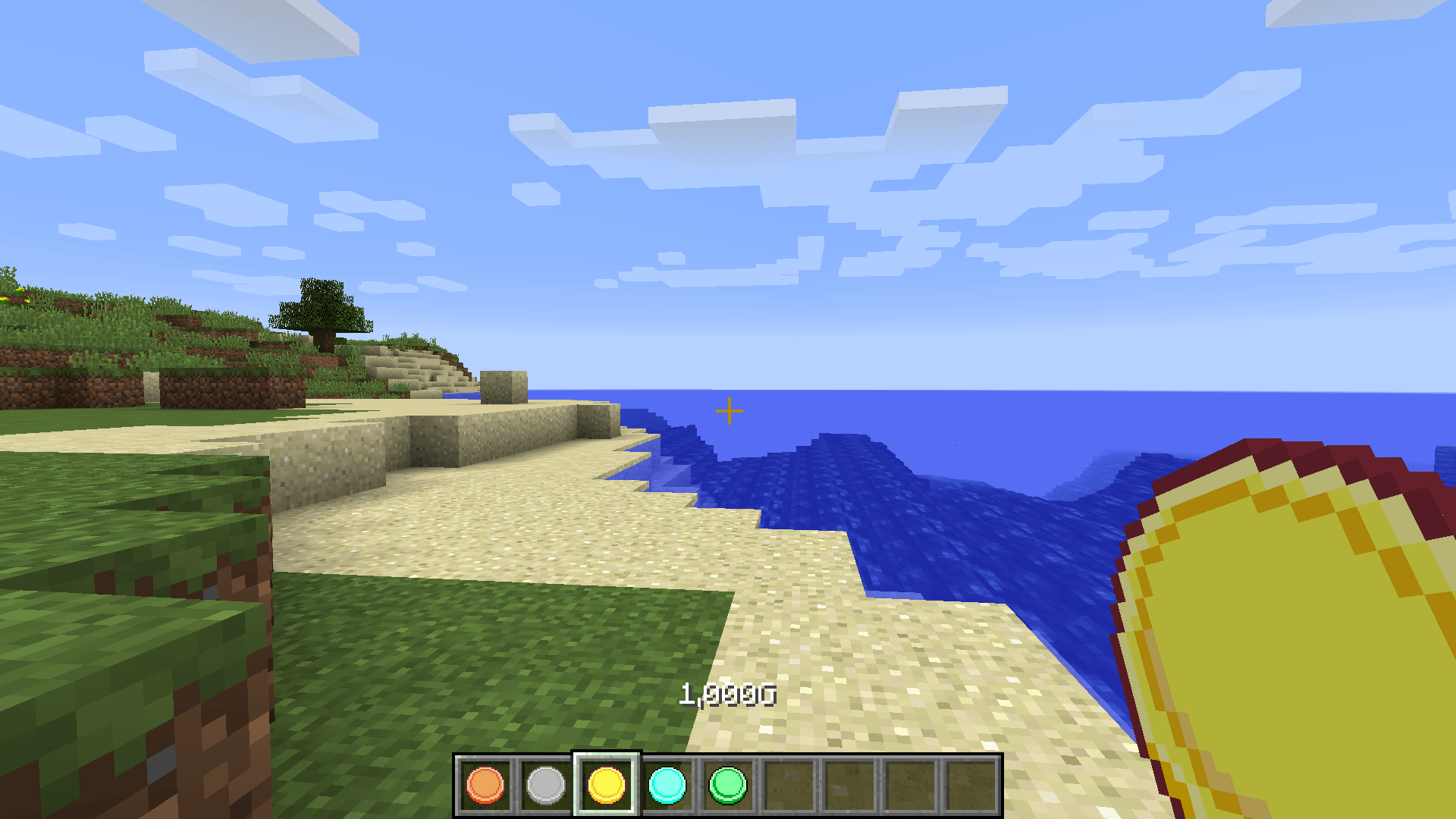
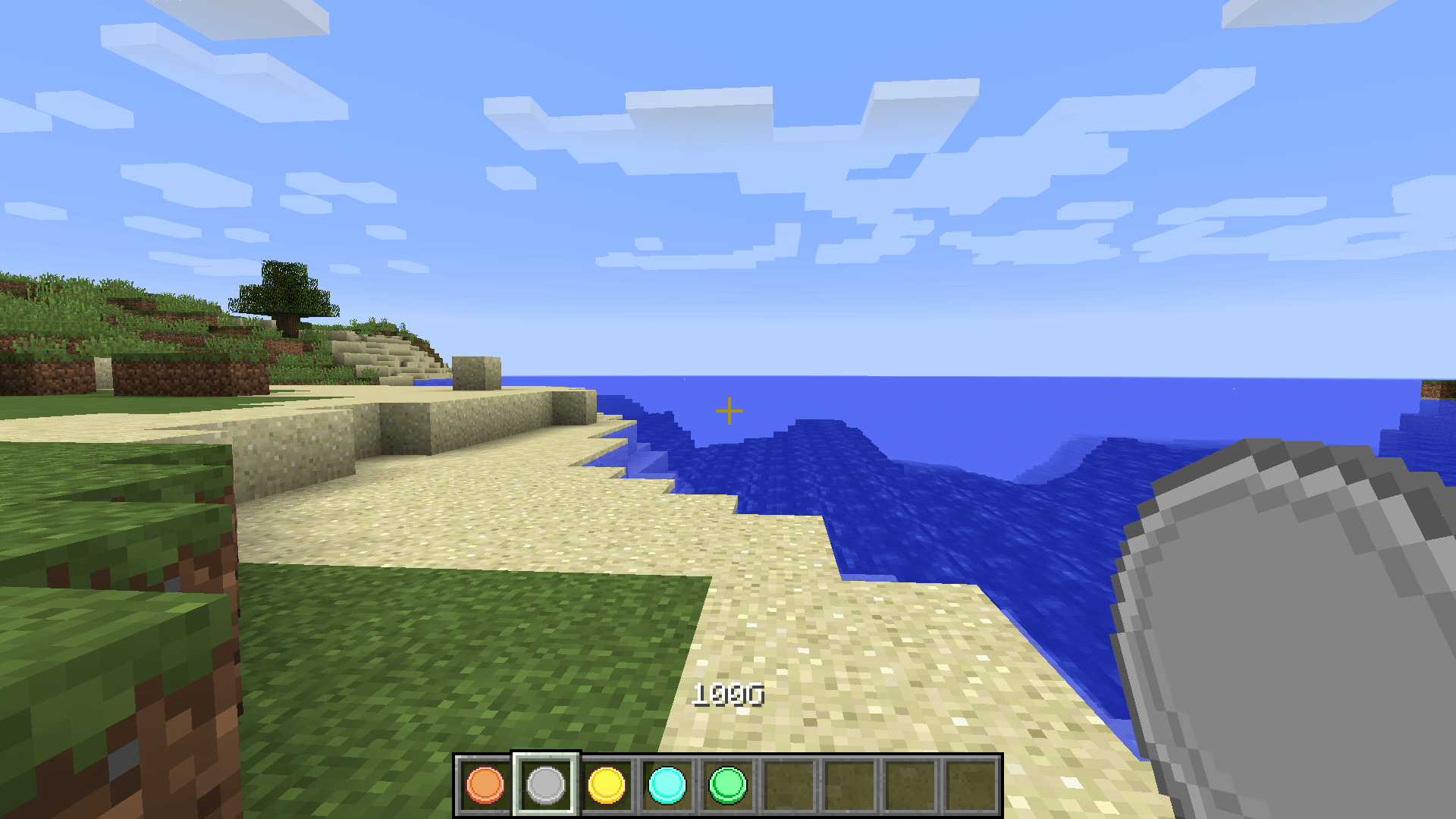
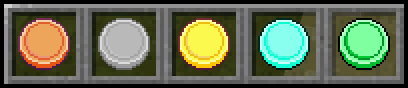
This resourcepack changes the look of the 5 coins in "ParkerMc's Coins Mod". In this resourcepack, they are very similiar to the "Farming Valley Coins (ParkerMc's Coins)", but without any text on them. So if anyone want a new look to the coins, that is not themed around a modpack. Then you can use this resourcepack.

The 5 coins are changed into a copper coin (10G), silver coin (100G), gold coin (1000G), diamond coin (10.000G) and a emerald coin (1.000.000G). All coins are blank, and no text is on them.

You can see the look of the coins here:
You can see how the quest look ingame, if you click on the images button.

Link To The Mod: https://www.curseforge.com/minecraft/mc-mods/parkermcs-coins-mod

(The mod is required for this resourcepack to work)

You can use this resourcepack in any modpacks, that also uses "ParkerMc's Coins Mod"

Drawn by Arkadya

BlankCoinsRP_1.10.2_v1.0.2.zip
MC 1.10.2
Release 2026-03-24 Get
BlankCoinsRP_1.12.2_v1.0.2.zip
MC 1.12.2
Release 2026-03-24 Get
BlankCoinsRP_1.16.5_v1.0.2.zip
MC 1.16.5
Release 2026-03-24 Get
BlankCoinsRP_1.20.1_v1.0.2.zip
MC 1.20.1
Release 2026-03-24 Get
BlankCoinsRP_1.16.5_v1.0.1.zip
MC 1.16.5
Release 2024-09-01 Get
BlankCoinsRP_1.20.1_v1.0.1.zip
MC 1.20.1
Release 2024-09-01 Get
BlankCoinsRP_1.10.2_v1.0.0.zip
MC 1.10.2
Release 2024-08-27 Get
BlankCoinsRP_1.12.2_v1.0.0.zip
MC 1.12.2
Release 2024-08-27 Get

Requirements & install

How to use this resource pack in Minecraft
Resolution
16x
Minecraft
1.10.2 – 1.20.1
Install folder
.minecraft/resourcepacks

How to install resource packs

  1. Download the resource pack .zip file (do not extract it).
  2. In Minecraft open Options → Resource Packs → Open Pack Folder.
  3. Drop the .zip into the resourcepacks folder (.minecraft/resourcepacks).
  4. Move the pack to the Selected column and click Done.
Browse more: 16x resource packs 32x resource packs 64x resource packs 128x resource packs 256x resource packs 512x+ resource packs Resource Packs for 1.20.1 All resource packs

More from Kehaan

Advertisement Remove ads with Premium →

You Might Also Like