Mineuniverse
Resource Packs
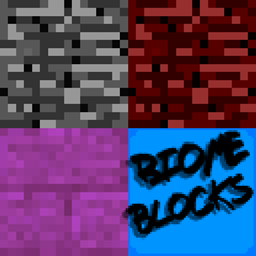
Biome Blocks

Biome Blocks

RESOURCE PACK
Changes blocks depending on their biome
by realaquadude425
Download Claim this project
3,422 downloads
0 likes
0 followers
Updated Oct 14, 2026
0 hypes
Follow0
16x Miscellaneous
Advertisement Remove ads with Premium →

Biome Blocks is a Minecraft resource pack, aimed at giving some more diversity and immersion to the game.


This resource pack takes advantage of Optifine's wonderful features, allowing for custom per-biome blocks and colours.


To use this resource pack you must:

-have Minecraft version 1.10 or newer;

-be on Optifine 1.10_HD_U_B6 or newer


Installation instructions (Windows):

-download the file from the downloads page;

-open the start menu;

-in the start menu search bar, type in "%appdata%";

-open the ".minecraft" folder;

-open the "resource packs" folder;

-copy and paste the downloaded "Biome Blocks V-" zip file into the folder


-Optifine download: https://optifine.net/downloads


Future plans:

-If you think there should be more overlays, please leave a comment stating what block it should be

-plans for end/nether lighting

-plans for biome/weather based sky


Any suggestions? I'd love to hear them! Be sure to leave a comment and let me know what you think!

Biome Blocks v1.4.7.zip
MC 1.12, 1.12-Snapshot
Release 2017-07-25 Get
Biome Blocks V1.2.zip
MC 1.12, 1.12-Snapshot
Release 2017-07-24 Get
Biome Blocks V1.3.zip
MC 1.12, 1.12-Snapshot
Release 2017-07-24 Get
Biome Blocks v1.1.5.zip
MC 1.10-Snapshot, 1.12, 1.10.2, 1.11, 1.10, 1.10.1, 1.11.1, 1.11.2, 1.11-Snapshot, 1.12-Snapshot
Beta 2017-07-24 Get
Biome Blocks V1.0.zip
MC 1.10-Snapshot, 1.12, 1.10.2, 1.11, 1.10, 1.10.1, 1.11.1, 1.11.2, 1.11-Snapshot, 1.12-Snapshot
Release 2017-07-23 Get

Requirements & install

How to use this resource pack in Minecraft
Resolution
16x
Minecraft
1.10.1 – 1.12
Install folder
.minecraft/resourcepacks

How to install resource packs

  1. Download the resource pack .zip file (do not extract it).
  2. In Minecraft open Options → Resource Packs → Open Pack Folder.
  3. Drop the .zip into the resourcepacks folder (.minecraft/resourcepacks).
  4. Move the pack to the Selected column and click Done.
Browse more: 16x resource packs 32x resource packs 64x resource packs 128x resource packs 256x resource packs 512x+ resource packs Resource Packs for 1.12 All resource packs
Advertisement Remove ads with Premium →

You Might Also Like




