Badges update automatically and link to the resource pack page on MineUniverse.
BiblioCraft Legacy + Dye Depot Compatibility Resource Pack
Minecraft 1.21.1
PURPOSE:
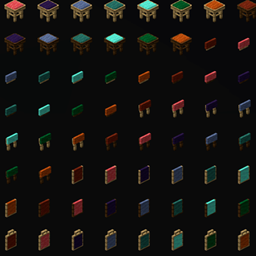
BiblioCraft Legacy registers furniture variants for Dye Depot's 16 extra dye colors,
but BiblioCraft 1.6.5 does not ship the corresponding generated blockstate/model JSON.
Minecraft therefore renders those registered blocks/items as missing-model purple/black squares.
THIS PACK ADDS:
- 784 blockstate JSON files
- 2176 block-model JSON files
- 1312 item-model JSON files
- Coverage for: amber, aqua, beige, coral, forest, ginger, indigo, maroon, mint, navy, olive, rose, slate, tan, teal, verdant
INSTALL:
1. Put BiblioCraft_DyeDepot_Compat_1.21.1.zip into Minecraft's resourcepacks folder.
2. Enable it ABOVE other packs that alter BiblioCraft models.
3. Reload resources (F3+T) or restart Minecraft.
4. Test a few Dye Depot BiblioCraft pieces, especially display cases, seats/seat backs,
lamps/lanterns, and typewriters.
NOTES:
- This is resource-only; it does not alter blocks, registries, NBT, recipes, or world data.
- Existing placed furniture should render correctly as soon as its model resolves.
- The files were generated from BiblioCraft's complete RED-color asset set and rewritten to
the 16 Dye Depot colors while preserving wood variants, rotations, open/lit states,
waterlogging, and seat-back styles.
- If a future BiblioCraft release adds native Dye Depot assets, remove this compatibility pack.
❤️ Support Future Maintinence ❤️