Mineuniverse
Resource Packs
BetterWeapons

BetterWeapons

RESOURCE PACK
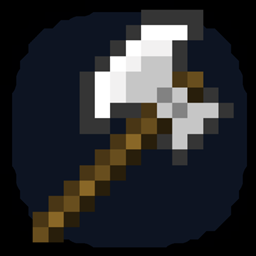
Customize axes, swords and bows in vanilla Minecraft using Optifine and anvils!
by scythhu
Download Claim this project
1,957 downloads
0 likes
Updated Oct 14, 2026
0 hypes
16x Medieval Miscellaneous
Advertisement Remove ads with Premium →

Ever wanted to customize your Minecraft weapons in vanilla Minecraft? Well this is the thing for you!

ALERT: YOU NEED THE LATEST VERSION OF MINECRAFT OPTIFINE FOR THIS TO WORK.


This resource pack adds:

- Option to customize your axe, sword, bow
- And new weapon types every week!


How to customize the axe?

All you need is:
- 1 anvil
- Experience
If you want for example an battle axe style you rename your current axe to (material) + Battle Axe. (Everything should be uppercase)
All of the axe types are in the resource pack file (in a .txt file).


Warrior Axes:

Warrior Axes

Battle Axes:

Heavy Swords:

Daggers:

More weapons coming soon!


If you want to add any of your weapons or you need some help, join
the discord:
https://discord.gg/b2NQygAUB7


This is my first resource pack so please, don't be harsh :D


BetterWeapons V1.01
MC 1.17.1, 1.16.3, 1.16.1, 1.17, 1.16, 1.16.5, 1.16.4, 1.16.2
Release 2021-07-21 Get
AxeTest
MC 1.17.1, 1.16.3, 1.16.1, 1.17, 1.16, 1.16.5, 1.16.4, 1.16.2
Alpha 2021-07-18 Get

Requirements & install

How to use this resource pack in Minecraft
Resolution
16x
Minecraft
1.16 – 1.17.1
Install folder
.minecraft/resourcepacks

How to install resource packs

  1. Download the resource pack .zip file (do not extract it).
  2. In Minecraft open Options → Resource Packs → Open Pack Folder.
  3. Drop the .zip into the resourcepacks folder (.minecraft/resourcepacks).
  4. Move the pack to the Selected column and click Done.
Browse more: 16x resource packs 32x resource packs 64x resource packs 128x resource packs 256x resource packs 512x+ resource packs Resource Packs for 1.17.1 All resource packs
Advertisement Remove ads with Premium →

You Might Also Like