Mineuniverse
Resource Packs
Better Wheat (ABANDONED)

Better Wheat (ABANDONED)

RESOURCE PACK
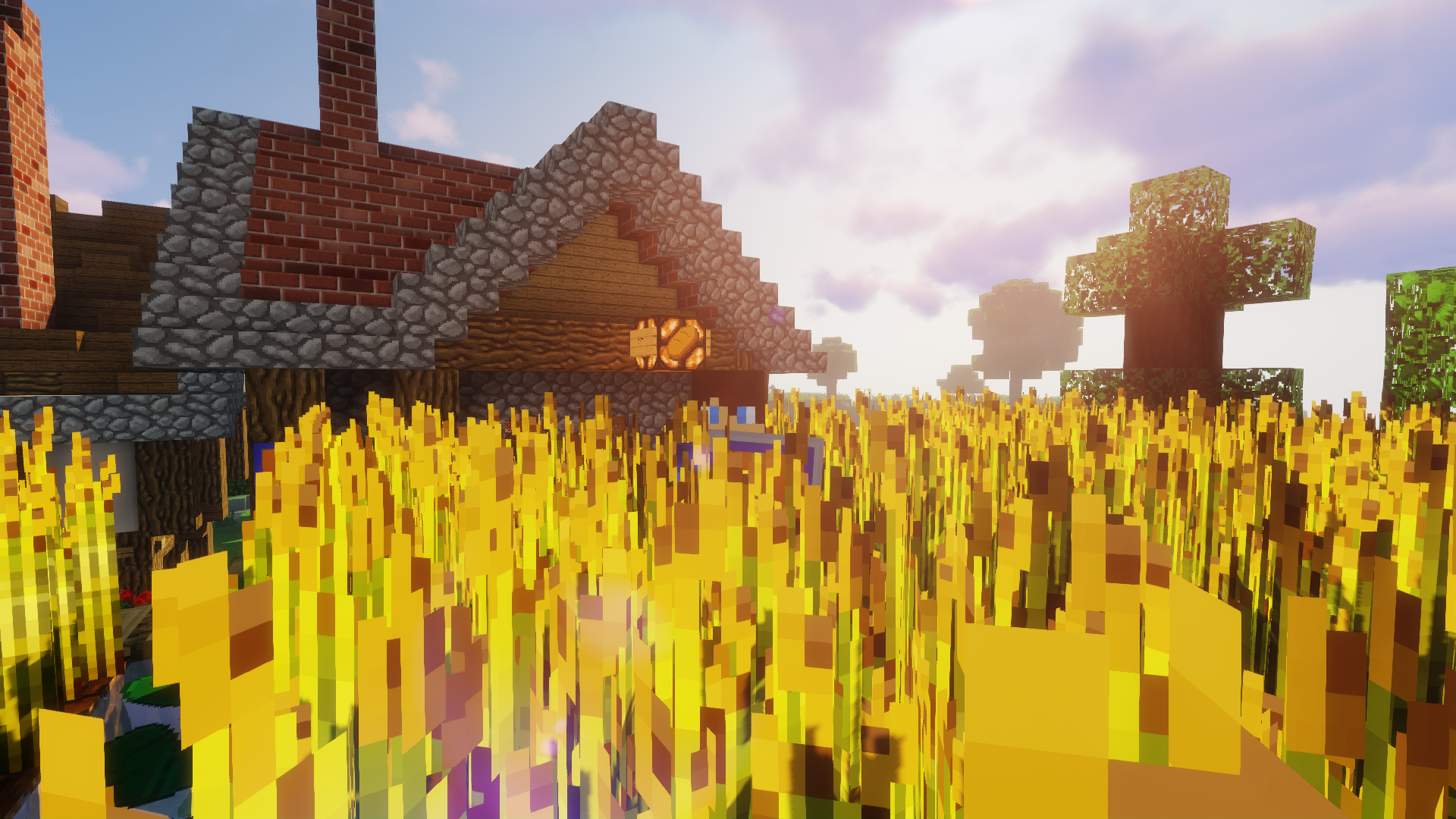
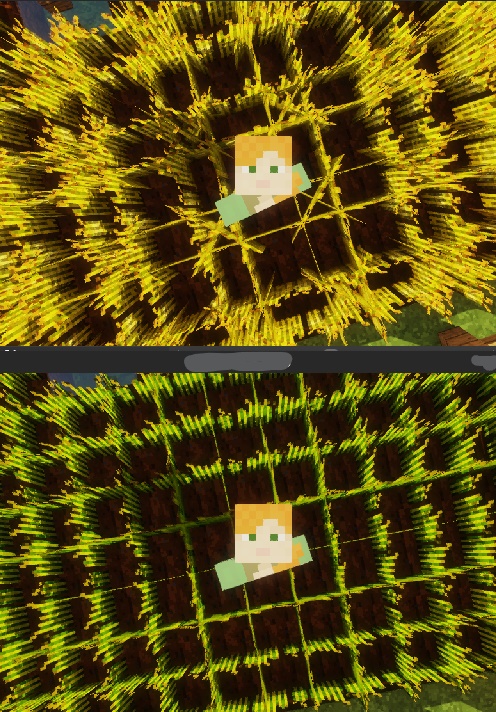
Makes wheat taller, thicker and more yellow.
by SuperMor1s
Download Claim this project
56,392 downloads
0 likes
Updated Oct 14, 2026
0 hypes
32x Miscellaneous
Advertisement Remove ads with Premium →

Makes wheat taller, thicker and a more golden color.

V3 Trailer

Feel free to use this pack in videos, but please provide credit somewhere.


Update Log:

  • V1    adds Better Wheat
  • V2    comes with EXTRA THICK WHEAT!
  • V2.1 fixes an issue where the model is off by one pixel
  • V2.2 fixes an issue where the particles are missing
  • V3    adds 6 NEW MODELS! (Total is now 7)
  • V3.1 adds 1 new model (Total is now 8) Also fixes an issue where model #6 doesn't load in properly
  • V4    adds 1.13-1.14
  • V5    does not exist. It is simply known as 1.15
Better Wheat 16x v4 1.13-1.14
MC 1.13.1, 1.14.4, 1.14.1, 1.14.3, 1.13, 1.14, 1.14.2, 1.13-Snapshot, 1.14-Snapshot, 1.13.2
Release 2019-12-27 Get
Better Wheat 16x 1.15
MC 1.15-Snapshot, 1.15, 1.15.1
Release 2019-12-27 Get
Better Wheat 32x V3.1 1.11-1.12
MC 1.12.1, 1.12, 1.11, 1.11.1, 1.11.2, 1.11-Snapshot, 1.12.2, 1.12-Snapshot
Release 2019-05-22 Get
Better Wheat 32x V3 1.11-1.12
MC 1.12.1, 1.12, 1.11, 1.11.1, 1.11.2, 1.11-Snapshot, 1.12.2, 1.12-Snapshot
Beta 2019-05-22 Get
Better Wheat 32x V2.1 1.11-1.12
MC 1.12.1, 1.12, 1.11, 1.11.1, 1.11.2, 1.11-Snapshot, 1.12.2, 1.12-Snapshot
Beta 2019-05-17 Get
Better Wheat 32x V2.2 1.11-1.12
MC 1.12.1, 1.12, 1.11, 1.11.1, 1.11.2, 1.11-Snapshot, 1.12.2, 1.12-Snapshot
Release 2019-05-17 Get
Better Wheat 32x V2 1.11-1.12
MC 1.12.1, 1.12, 1.11, 1.11.1, 1.11.2, 1.11-Snapshot, 1.12.2, 1.12-Snapshot
Alpha 2019-05-14 Get
Better Wheat 32x 1.11-1.12
MC 1.12.1, 1.12, 1.11, 1.11.1, 1.11.2, 1.11-Snapshot, 1.12.2, 1.12-Snapshot
Release 2019-05-12 Get

Requirements & install

How to use this resource pack in Minecraft
Resolution
32x
Minecraft
1.14 – 1.15.1
Install folder
.minecraft/resourcepacks

How to install resource packs

  1. Download the resource pack .zip file (do not extract it).
  2. In Minecraft open Options → Resource Packs → Open Pack Folder.
  3. Drop the .zip into the resourcepacks folder (.minecraft/resourcepacks).
  4. Move the pack to the Selected column and click Done.
Browse more: 16x resource packs 32x resource packs 64x resource packs 128x resource packs 256x resource packs 512x+ resource packs Resource Packs for 1.15.1 All resource packs

More from SuperMor1s

Advertisement Remove ads with Premium →

You Might Also Like