To make me Happy-------------------------------->>>>>>
Subscribe to my Channel: https://www.youtube.com/channel/UCUVDdmkilPeWbdhONXEm5qA
About
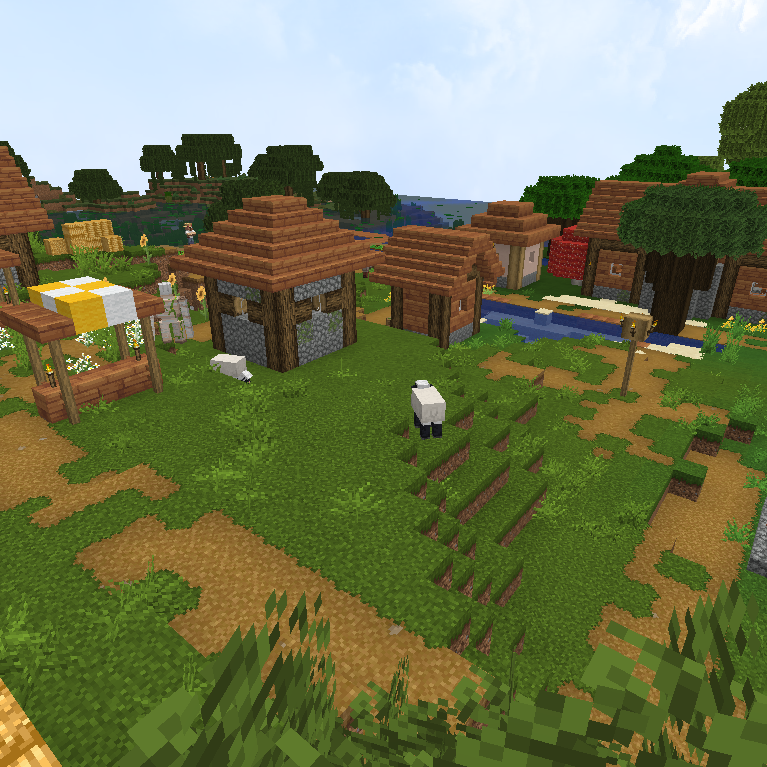
Greamyblade is a visual remaster of the current default texture-pack, I tweaked and changed a lot of current textures that I thought needed it. The changes are not drastic and still fit perfectly with the current color scheme and textures of the default texture pack, many of these changes will add a lot more diversity, removing repetitiveness which in turn results in a more realistic and overall nicer appearance.
NOTE: This pack is still being updated. So be sure to download the latest version.
OPTIFINE REQUIRED FOR:
Connected textures
Overlays
bushy Birch Leaves
and more.
FAQ
My leaves aren't working correctly how do I fix it?
You need to have your leaves on fancy.
How do I make it so I only have orange leaves?
Navigate to assets/minecraft/optifine/cmt/leaves/birch_leaves/orange and copy the texture files, then go back to the cherry_blossom folder and paste the files in there. This will replace the pink leaves with orange leaves.
How do I make it so I only have pink leaves?
Navigate to assets/minecraft/optifine/cmt/leaves/birch_leaves/cherry_blossom
copy the leave texture files, go back and paste them in the orange folder. Also paste them in blocks folder located minecraft/assets/textures/blocks
How do I disable the birch leave colors?
Open the "green birch leaves" folder located assets/minecraft/textures/blocks/green_birch_leaves copy the texture files and paste in the following areas assets/minecraft/textures/block, assets/minecraft/optifine/ctm/leaves/birch_leaves/cherry_blossom, assets/minecraft/optifine/ctm/leaves/birch_leaves/orange. To remove the orange grass in birch biomes go to the "no green grass" folder located assets/minecraft/textures/colormap copy the grass texture file and paste in the colormap folder replacing the old one.
The leave colors don't look correct with certain mods installed how can I Fix this?
Unfortunately I don't have any experience with mod compatibility issues but I believe deleting the colormap folder might fix the problem these are located assets/minecraft/textures/colormap also assets/minecraft/textures/optifine/colormap.
How can I remove the netherrite tool and armor textures?
Navigate to assets/minecraft/textures/items then search for the netherrite items and delete them, next navigate to assets/minecraft/textures/models and delete the armor folder.
Some Birch trees have both orange and pink leaves?
This happens when a tree is on the border of a biome where one biome has orange leaves and one pink. From my knowledge there is nothing that can be done to fix this. Other than only having one leave color.
I don't have block variations or connected textures?
You need to turn these on in the settings menu with optifine installed. You need connected textures on fancy and alternate blocks turned on.