Mineuniverse
Resource Packs
Better Shifter Marks DAOT

Better Shifter Marks DAOT

RESOURCE PACK
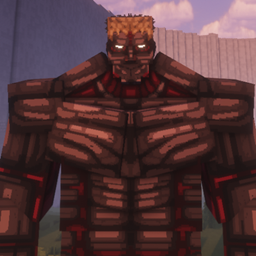
Makes Danny's AOT Shifter Marks work for 2x2 eyes, one pixel from the bottom of the face, as well as 1x2 eyes, 2 pixels from the bottom of the face.
by lunarfnc
Download Claim this project
Add a badge to your pageLink to Better Shifter Marks DAOT from a README, website or forum post.
Preview: Badge

Badges update automatically and link to the resource pack page on MineUniverse.

2,933 downloads
0 likes
0 followers
Updated Oct 14, 2026
0 hypes
Follow0
32x
Advertisement Remove ads with Premium →

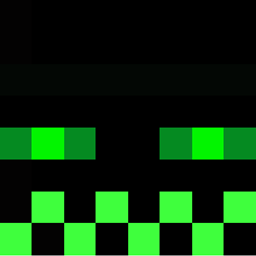
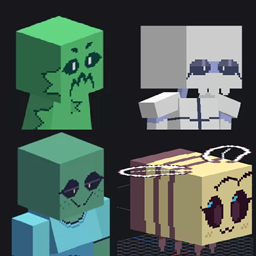
Danny's AOT shifter marks are made for eyes with 3 pixels underneath the eyes and in a 1x2 configuration, which causes any eyes lower on the skin to have the marks overlap their eyes and it doesn't look good, this texture pack makes the shifter marks apply to eyes which have 1 pixel underneath the eyes and a 2x2 configuration (though you can use 1x2 it will only make female and warhammer titans look slightly off).
(we also now have 1x2 eyes, 2 pixels from the bottom of the face)

The resource pack does decrease the detail of the shifter marks as there is less room to work with underneath the eye, for most of the shifter marks it is just moved downwards, but the warhammer and female have had their textures expanded to fit the larger eye, and the attack and warhammer have had the lines underneath the eyes altered to be more visible and look more aesthetically pleasing.

All credit to Danny and Danny's AOT, and of course you'll need Danny's AOT to have this make any effect

ShifterMarks1x2_eyes1pxfrombottom.zip
MC 1.21.1
Release 2026-08-17 Get
1x2ShifterMarksMK1.zip
MC 1.21.1
Release 2026-08-05 Get
2x2ShifterMarksMK5.zip
MC 1.21.1
Release 2026-07-02 Get
ShifterMarksChangesMK4.zip
MC 1.21.1
Release 2026-06-23 Get

Requirements & install

How to use this resource pack in Minecraft
Resolution
32x
Minecraft
1.21.1
Install folder
.minecraft/resourcepacks

How to install resource packs

  1. Download the resource pack .zip file (do not extract it).
  2. In Minecraft open Options → Resource Packs → Open Pack Folder.
  3. Drop the .zip into the resourcepacks folder (.minecraft/resourcepacks).
  4. Move the pack to the Selected column and click Done.
Browse more: 16x resource packs 32x resource packs 64x resource packs 128x resource packs 256x resource packs 512x+ resource packs Resource Packs for 1.21.1 All resource packs

More from lunarfnc

Advertisement Remove ads with Premium →

You Might Also Like