Mineuniverse
Resource Packs
Better PVP Weapons

Better PVP Weapons

RESOURCE PACK
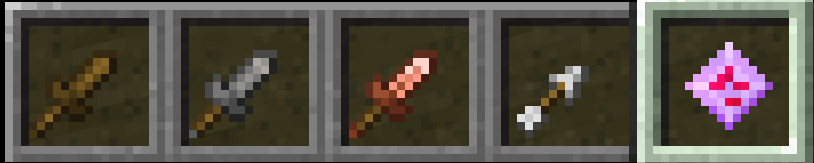
Changes the main pvp weapons in the game to be smaller/better fit for pvp.
by benyoman
Download Claim this project
119 downloads
0 likes
Updated Oct 14, 2026
0 hypes
16x Miscellaneous Modern
Advertisement Remove ads with Premium →

for people who want to do pvp but dont like long weapons that obscruct view


resoruce pack
texture pack
image pack
weapon pack
pvp pack

idk lol

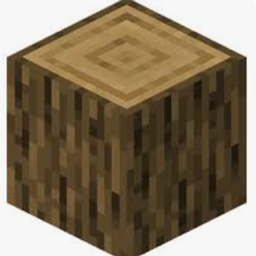
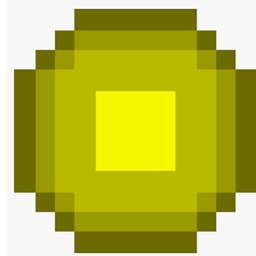
Changes texture of arrow and swords and mace, and glowstone block.

changes armor bar and health bar texture to a purple-ish theme


only effects the icons in the hotbar and inventory and other storages

1.20-1.20.1
MC 1.20.1, 1.20
Release 2026-09-22 Get
26.3
MC 26.3
Release 2026-09-22 Get
26.3
MC 26.3
Release 2026-09-21 Get
26.2
MC 26.2
Release 2026-09-21 Get
26.1
MC 26.1
Release 2026-09-21 Get
1.21.11
MC 1.21.11
Release 2026-09-21 Get
1.21.6
MC 1.21.6
Release 2026-09-21 Get
1.21-1.21.1
MC 1.21, 1.21.1
Release 2026-09-21 Get
1.20.2
MC 1.20.2
Release 2026-09-21 Get
1.16-1.16.5
MC 1.16.3, 1.16.1, 1.16, 1.16.5, 1.16.2, 1.16.4
Release 2026-09-21 Get
1.19-1.19.2
MC 1.19.1, 1.19.2, 1.19
Release 2026-09-21 Get
1.18-1.18.2
MC 1.18.1, 1.18, 1.18.2
Release 2026-09-21 Get

Requirements & install

How to use this resource pack in Minecraft
Resolution
16x
Minecraft
1.20.2 – 26.3
Install folder
.minecraft/resourcepacks

How to install resource packs

  1. Download the resource pack .zip file (do not extract it).
  2. In Minecraft open Options → Resource Packs → Open Pack Folder.
  3. Drop the .zip into the resourcepacks folder (.minecraft/resourcepacks).
  4. Move the pack to the Selected column and click Done.
Browse more: 16x resource packs 32x resource packs 64x resource packs 128x resource packs 256x resource packs 512x+ resource packs Resource Packs for 26.3 All resource packs

More from benyoman

Advertisement Remove ads with Premium →

You Might Also Like