Mineuniverse
Resource Packs
Better GUI's (Redsigned and recolored)

Better GUI's (Redsigned and recolored)

RESOURCE PACK
Improves the GUI's and makes the game experience more immersive
by LivelongRex991
Download Claim this project
590 downloads
0 likes
0 followers
Updated Oct 14, 2026
0 hypes
Follow0
128x Animated Miscellaneous Modern Traditional
Advertisement Remove ads with Premium →

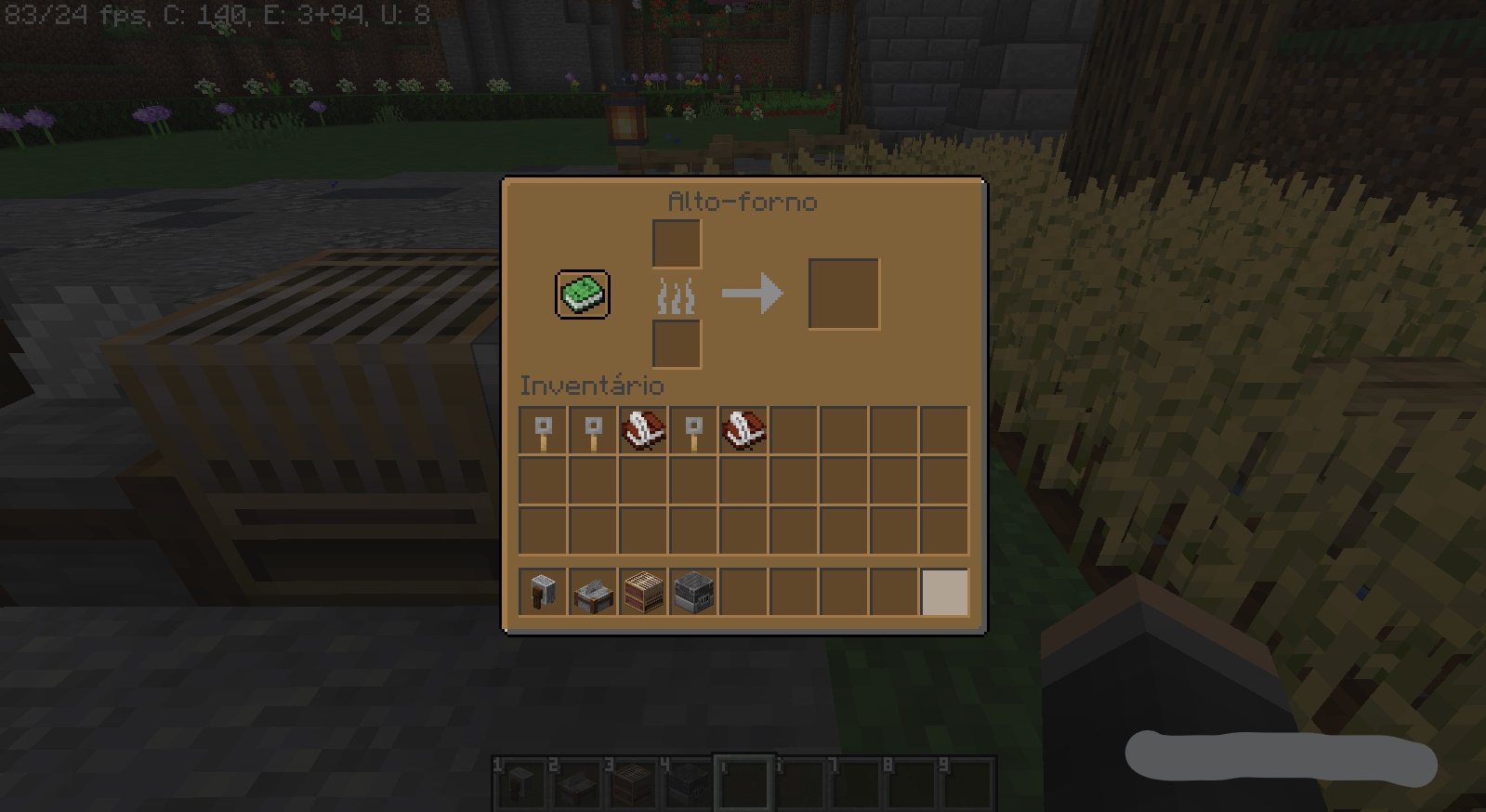
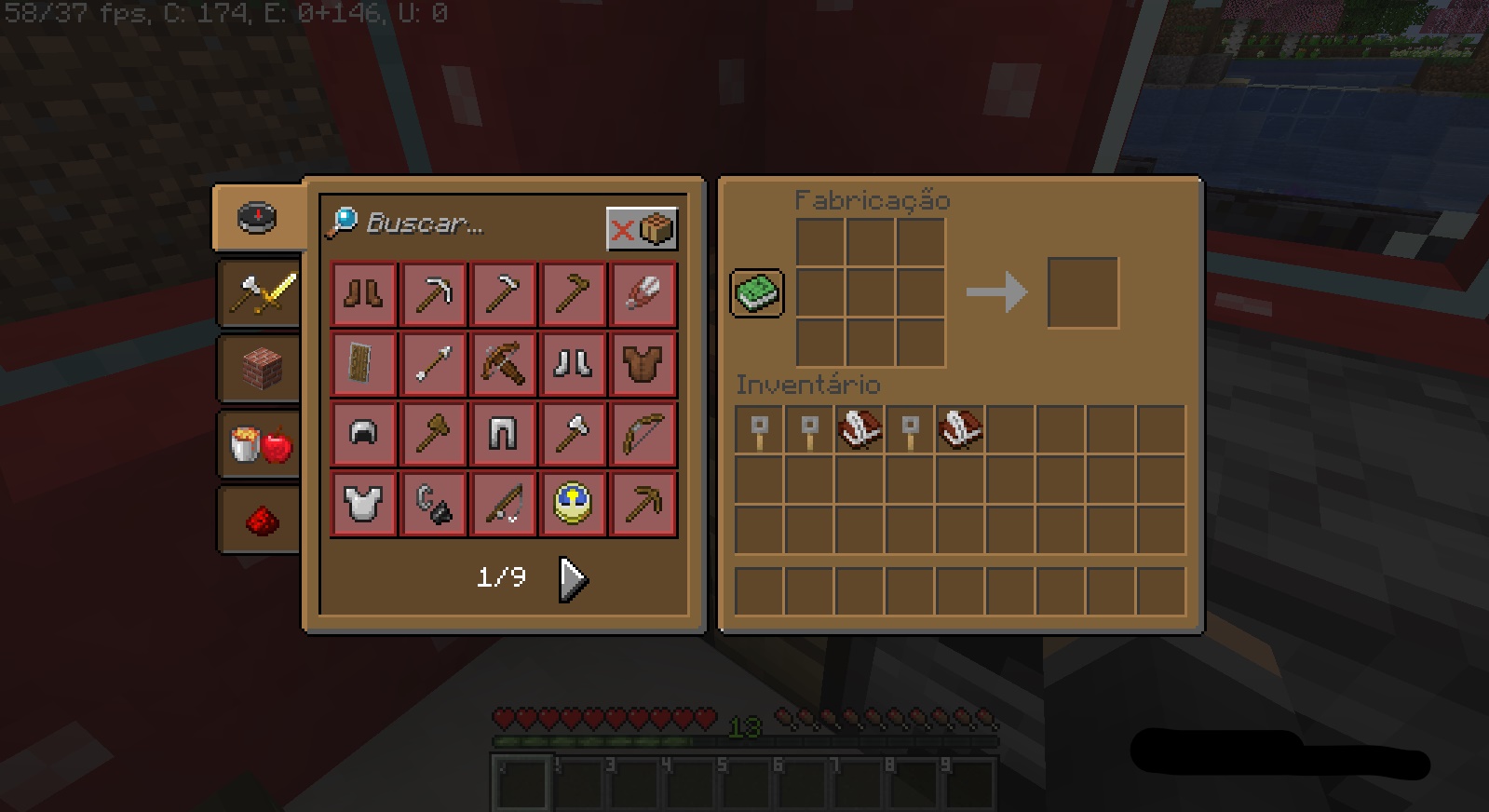
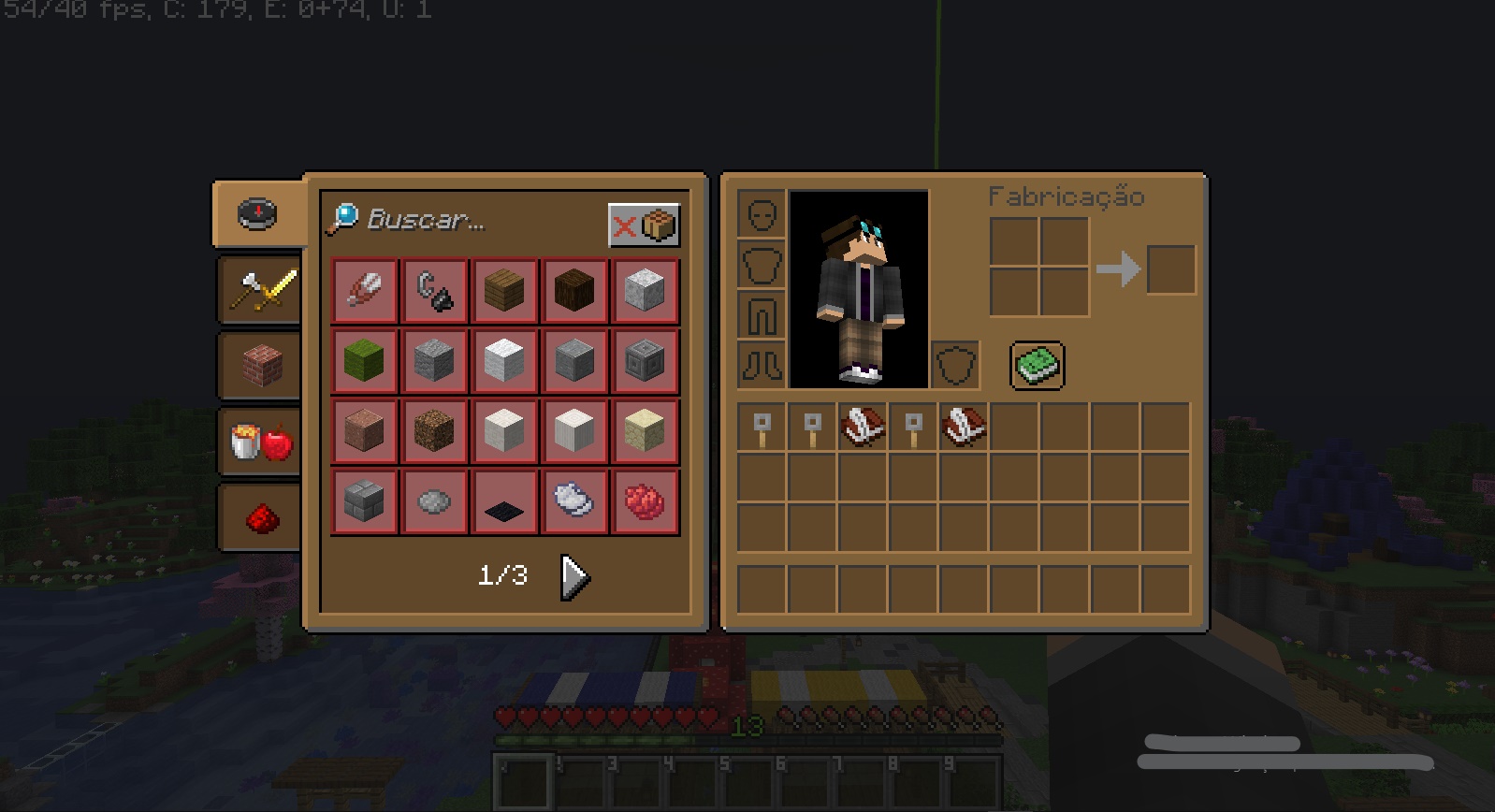
With this texture Minecraft tabs will be improved, with new colors for better understanding of certain things in Minecraft.

This texture will be changed or added:

- The background in the menu to choose worlds or servers

- The hotbar is now numbered

- Block windows with interaction such as furnaces, enchantment table, chests and others

- Some block textures have been slightly changed

- The buttons have been changed too

Note: This texture is always updated with each version added in minecraft

Texture Better GUIs [1.19]
MC 1.19.3, 1.19.2, 1.19.1, 1.19
Release 2022-12-18 Get
Texture Better GUIs [1.18/1.18.1]
MC 1.18.1, 1.18
Release 2022-02-26 Get
Texture Better GUIs [1.17.1]
MC 1.17.1
Alpha 2021-10-21 Get

Requirements & install

How to use this resource pack in Minecraft
Resolution
128x
Minecraft
1.17.1 – 1.19.3
Install folder
.minecraft/resourcepacks

How to install resource packs

  1. Download the resource pack .zip file (do not extract it).
  2. In Minecraft open Options → Resource Packs → Open Pack Folder.
  3. Drop the .zip into the resourcepacks folder (.minecraft/resourcepacks).
  4. Move the pack to the Selected column and click Done.

Packs from 128x upwards need more video memory: install a performance mod such as Sodium for smooth frame rates.

Browse more: 16x resource packs 32x resource packs 64x resource packs 128x resource packs 256x resource packs 512x+ resource packs Resource Packs for 1.19.3 All resource packs
Advertisement Remove ads with Premium →

You Might Also Like